🔥 最新热门

AI电影制作:自动生成专业分镜脚本与场记表

从全景到特写,一键生成包含9个标准电影镜头的3x3故事板。电影导演和摄影师进行前期视觉预览(Previs)的终极工具。

📅 2025-11-30 🏷️ 电影与摄影制作 ⚡ 进阶版

AI时代的视觉预览 (Previs)

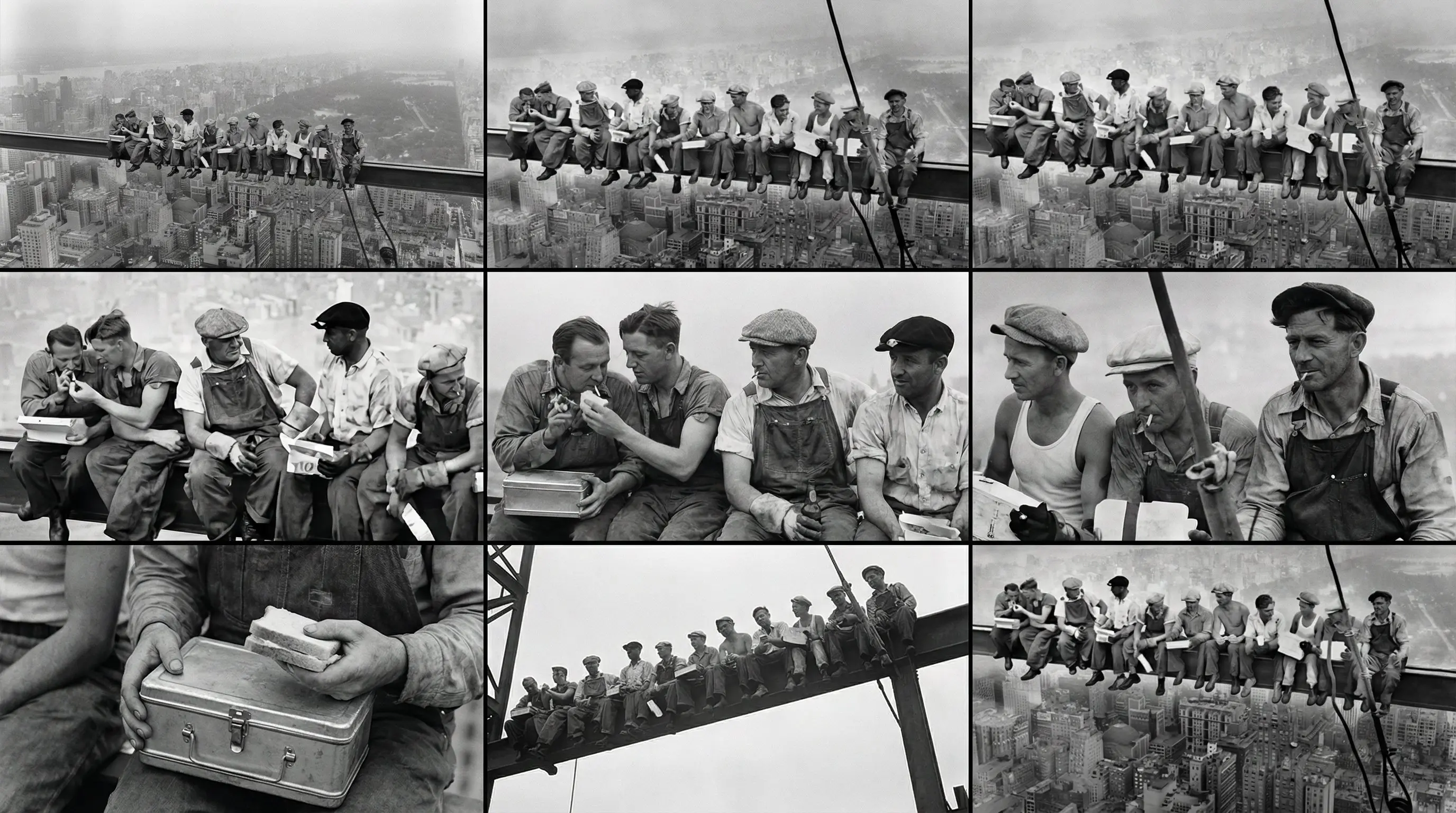
AI生成的电影分镜表,展示了同一场景下的9种不同镜头

这张3x3的"场记表"展示了同一主题在9种不同电影镜头下的表现,保持了惊人的一致性。
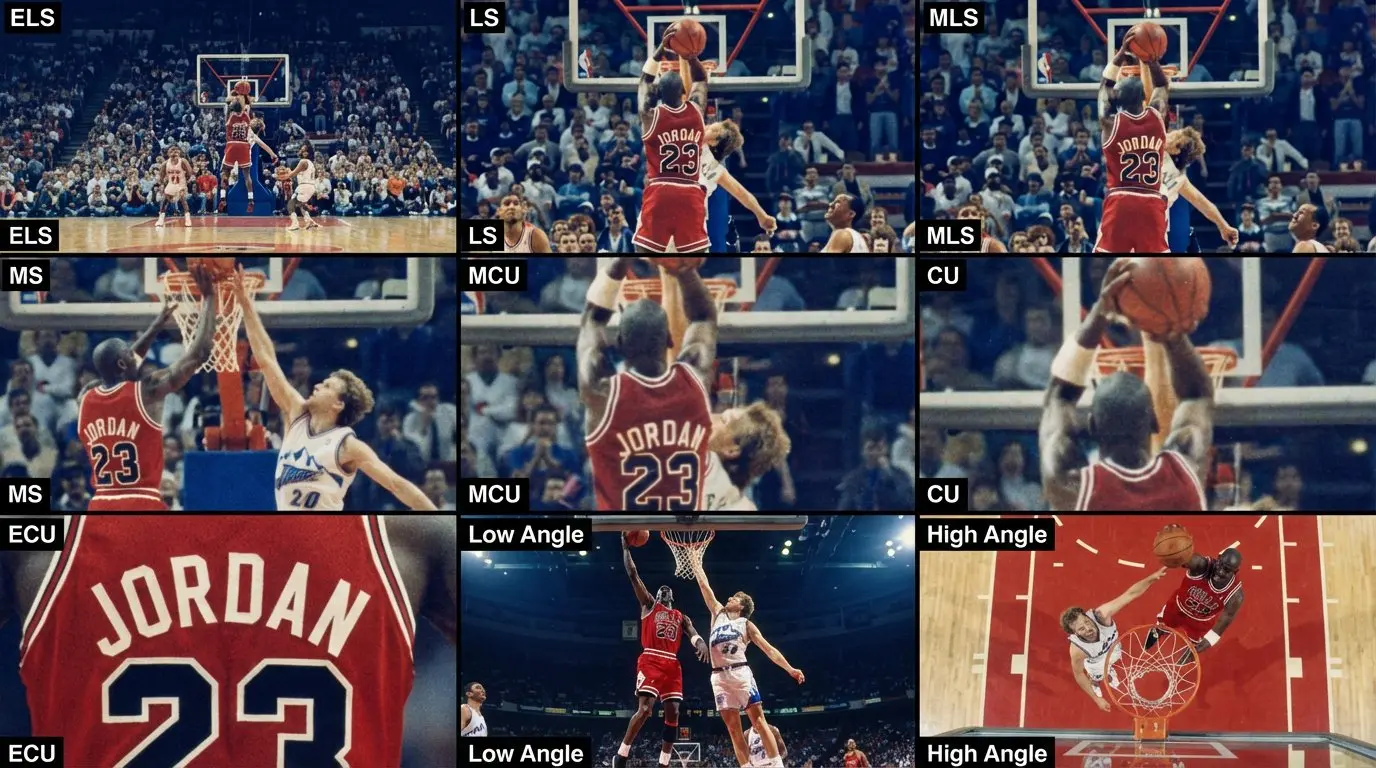
AI生成电影分镜脚本示例2

示例2:在保持一致的故事板格式下,展示不同的主题内容。

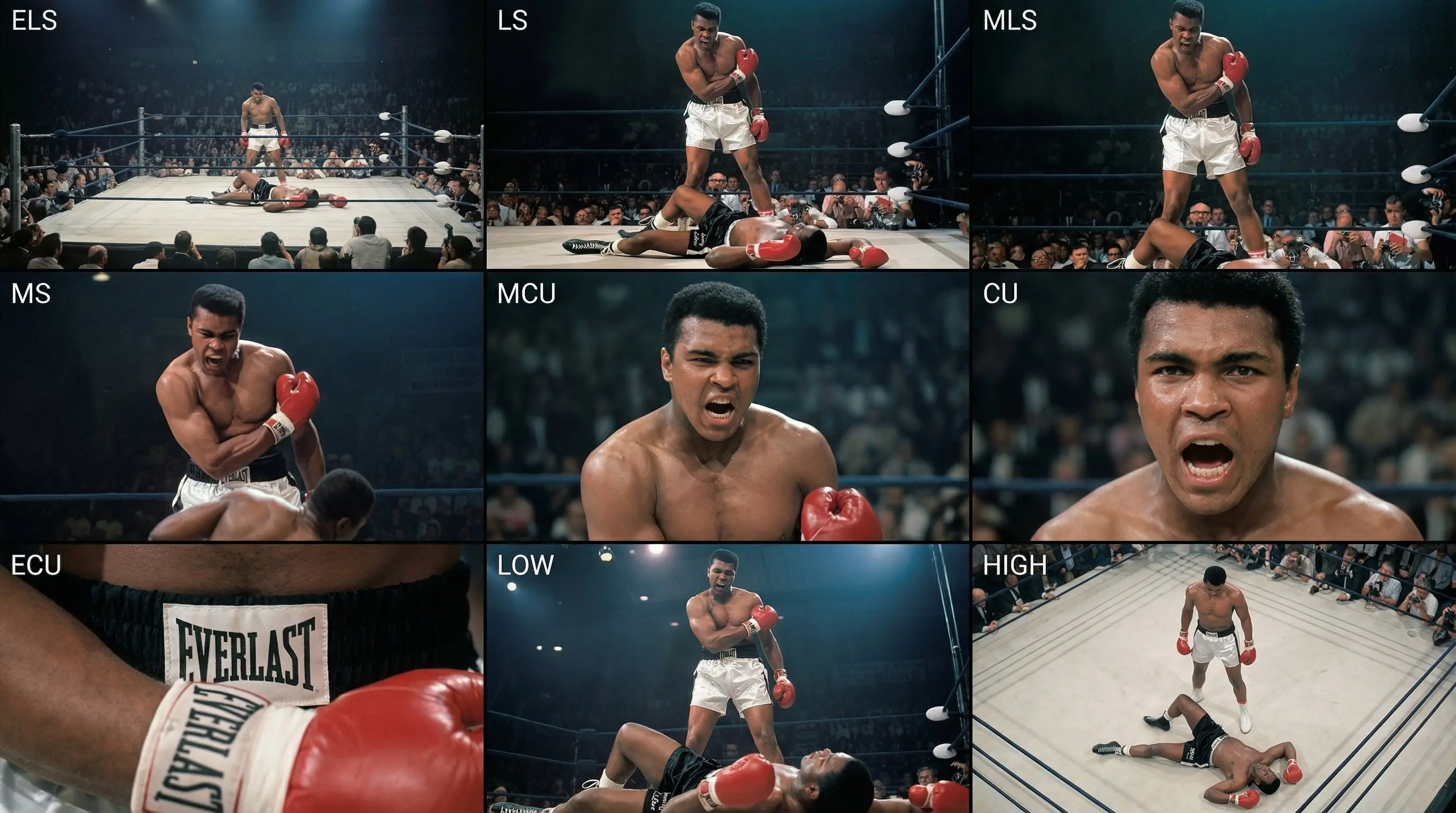
AI生成电影分镜脚本示例3

示例3:展示场景可视化中不同的艺术风格诠释。

AI生成电影分镜脚本示例4

示例4:展示该提示词在各种叙事主题中的多功能性。

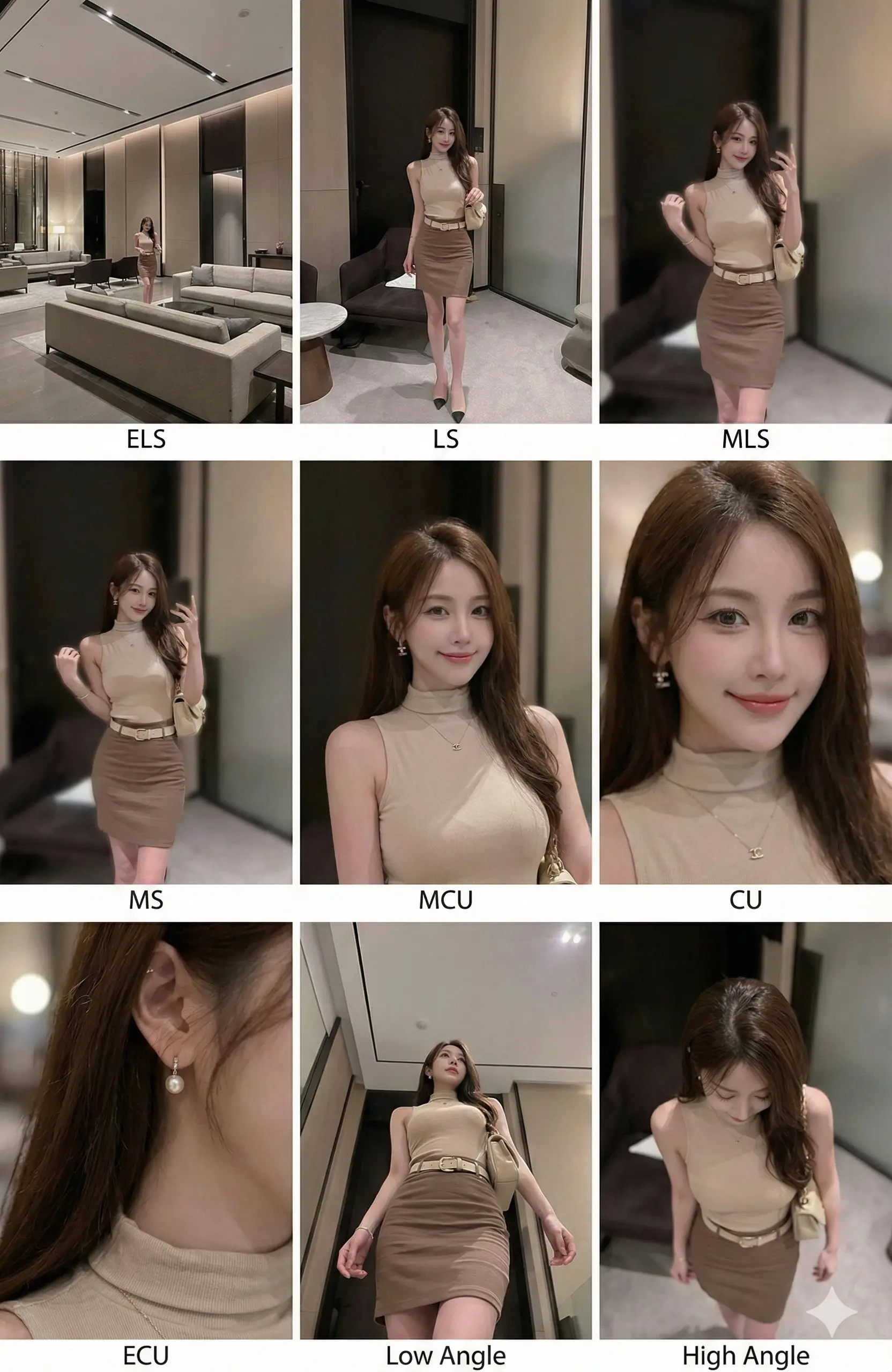
AI生成电影分镜脚本示例5

示例5:突出不同镜头下的人物细节和情感表达。

对于电影制作人和摄影师来说,绘制分镜脚本通常非常耗时。这个提示词通过模拟专业的"Contact Sheet"(印样/场记表)格式,强制AI在**同一环境**下,针对**同一主体**生成9种标准的电影镜头。这就像拥有了一位即时待命的分镜师,大大缩短了创意构思到视觉呈现的时间。

提示词 (Prompt)

📋 复制并粘贴
Analyze the entire composition of the input image. Identify all existing key subjects (whether single person, group/couple, vehicle, or specific object) and their spatial relationships/interactions. Generate a coherent 3x3 grid "contact sheet" showcasing 9 different shots of exactly these subjects in the same environment. You must adjust standard film shot types to fit the content (e.g., if it's a group, keep the group together; if it's an object, the composition includes the entire object): Row 1 (establishing background): Extreme Long Shot (ELS): Subjects appear small in a vast environment. Long Shot (LS): Full subject or group visible from top to bottom (head to toe / wheels to roof). Medium Long Shot (MLS/American shot/three-quarter): Composition from knees up (for characters) or 3/4 view (for objects). Row 2 (core coverage): 4. Medium Shot (MS): Composition from waist up (or object's central core). Focus on interactions/actions. 5. Medium Close-Up (MCU): Composition from chest up. Intimate framing of the main subject. 6. Close-Up (CU): Tight composition on the face or object's "front." Row 3 (details and angles): 7. Extreme Close-Up (ECU): Intense macro detail focused on key features (eyes, hands, logos, textures). 8. Low Angle Shot (worm's eye/low angle): Looking up at the subject from ground level (epic/heroic feel). 9. High Angle Shot (bird's eye/overhead): Looking down on the subject from above. Ensure strict consistency: All 9 panels feature the same characters/objects, same clothing, and same lighting. Depth of field should realistically vary (background blur in close-ups). A professional 3x3 film storyboard grid containing 9 panels. The grid displays the specific subjects/scenes from the input image across a comprehensive range of focal lengths. Top row: Wide environmental shots, full view, 3/4 cut (knee-up shot). Middle row: Waist-up view, chest-up view, face/front close-up. Bottom row: Macro details, low angle, high angle. All frames feature photorealistic textures, consistent cinematic color grading, and correct composition tailored to the analyzed subject or object count.

生成内容详解

这个提示词使用了结构化的XML指令来引导AI模型成为一名虚拟的摄影指导(DP)。它将场景分解为经典的电影学院式覆盖拍摄模式:

  • 🎬 第一行 (定场/环境): 包含大远景 (ELS)、全景 (LS) 和 中远景 (MLS),用于交代环境和人物关系。
  • 🎭 第二行 (叙事/表演): 包含中景 (MS)、中特写 (MCU) 和 特写 (CU),聚焦于人物动作和表情细节。
  • 🎥 第三行 (细节与视角): 包含大特写 (ECU)、低角度仰拍 (Low Angle) 和 高角度俯拍 (High Angle),增加视觉冲击力。
  • ✨ 一致性: 最强大的功能是指示AI在所有9个画面中保持服装、灯光和环境的"严格一致"。

电影制作使用指南

  1. 准备素材: 准备一张你想要扩展的主题参考图。这个提示词配合"图生图"(Image-to-Image)功能使用效果最佳,也可以配合详细的文字描述。
  2. 复制提示词: 复制上方完整的代码块,包括 <instruction> 标签。这些标签能帮助现代大模型(如 Claude 3.5 或 GPT-4o)更好地理解逻辑结构。
  3. 生成画面: 运行提示词。AI将作为一个布局引擎,将不同的镜头自动排列成3x3的网格。
  4. 裁剪使用: 生成完成后,你可以将9个画面单独裁剪出来,直接放入你的拍摄脚本、故事板或PPT中。

为什么电影人需要它?

专家技巧

更多电影制作工具