10 Plantillas de Arte para Marketing de Juegos: Creatividades UA con Texto Perfecto
Nano Banana Game Design Series:
Combine Nano Banana's powerful native text rendering para llevar tu producción de assets de marketing para juegos al máximo nivel. Ya no necesitamos posprocesamiento en Photoshop. En cambio, podemos generar creatividades publicitarias listas para usar con tipografía precisa como "VICTORY", "SSR", or "LEVEL 99" directamente vía Prompt. Esto cubre escenarios de alta conversión para juegos hardcore como MMORPGs, SLGs y Card Battlers.
01. Lógica Central: El Meta Prompt
La lógica central es "Visuals + Typography". Necesitamos especificar el contenido del texto, el estilo de fuente y la ubicación mientras describimos la escena.
Meta Prompt:
Prompt:
Create a polished Game Ad Creative for [Game Genre].
Scene: [Action-packed Gameplay / Cinematic Moment].
Text Rendering: clear text "[Your Text Here]" displayed on [Location: e.g., huge golden banner / floating damage number].
Font Style: [Style: Metallic 3D / Neon / Gothic / 8-bit].
UI Overlay: Authentic game interface elements (Health bars, Buttons).
Style: High-end commercial render, ready for App Store.
(Analysis: Using the text "content" command format forces the model to render accurate words in specific locations. This is the core upgrade of this version.)
02. Deep Dive: 10 Selected Marketing Scenarios
1. Victory Screen

Prompt:
Create a MOBA game Victory screen.
Core Visual: The glorious Nexus crystal is exploding, shards flying everywhere.
Text Rendering: Huge 3D golden text "VICTORY" floating in the center, font with metallic sheen and wing decorations.
Background: Blurred battlefield background, fireworks blooming.
UI: A glowing green button at the bottom displaying the text "CONTINUE".
Style: Epic, high saturation, triumphant mood.
- Analysis: Genera una pantalla de resultados utilizable directamente. La textura metálica de "VICTORY" se mezcla perfectamente con la iluminación de la escena.
2. Gacha "SSR" Reveal
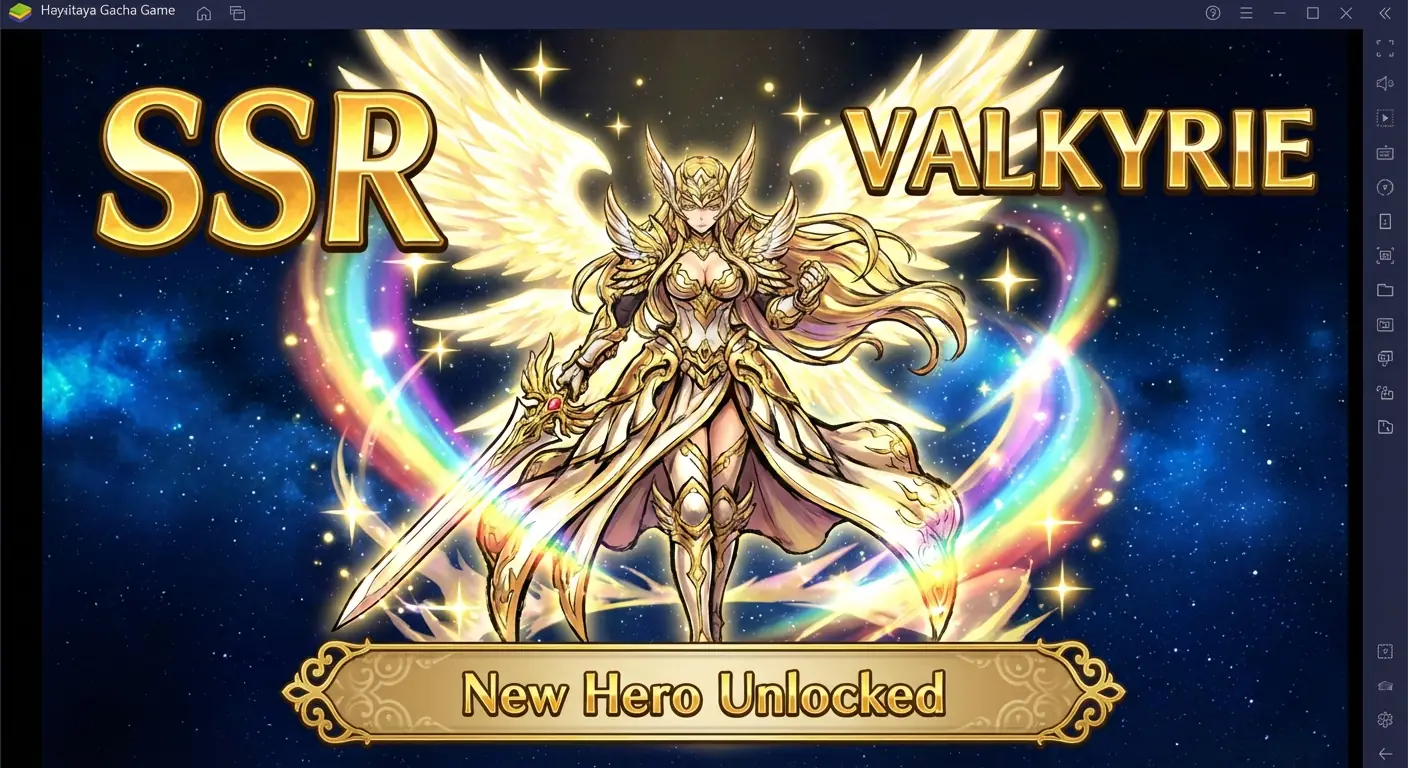
Prompt:
Create an Anime Gacha Game summon result image.
Core Visual: A gorgeous anime female swordsman character art, surrounded by rainbow light effects.
Text Rendering: Huge angular text "SSR" on the left, character name "VALKYRIE" on the right.
UI: A golden banner at the bottom displaying the text "New Hero Unlocked".
Background: Deep starry sky, emphasizing foreground brightness.
Style: Japanese thick paint style, extremely gorgeous, whale-bait.
- Analysis: Aprovechar la capacidad del modelo para renderizar la etiqueta de rareza "SSR" evita la molestia de buscar assets para compositar.
3. Zombie Wave Warning
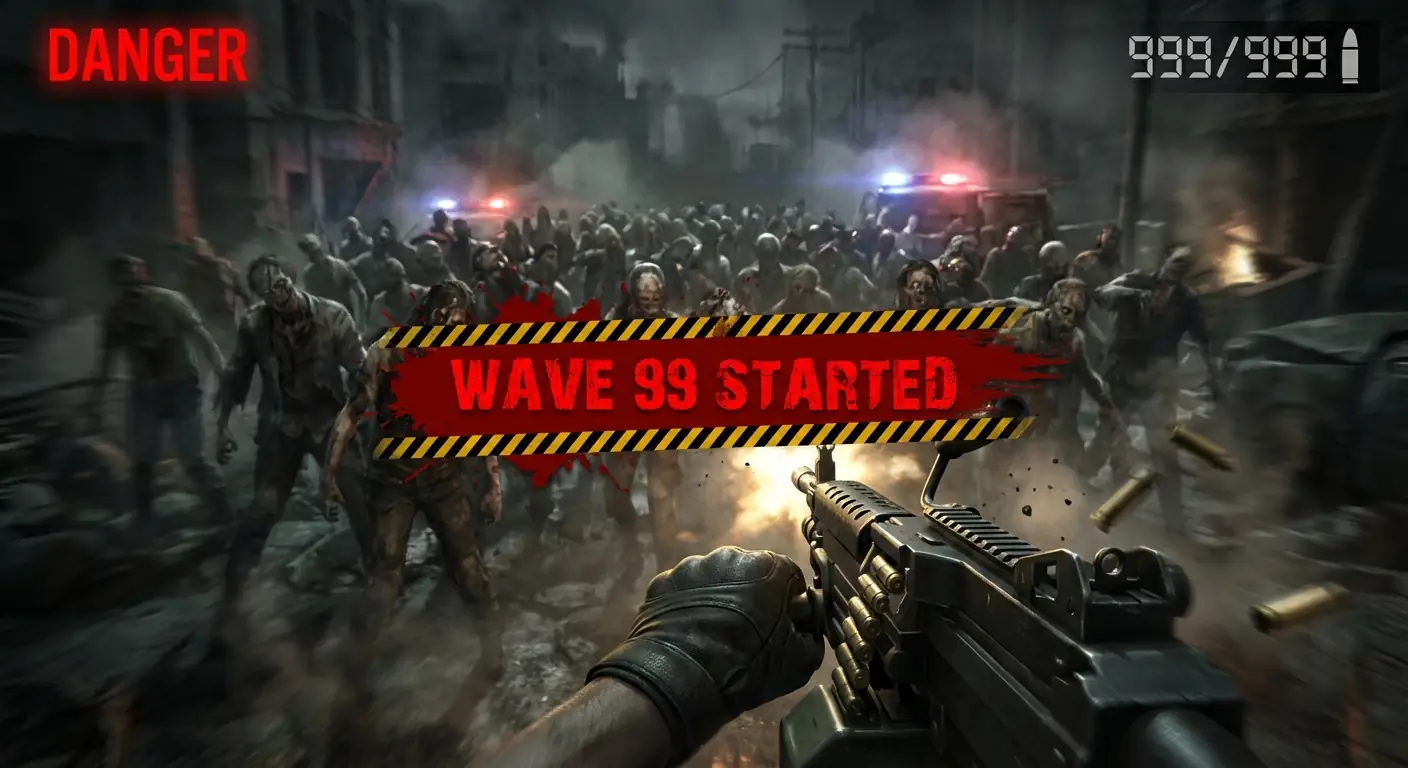
Prompt:
Create a Zombie Shooter battle warning screen.
Scene: First-person view (FPS), firing a machine gun at a dense zombie horde.
Text Rendering: Screen center overlaid with blood-red, bold text "WAVE 99 STARTED" with hazard stripes.
UI: Top right shows ammo count "999/999", top left shows red text "DANGER".
Style: Dark, gritty, slightly horror, with motion blur.
- Analysis: Renderizar directamente la advertencia "WAVE 99" con perspectiva y textura ofrece una inmersión muy superior a superponer texto plano.
4. Racing New Record
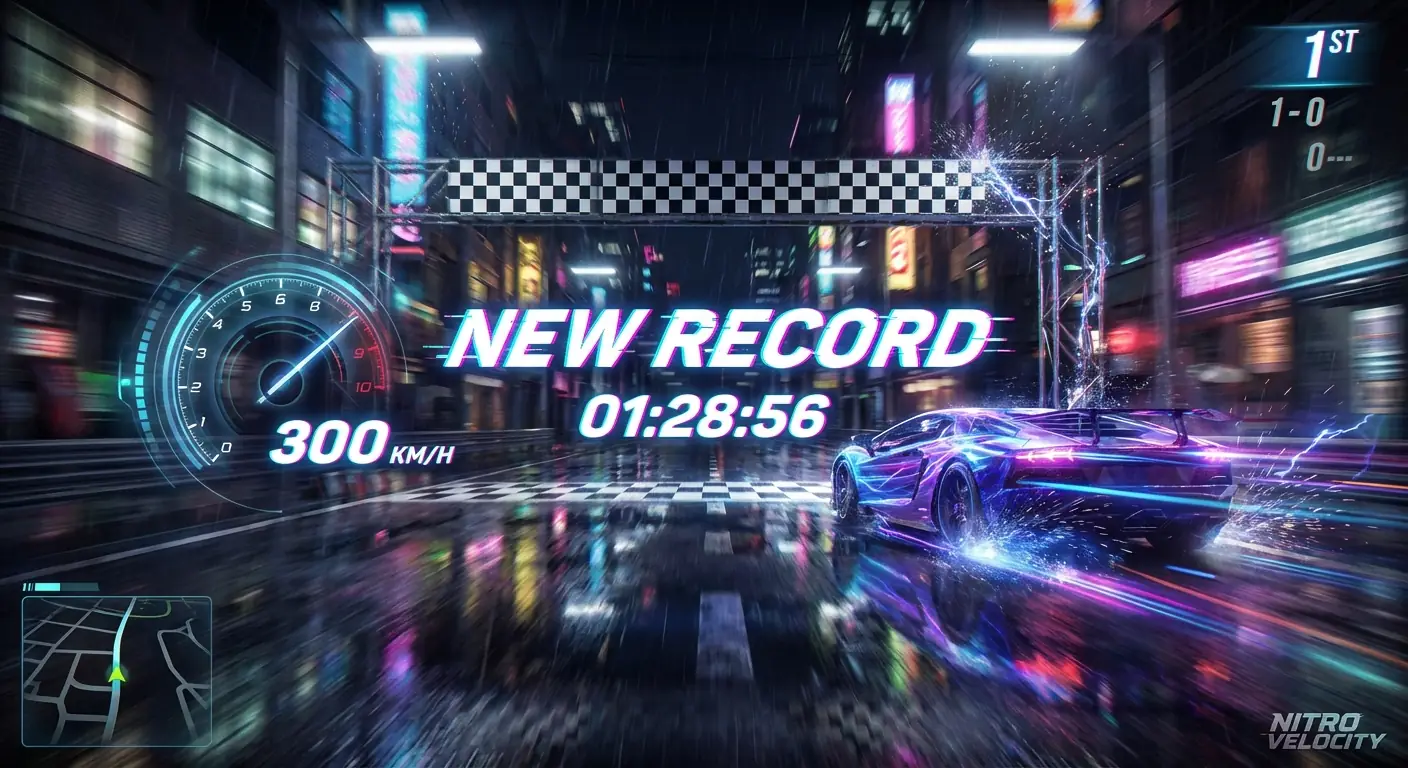
Prompt:
Create a Racing Game finish line screenshot.
Scene: A neon supercar just crossing the finish line, extreme motion blur.
Text Rendering: Dynamic italic text "NEW RECORD" popping up in the center, time "01:28:56" below it.
UI: Left side shows speedometer, needle pointing to text "300 KM/H".
Style: Need for Speed style, night street, wet road reflections.
- Analysis: El ángulo de inclinación de los números y el texto coincide con la dirección de movimiento del auto, reforzando la sensación de velocidad.
5. City Builder Level Up

Prompt:
Create a City Builder Game upgrade feedback image.
Scene: Top-down view of a bustling cartoon city, Town Hall just finished expansion, confetti flying.
Text Rendering: Green 3D bubble text "LEVEL UP!" floating above Town Hall, and "+500 GEMS".
UI: Top resource bar shows coin icon and number "1,000,000".
Style: Supercell style, 3D cartoon render, bright and happy colors.
- Analysis: El "+500 GEMS" es el golpe de dopamina central. El modelo lo renderiza para que luzca tan apetecible como un dulce.
6. Boss Fight Critical Hit
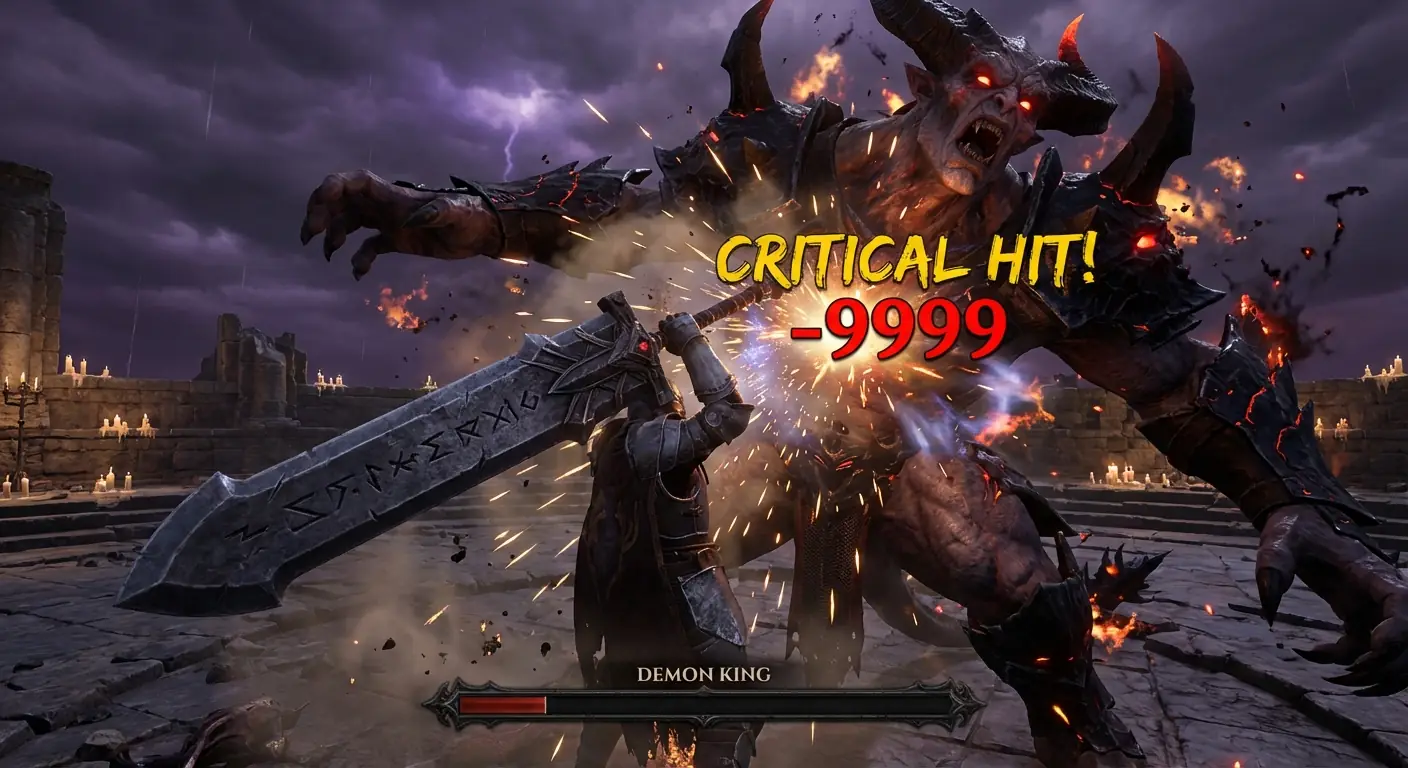
Prompt:
Create a Hardcore Action RPG Boss fight moment.
Scene: Giant Demon Boss getting hit by player's heavy sword, roaring in pain.
Text Rendering: Impact point bursting with huge yellow jagged text "CRITICAL HIT!", and bright red number "-9999".
UI: Bottom Boss health bar displays name "DEMON KING", HP extremely low.
Style: Dark fantasy, particle effects explosion.
- Analysis: Los números de daño son el núcleo de retroalimentación de los juegos de acción. El renderizado directo le da a los números "impacto" (como salpicaduras, brillo).
7. Romance Choice UI
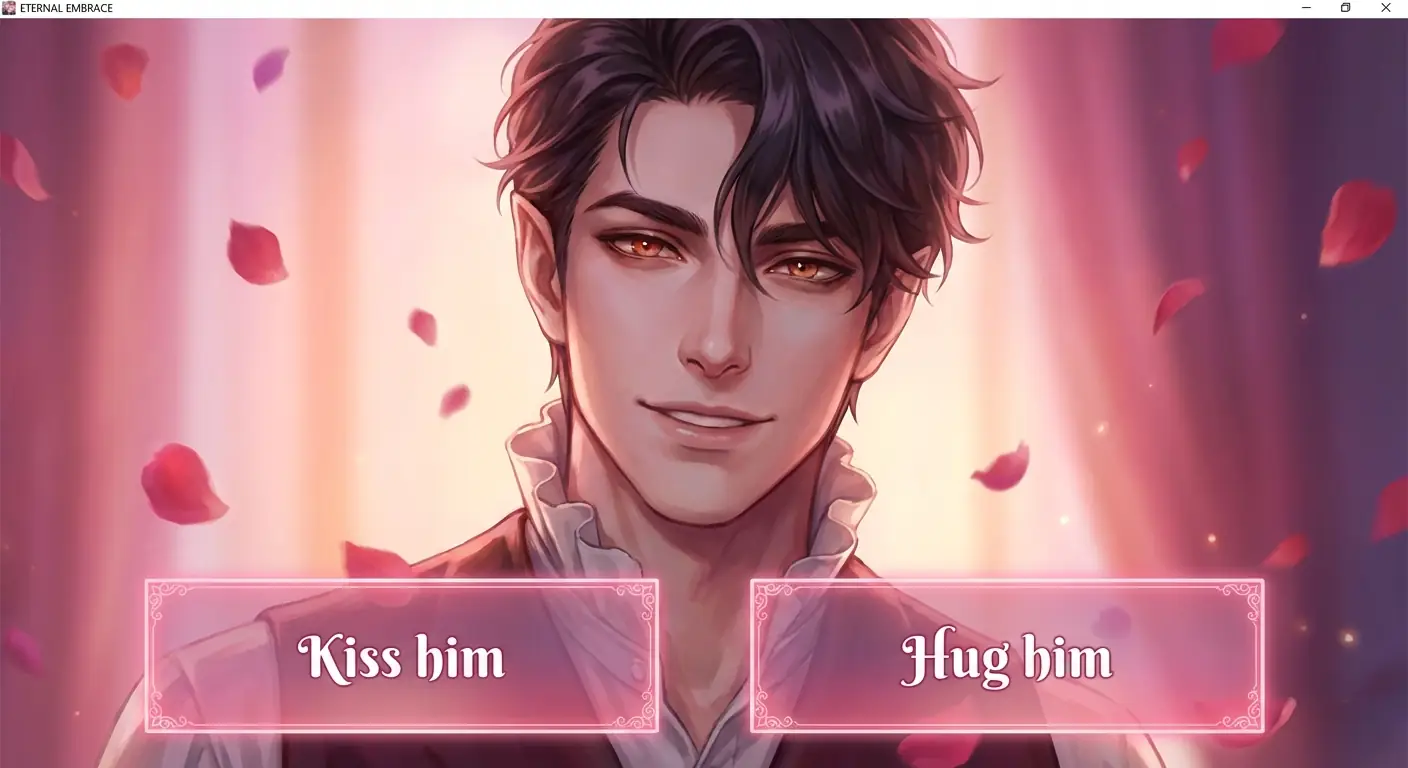
Prompt:
Create a Romance Simulation Game dialogue interface.
Scene: Close-up of a handsome vampire male lead, affectionate eyes.
UI/Text: Two translucent pink choice boxes at the bottom.
Option A reads text: "Kiss him", Option B reads text: "Hug him".
Style: Beautiful Manhwa style, romantic atmosphere.
- Analysis: Generar cajas de UI con el copy incluido es perfecto para hacer pruebas A/B con diferentes textos y ver cuál obtiene más clics.
8. Match-3 Combo Bonus

Prompt:
Create a Match-3 Puzzle Game visual effect burst.
Scene: Full screen of fruits/candies popping.
Text Rendering: Rainbow colored, squishy texture text "SUPER COMBO!" popping in center, with twinkling stars.
UI: Top displays score text "SCORE: 5000".
Style: Candy Crush style, juicy, high gloss.
- Analysis: El texto "SUPER COMBO" necesita una textura gelatinosa, que es difícil de lograr con las fuentes estándar de Photoshop.
9. 4X Strategy War Declaration

Prompt:
Create a 4X War Strategy Game world map interface.
Scene: Hexagonal map with Red and Blue armies facing off.
Text Rendering: Screen center overlaid with a parchment scroll, written in black Gothic font "WAR DECLARED".
UI: A red button at the bottom reading text "ATTACK NOW".
Style: Medieval realistic style, solemn, urgent.
- Analysis: El texto sobre pergamino se dobla con los pliegues del papel. Este realismo físico es un punto fuerte del renderizado con IA.
10. Cyberpunk Title Screen

Prompt:
Create a Cyberpunk Open World Game title screen.
Scene: Future neon city night view, protagonist standing on building edge back to camera.
Text Rendering: Giant game title text "NEON CITY 2077" floating in the sky with Glitch effects.
UI: Bottom displays blinking text "PRESS START".
Style: Cinematic poster quality, cool/warm color contrast.
- Analysis: Hacer que el texto del título forme parte de la escena (como una proyección holográfica detrás de edificios) agrega profundidad espacial.
03. Nano Banana Pro Tips (Typography Edition)
Font Styling:
Ya que el modelo puede escribir, no te conformes solo con "escribir". Dirígelo como un diseñador.- Tip: Agrega descripciones específicas de fuentes en el Prompt. Por ejemplo:
- "Bold Sans-serif font" -> Modern/Sci-Fi UI.
- "Gothic/Medieval font" -> Fantasy/RPG.
- "8-bit pixel font" -> Retro games.
- "Handwritten brush font" -> Martial Arts/Asian style.
Material Blending:
AI's greatest strength is giving text physical materials.- Tip: Describe la textura del texto, como "Text made of fire", "Ice carved text", or "Neon glowing text". Esto se ve mucho más premium que el texto blanco simple.
Tolerance:
Aunque los modelos son potentes, aún pueden cometer errores tipográficos con oraciones largas (más de 5-6 palabras).- Tip: Keep copy Short & Punchy. "LEVEL UP" siempre es mejor y menos propenso a errores que "Congratulations you have reached the next level".