10 Game Asset Sheet Templates: Mass Produce Game Assets with Nano Banana
Nano Banana Game Design Series:
In game development, generating single assets is inefficient. This tutorial teaches you how to use Nano Banana's "Array Generation" capabilities to produce Asset Sheets containing 9-16 variations in one go. Whether it is Low Poly trees, Sci-Fi crates, or Pixel Art furniture, you can master the "Grid Layout" command to achieve mass production for immediate use as references or 2D textures.
01. Core Logic: The Meta Prompt
The core of generating asset sheets is forcing the model into "Catalog Mode". We need it to arrange multiple objects neatly in one frame, maintaining consistent lighting and perspective for easy cutout or modeling reference.
Meta Prompt:
Prompt:
Create a [Game Asset] sprite sheet / reference sheet containing [Number] distinct variations.
Layout: Arranged in a clean Grid Layout (e.g., 3x3 or 4x4) on a [Background Color] background.
Viewpoint: [Angle: Orthographic / Isometric / Front].
Style: [Art Style: Low Poly / Realistic / Hand-painted].
Details: High contrast, isolated objects, game-ready asset quality.
(Analysis: The keywords Grid Layout and Isolated are crucial to prevent objects from sticking together. Orthographic is essential for 3D modeling references.)
02. Deep Dive: 10 Selected Asset Scenarios
1. Modular Sci-Fi Crates

Prompt:
Create an asset sheet of Sci-Fi Crates containing 9 distinct design variations.
Layout: 3x3 grid arrangement, pure white background.
Viewpoint: Isometric view.
Style: Hard-surface modeling style, worn metal texture, with glowing LED strips (orange/blue).
Details: Different shapes (cubes, rectangles, chamfered edges), some as ammo boxes, some medkits, some cargo containers. High fidelity, Unreal Engine 5 asset style.
- Analysis: A must-have for shooters and Sci-Fi RPGs. Generating multiple functional crates at once allows level designers to populate scenes quickly.
2. Stylized Low Poly Foliage Kit

Prompt:
Create an asset reference sheet of Stylized Low Poly Trees containing 12 variations.
Layout: 4x3 grid arrangement, light grey background.
Viewpoint: Front view with slight tilt.
Style: Blender minimalist Low Poly style, vibrant colors, Flat shading.
Details: Includes different types: Pine, Oak, Dead trees, Bushes. Emphasize geometric faceted shapes, suitable for indie game development.
- Analysis: The key here is
Flat shadingandGeometric faceted, ensuring the trees look like they are made of simple triangular polygons.
3. Pixel Art Dungeon Furniture
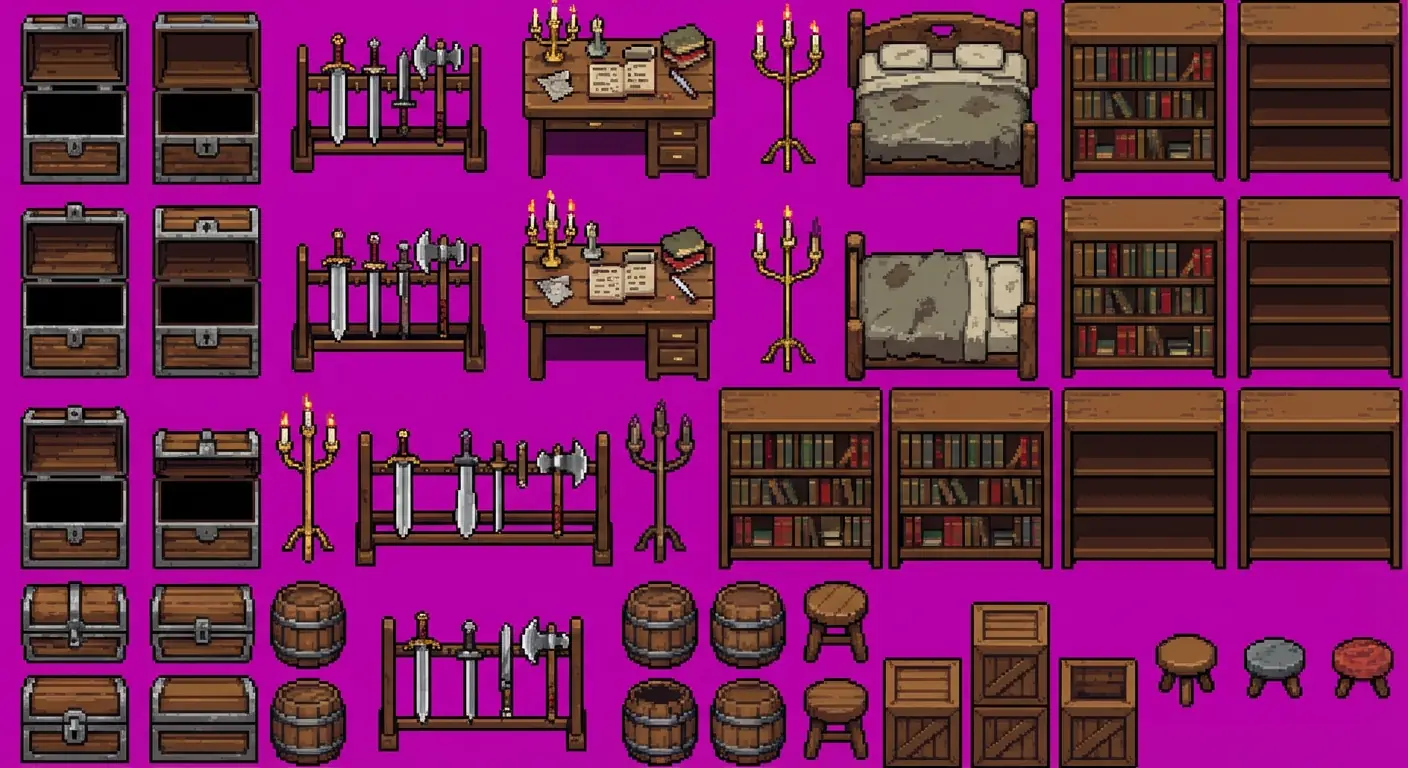
Prompt:
Create a vintage Pixel Art dungeon furniture Sprite Sheet.
Layout: Compact grid layout, transparent or solid magenta background (for easy keying).
Viewpoint: Top-down oblique projection.
Style: 16-bit pixel style, dark outlines, retro color palette.
Details: Includes: Wooden chests (open/closed), weapon racks, desks, candelabras, worn beds, bookshelves. Suitable for 2D RPG games.
- Analysis: Pixel art generation is prone to "merging". Emphasizing
Grid layoutandMagenta background(traditional transparency color) improves usability.
4. Fantasy RPG Potion Icons
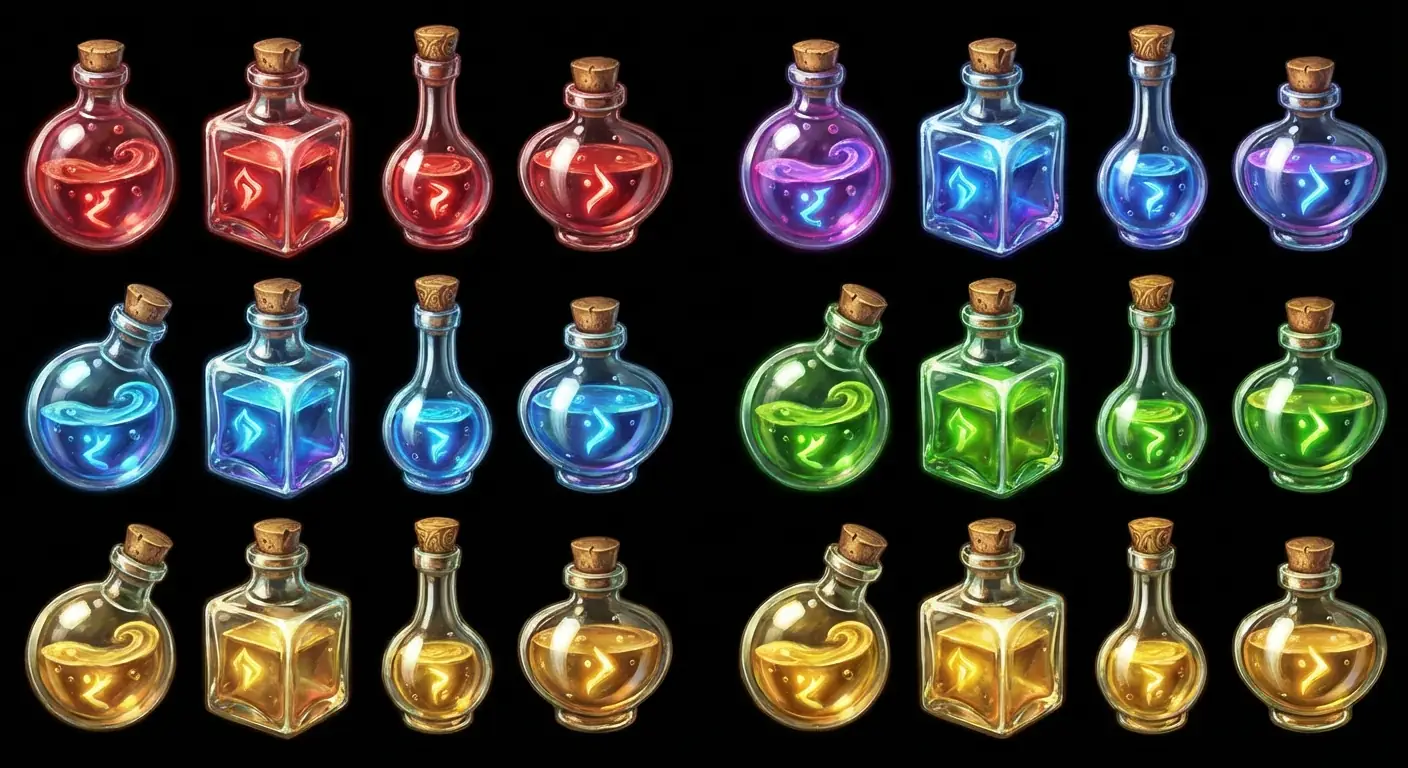
Prompt:
Create a fantasy RPG Potion Icon asset pack containing 16 icons.
Layout: 4x4 grid arrangement, black background.
Style: Hand-painted UI Icon style, glass texture, magical glow effects.
Details: Different bottle shapes (round, square, long-neck), holding different colored liquids: Red (Health), Blue (Mana), Green (Poison), Gold (Stamina). Each bottle has unique highlights and cork designs.
- Analysis: For game UI design, emphasizing the "translucency" of the material and functional color coding is vital.
5. Post-Apocalyptic Barriers & Cover
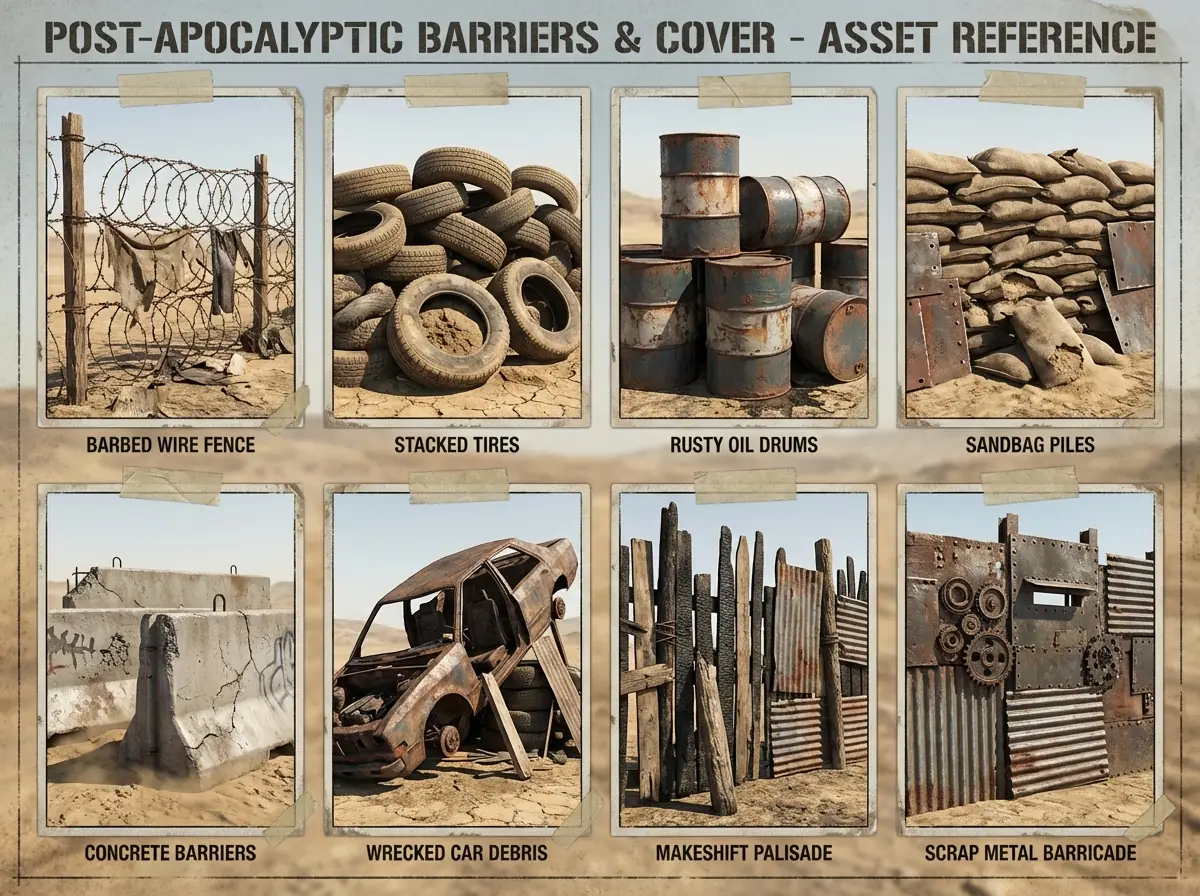
Prompt:
Create a Post-Apocalyptic Barriers and Cover asset reference sheet containing 8 variations.
Layout: 2x4 grid arrangement, dusty background.
Viewpoint: Perspective view showing volume.
Style: Realistic Wasteland style, rusty, damaged, makeshift.
Details: Includes: Barbed wire fences, stacked tires, rusty oil drums, sandbag piles, concrete barriers, wrecked car debris.
- Analysis: This kind of "messy" asset is hard to draw by hand. AI generation provides excellent texture references (rust, damaged edges).
6. 2.5D Isometric Strategy Buildings

Prompt:
Create a Medieval Strategy Game Building asset sheet containing 6 different houses.
Layout: 2x3 grid arrangement, pure white background.
Viewpoint: Standard Isometric projection.
Style: Cel-shaded, vibrant colors, mobile game style like Clash of Clans.
Details: Includes: Town Hall, Barracks, Gold Mine, Archer Tower, Farmhouse, Blacksmith. Each building features distinct Red/Blue faction colors.
- Analysis: The most common asset type for mobile strategy games.
Isometric projectionis a mandatory keyword to ensure they fit the map grid.
7. Cave Environment Kit (Rocks & Stalagmites)

Prompt:
Create a realistic Cave Rock asset sheet for environment kitbashing.
Layout: Grid arrangement, dark grey background.
Style: 3D Photogrammetry asset style, high detail texture, rocky surface.
Details: Includes: Large boulders, sharp Stalagmites, hanging Stalactites, flat ground stones. Colors are damp dark grey and mossy green.
- Analysis: "Environment Kitbash" refers to assembling a scene using a set of base models. This generates the raw material for that process.
8. Cyberpunk Neon Signage

Prompt:
Create a Cyberpunk Street Neon Signage asset sheet.
Layout: Grid arrangement, black night background.
Style: Glowing neon tube style, high contrast, Glitch art vibes.
Details: Various sign shapes: Kanji for "Noodle", "Sake", "Hotel", holographic arrows, cybernetic limb ads, different colored blooms (Pink/Purple/Cyan). Isolated floating, easy to crop.
- Analysis: A black background best highlights the
Bloomeffect of neon lights, making it suitable for texture assets.
9. Magic VFX Sprites & Runes

Prompt:
Create a Magic Rune texture sheet for Game VFX.
Layout: 4x4 grid arrangement, pure black background.
Style: 2D Vector glowing effects, flat but with bloom.
Details: Various magic circle patterns, elemental symbols (Fire, Ice, Lightning), energy burst shapes, shockwave rings. High brightness white and cyan, suitable for tinting in engine.
- Analysis: Game VFX artists often need these black-background
Alpha Maskassets.
10. Seamless Material Spheres
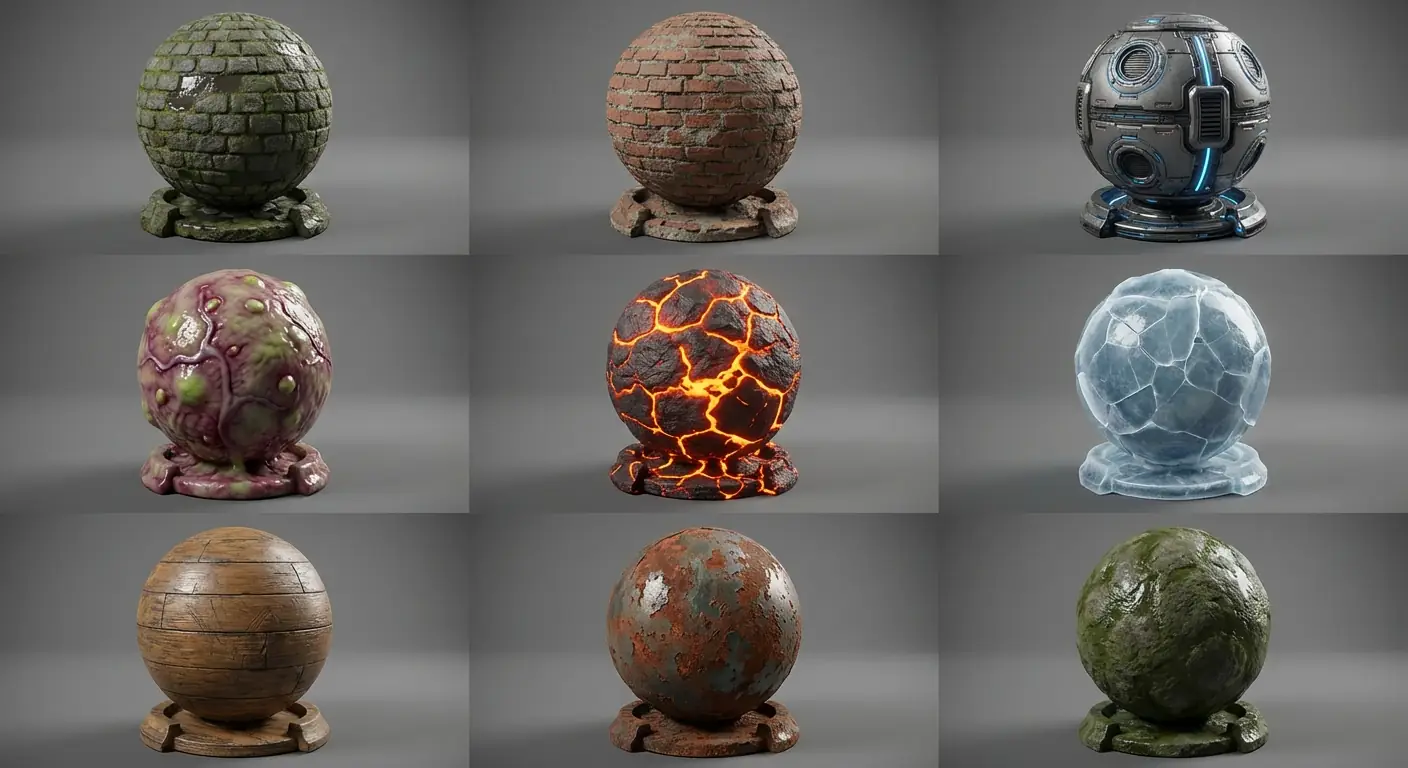
Prompt:
Create a Game Material Preview sheet showing 9 different material spheres.
Layout: 3x3 grid arrangement, neutral grey background.
Object: Perfectly rendered Material Spheres (Shader Balls).
Style: PBR material render, showing clear specular and normal map details.
Details: Includes: Cobblestone pavement, old brick wall, sci-fi metal panels, alien organic tissue, lava ground, cracked ice, wooden floor.
- Analysis: This is not the texture itself, but a "Material Reference Board" used to define the material standards for the game's art style.
03. Nano Banana Pro Tips
Importance of Orthographic View:
If you need the generated image as a reference for 3D modeling (front/side views), you must use the keywordOrthographic view. This eliminates perspective distortion (where distant objects look smaller), allowing you to align images directly in Blender/Maya.Background Removal:
Even with "pure white background" instructions, AI sometimes generates shadows.- Tip: If you are making 2D Game Sprites, consider adding
Flat background, no shadowto the prompt or use a dedicated "Background Remover" tool afterwards.
- Tip: If you are making 2D Game Sprites, consider adding
Consistency via Seed:
If you want to generate different types of assets (e.g., a set of trees, then a set of rocks) with the exact same art style, lock the Seed value after generating the first satisfactory image, and then only change the object name in the prompt.