10 Game Marketing Art Templates: UA Creatives with Perfect Text
Nano Banana Game Design Series:
Combine Nano Banana's powerful native text rendering to upgrade your game marketing asset production to max level. We no longer need post-processing in Photoshop. Instead, we can generate ready-to-use ad creatives with precise typography like "VICTORY", "SSR", or "LEVEL 99" directly via Prompt. This covers high-conversion scenarios for hardcore games like MMORPGs, SLGs, and Card Battlers.
01. Core Logic: The Meta Prompt
The core logic is "Visuals + Typography". We need to specify text content, font style, and location while describing the scene.
Meta Prompt:
Prompt:
Create a polished Game Ad Creative for [Game Genre].
Scene: [Action-packed Gameplay / Cinematic Moment].
Text Rendering: clear text "[Your Text Here]" displayed on [Location: e.g., huge golden banner / floating damage number].
Font Style: [Style: Metallic 3D / Neon / Gothic / 8-bit].
UI Overlay: Authentic game interface elements (Health bars, Buttons).
Style: High-end commercial render, ready for App Store.
(Analysis: Using the text "content" command format forces the model to render accurate words in specific locations. This is the core upgrade of this version.)
02. Deep Dive: 10 Selected Marketing Scenarios
1. Victory Screen

Prompt:
Create a MOBA game Victory screen.
Core Visual: The glorious Nexus crystal is exploding, shards flying everywhere.
Text Rendering: Huge 3D golden text "VICTORY" floating in the center, font with metallic sheen and wing decorations.
Background: Blurred battlefield background, fireworks blooming.
UI: A glowing green button at the bottom displaying the text "CONTINUE".
Style: Epic, high saturation, triumphant mood.
- Analysis: Generate a usable result screen directly. The metallic texture of "VICTORY" blends perfectly with the scene's lighting.
2. Gacha "SSR" Reveal
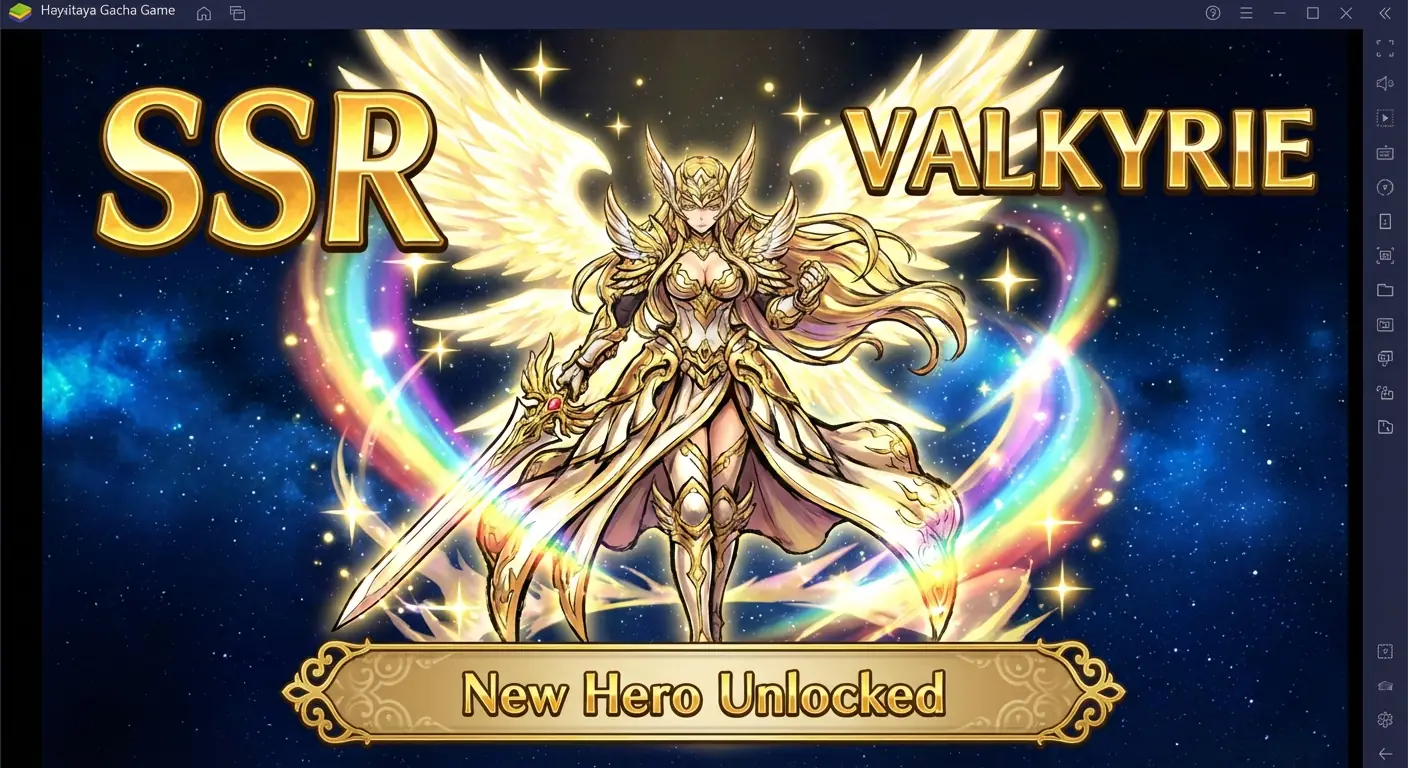
Prompt:
Create an Anime Gacha Game summon result image.
Core Visual: A gorgeous anime female swordsman character art, surrounded by rainbow light effects.
Text Rendering: Huge angular text "SSR" on the left, character name "VALKYRIE" on the right.
UI: A golden banner at the bottom displaying the text "New Hero Unlocked".
Background: Deep starry sky, emphasizing foreground brightness.
Style: Japanese thick paint style, extremely gorgeous, whale-bait.
- Analysis: Leveraging the model's ability to render the "SSR" rarity tag saves the trouble of finding assets to composite.
3. Zombie Wave Warning
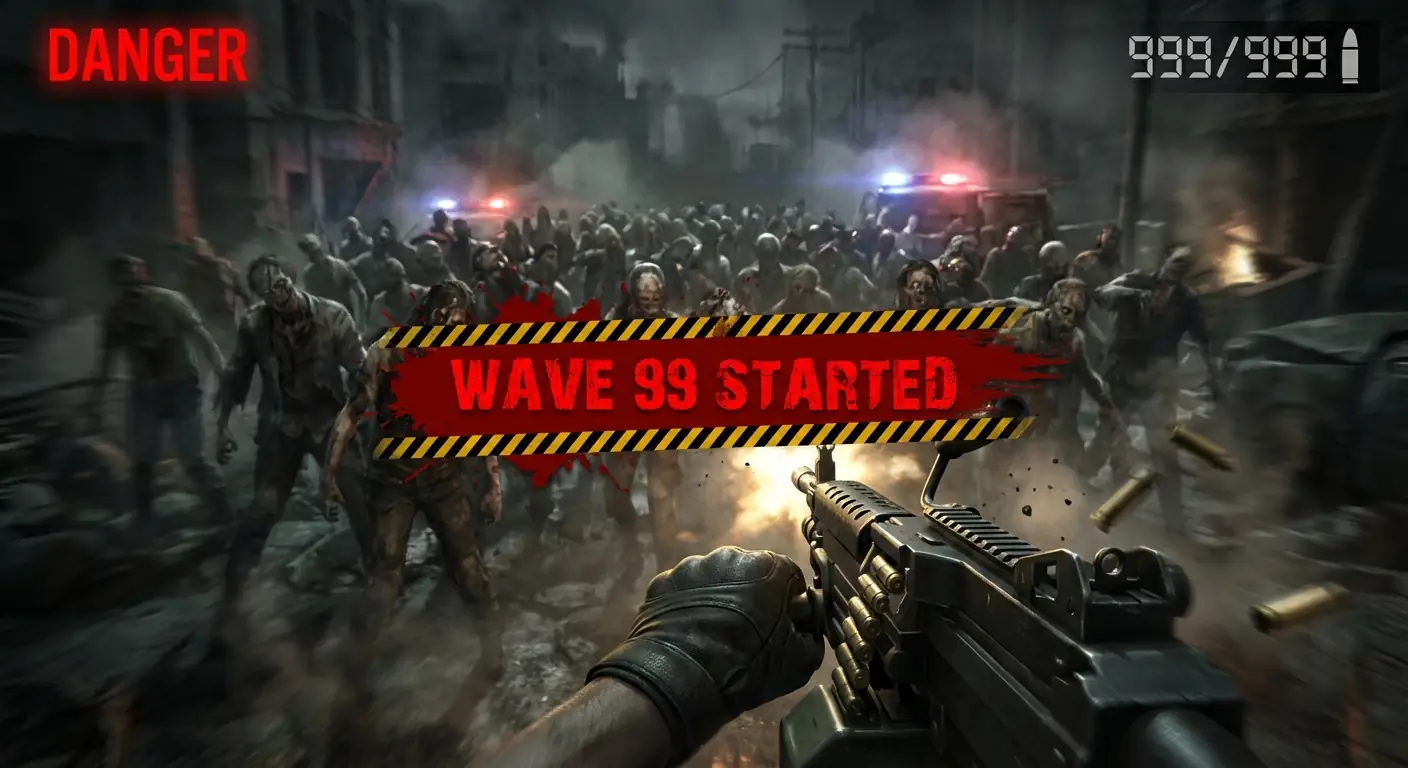
Prompt:
Create a Zombie Shooter battle warning screen.
Scene: First-person view (FPS), firing a machine gun at a dense zombie horde.
Text Rendering: Screen center overlaid with blood-red, bold text "WAVE 99 STARTED" with hazard stripes.
UI: Top right shows ammo count "999/999", top left shows red text "DANGER".
Style: Dark, gritty, slightly horror, with motion blur.
- Analysis: Directly rendering the "WAVE 99" warning with perspective and texture provides immersion far beyond flat text overlay.
4. Racing New Record
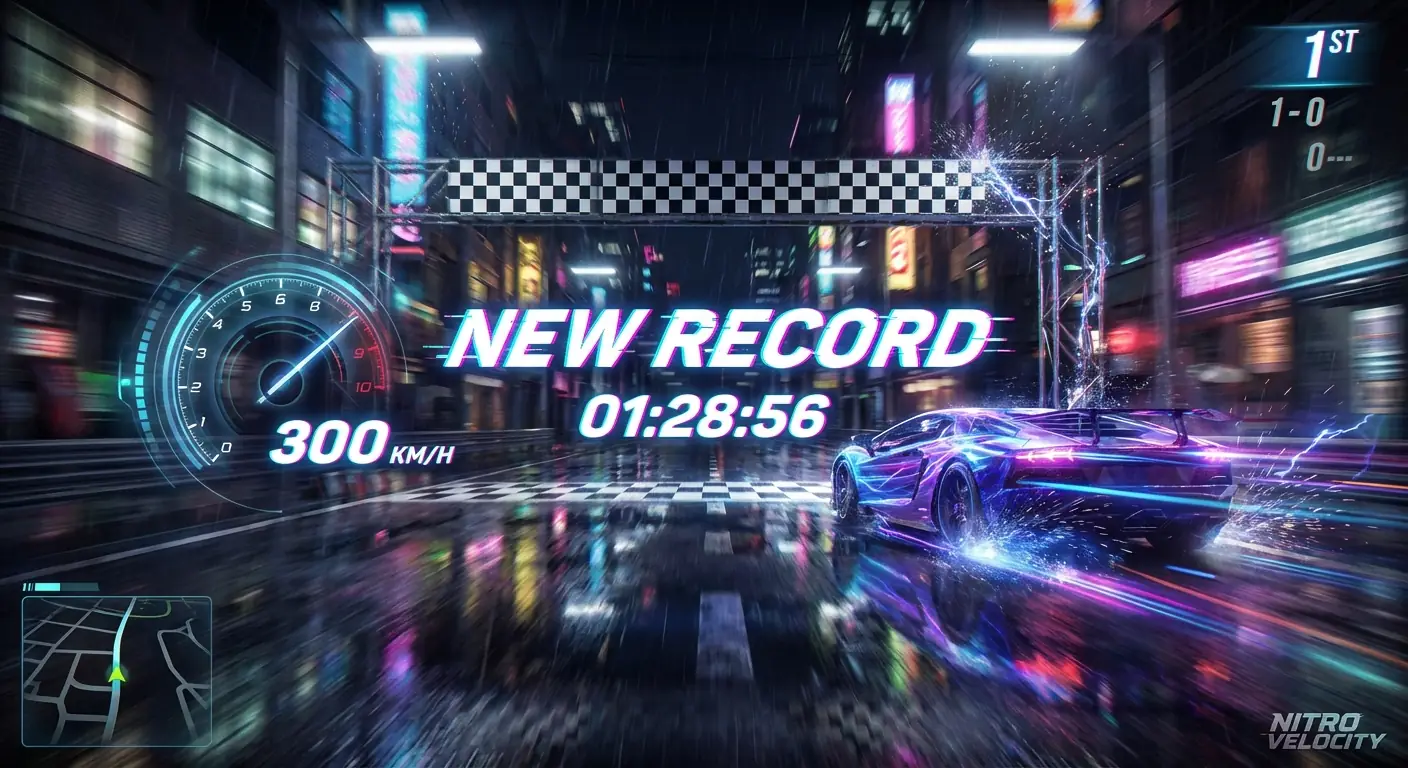
Prompt:
Create a Racing Game finish line screenshot.
Scene: A neon supercar just crossing the finish line, extreme motion blur.
Text Rendering: Dynamic italic text "NEW RECORD" popping up in the center, time "01:28:56" below it.
UI: Left side shows speedometer, needle pointing to text "300 KM/H".
Style: Need for Speed style, night street, wet road reflections.
- Analysis: The skew angle of numbers and text matches the motion direction of the car, reinforcing the sense of speed.
5. City Builder Level Up

Prompt:
Create a City Builder Game upgrade feedback image.
Scene: Top-down view of a bustling cartoon city, Town Hall just finished expansion, confetti flying.
Text Rendering: Green 3D bubble text "LEVEL UP!" floating above Town Hall, and "+500 GEMS".
UI: Top resource bar shows coin icon and number "1,000,000".
Style: Supercell style, 3D cartoon render, bright and happy colors.
- Analysis: The "+500 GEMS" is the core dopamine hit. The model renders it to look as appetizing as candy.
6. Boss Fight Critical Hit
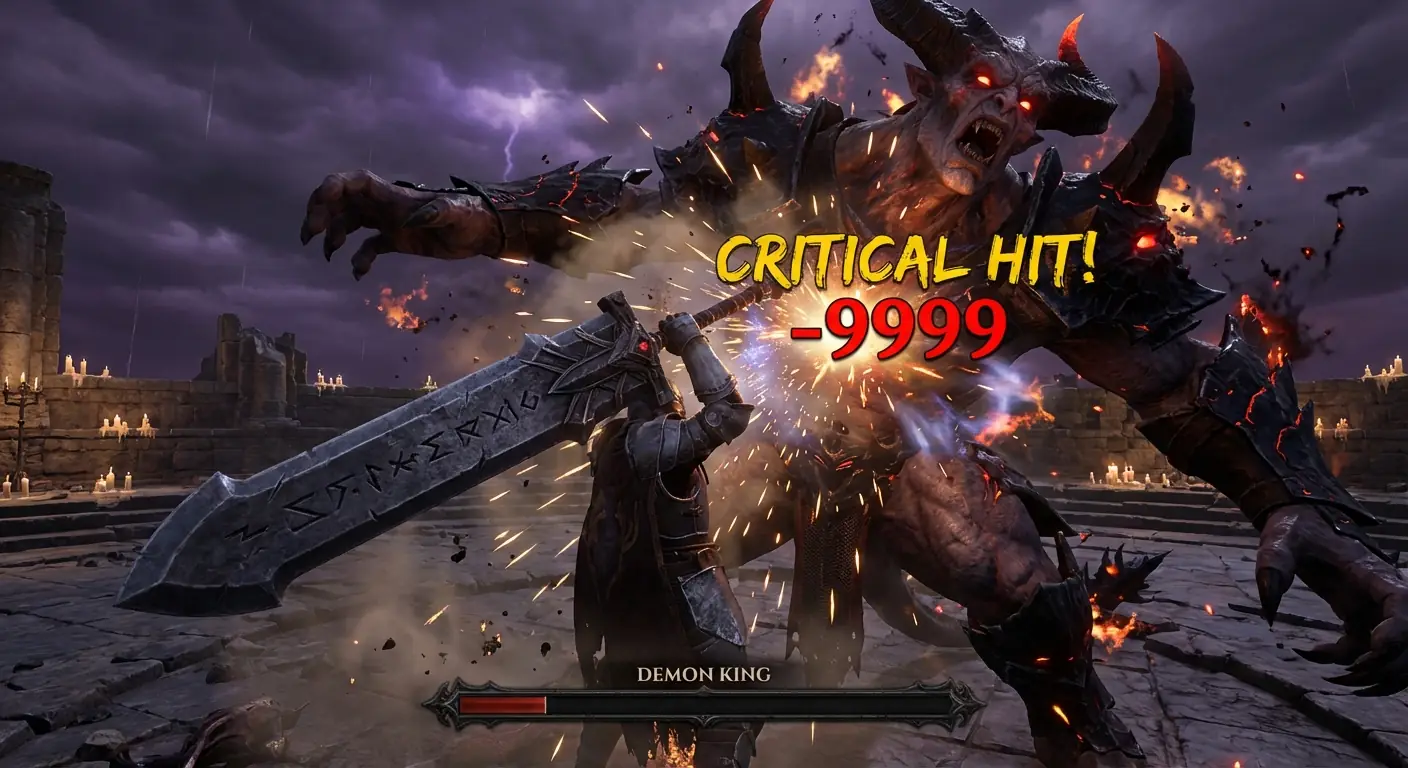
Prompt:
Create a Hardcore Action RPG Boss fight moment.
Scene: Giant Demon Boss getting hit by player's heavy sword, roaring in pain.
Text Rendering: Impact point bursting with huge yellow jagged text "CRITICAL HIT!", and bright red number "-9999".
UI: Bottom Boss health bar displays name "DEMON KING", HP extremely low.
Style: Dark fantasy, particle effects explosion.
- Analysis: Damage numbers are the feedback core of action games. Direct rendering gives numbers "impact" (like splatter, glow).
7. Romance Choice UI
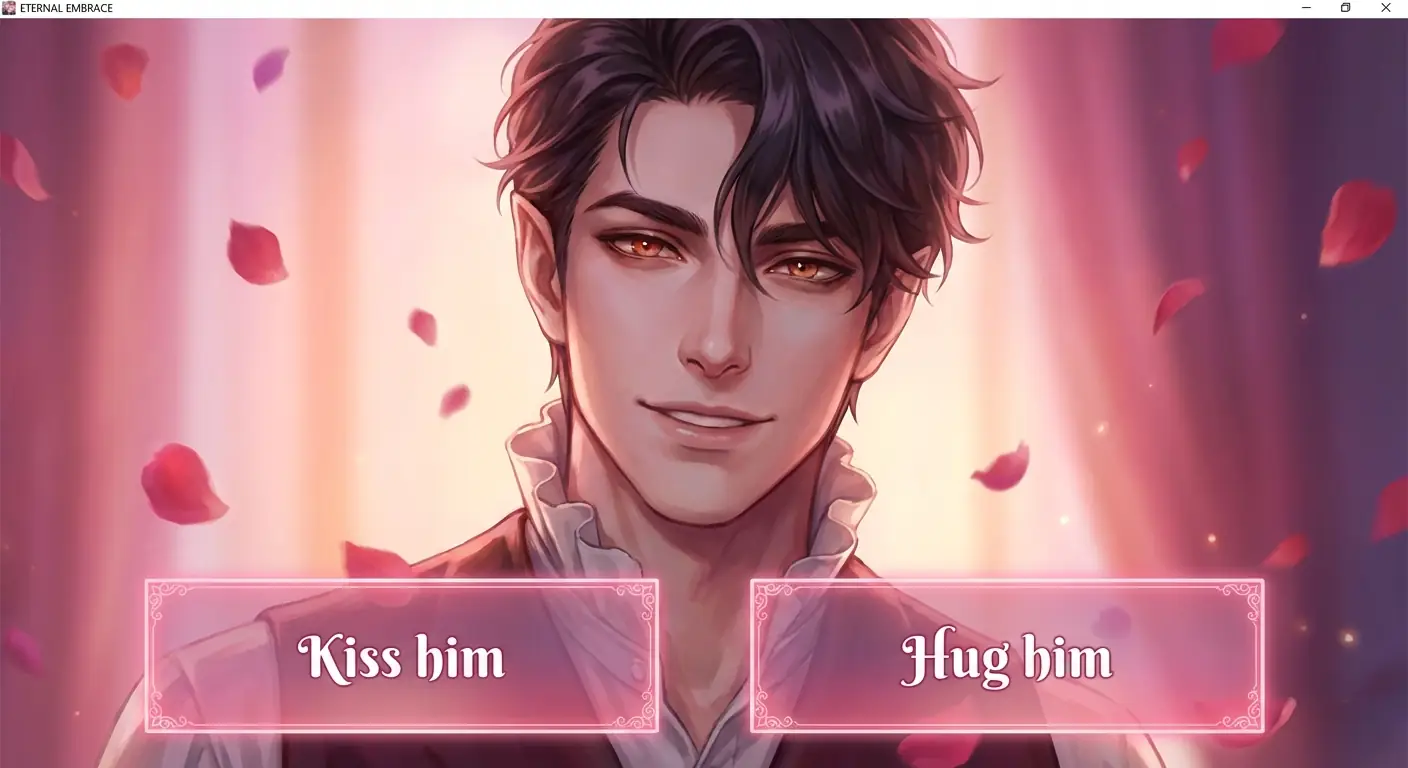
Prompt:
Create a Romance Simulation Game dialogue interface.
Scene: Close-up of a handsome vampire male lead, affectionate eyes.
UI/Text: Two translucent pink choice boxes at the bottom.
Option A reads text: "Kiss him", Option B reads text: "Hug him".
Style: Beautiful Manhwa style, romantic atmosphere.
- Analysis: Generating UI boxes with copy included is perfect for A/B testing different scripts to see which gets more clicks.
8. Match-3 Combo Bonus

Prompt:
Create a Match-3 Puzzle Game visual effect burst.
Scene: Full screen of fruits/candies popping.
Text Rendering: Rainbow colored, squishy texture text "SUPER COMBO!" popping in center, with twinkling stars.
UI: Top displays score text "SCORE: 5000".
Style: Candy Crush style, juicy, high gloss.
- Analysis: The text "SUPER COMBO" needs a jelly-like texture, which is difficult to achieve with standard Photoshop fonts.
9. 4X Strategy War Declaration

Prompt:
Create a 4X War Strategy Game world map interface.
Scene: Hexagonal map with Red and Blue armies facing off.
Text Rendering: Screen center overlaid with a parchment scroll, written in black Gothic font "WAR DECLARED".
UI: A red button at the bottom reading text "ATTACK NOW".
Style: Medieval realistic style, solemn, urgent.
- Analysis: Text on parchment bends with the paper folds. This physical realism is a strong suit of AI rendering.
10. Cyberpunk Title Screen

Prompt:
Create a Cyberpunk Open World Game title screen.
Scene: Future neon city night view, protagonist standing on building edge back to camera.
Text Rendering: Giant game title text "NEON CITY 2077" floating in the sky with Glitch effects.
UI: Bottom displays blinking text "PRESS START".
Style: Cinematic poster quality, cool/warm color contrast.
- Analysis: Making the title text part of the scene (like a holographic projection behind buildings) adds spatial depth.
03. Nano Banana Pro Tips (Typography Edition)
Font Styling:
Since the model can write, don't just settle for "writing". Direct it like a designer.- Tip: Add specific font descriptions in the Prompt. E.g.:
- "Bold Sans-serif font" -> Modern/Sci-Fi UI.
- "Gothic/Medieval font" -> Fantasy/RPG.
- "8-bit pixel font" -> Retro games.
- "Handwritten brush font" -> Martial Arts/Asian style.
Material Blending:
AI's greatest strength is giving text physical materials.- Tip: Describe the texture of the text, such as "Text made of fire", "Ice carved text", or "Neon glowing text". This looks much more premium than plain white text.
Tolerance:
Although models are strong, they can still make typos with long sentences (over 5-6 words).- Tip: Keep copy Short & Punchy. "LEVEL UP" is always better and less error-prone than "Congratulations you have reached the next level".