Start your Christmas product photography prompt with a precise description of the object. Choose one festive cue, place it behind or beside the product, and specify light that keeps the material and silhouette readable. These ten prompts show how to stage fictional product photos for shop pages, gift guides, and seasonal collections.
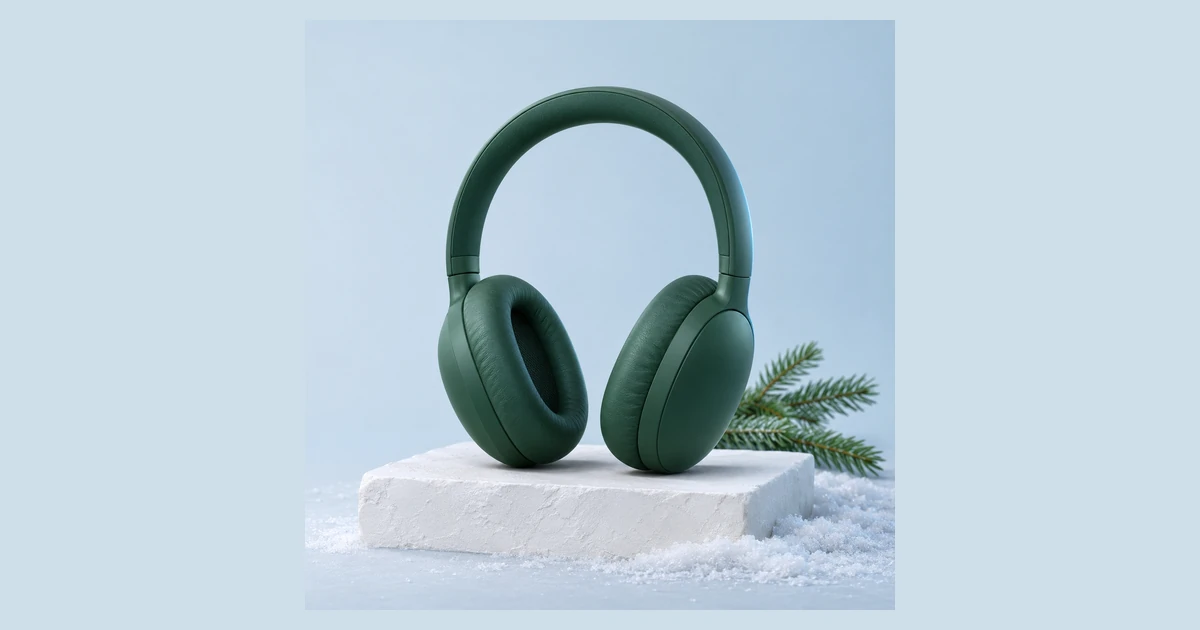
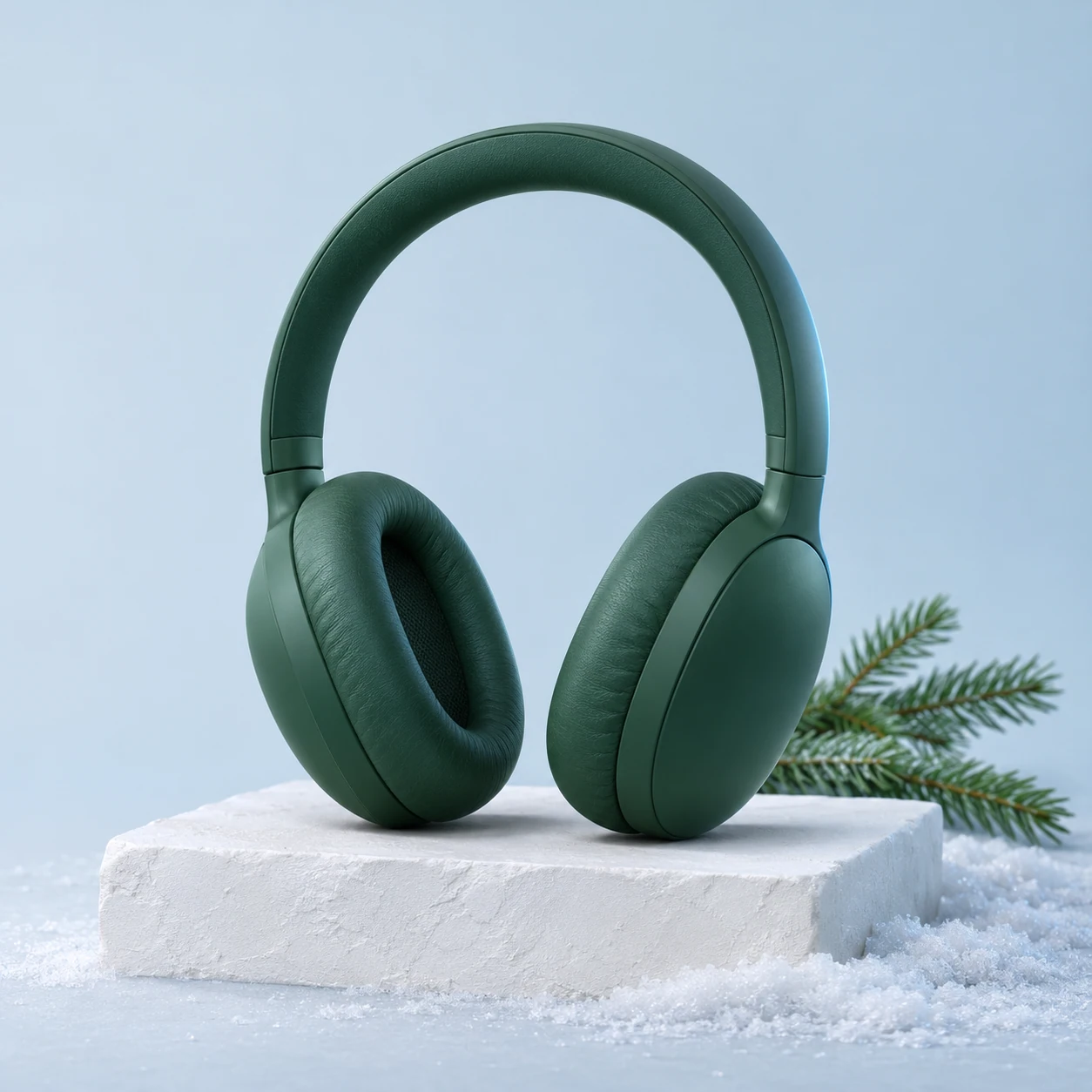
A fir sprig and frosted set frame the headphones while leaving the complete shape visible.
Christmas product photo settings
Setting
Starting point
What to check
Product anchors
Shape, finish, color, count, and signature details.
Compare the complete silhouette, attachments, and package contents before looking at the background.
Christmas product photography props
One small seasonal cue such as fir, ribbon, or distant lights.
Keep props outside the product outline and clear of important surfaces.
Main light
Soft neutral key with a separate warmer or cooler background.
Make sure the product color still reads like the reference under neutral lighting.
Camera position
Front three-quarter for form, overhead for paired objects and counts.
Look for crops that remove a handle, buckle, or package edge.
Copy area
Reserve one simple plane in the frame when planning a site banner.
Preview the actual slot. Put live offer text and price in page HTML or a design tool.
Image role
Secondary seasonal scene or planning reference.
Keep an accurate product photo available when the seasonal set changes.
Plan a Christmas product photoshoot
Pick the shop slot first. A gift guide, secondary gallery image, and homepage banner have different crops and space needs. Open the exact placement or template before generating.
Write a one-sentence inventory of what should be in the image. Include the number of products, visible materials, attachment details, and the required angle. Place decorative objects in a separate sentence.
Use the nearest setup below. Replace the fictional subject with your own subject description and keep the original lighting and camera clauses until you have a clean starting frame.
If your editor accepts an image reference, use an authorized original product photo and clearly identify what product pixels should stay consistent. Compare the result with the source at full size and thumbnail size.
Check the image without its caption. A shopper should still be able to tell what is sold, what is a prop, and which details are visible. Save your neutral reference separately.
Headphone sellers planning a winter storefront image.
The dark-green headband and both oval earcups read clearly against pale blue.
Complete prompt
Task: Create a winter holiday product hero photograph for an online shop.
Subject: One pair of fictional, matte evergreen over-ear headphones with two oval padded earcups and a continuous broad headband.
Context: On a low white plaster block against a pale ice-blue studio sweep. A little fir sprig sits behind the block, and a dusting of snow rests on the set beside it.
Style: Realistic premium electronics photography, with a restrained green, white and cool blue palette.
Composition: Centered front three-quarter view at product height. Show the whole outline and both earcups, with generous margin around the headband.
Lighting: Neutral large softbox from left and a weak cool edge light from right; use a real-looking contact shadow.
Constraints: Keep the earcups matching. Keep snow and greenery off the object. No cord, person, labels, logo, lettering or watermark.
Output: One square 1:1 finished photograph, no graphics or border.
What to inspect
The snow remains on the set. Inspect the headband-to-earcup joints at thumbnail size.
Adjustable parameters
Shift the sweep from blue to gray or move the fir farther back while keeping the edges visible.
Failure correction
If the arms merge into the headband, increase the separation from the pale backdrop and ask for two clearly visible hinges.
Warm lights behind a mug
Potters styling a secondary holiday lifestyle photo.
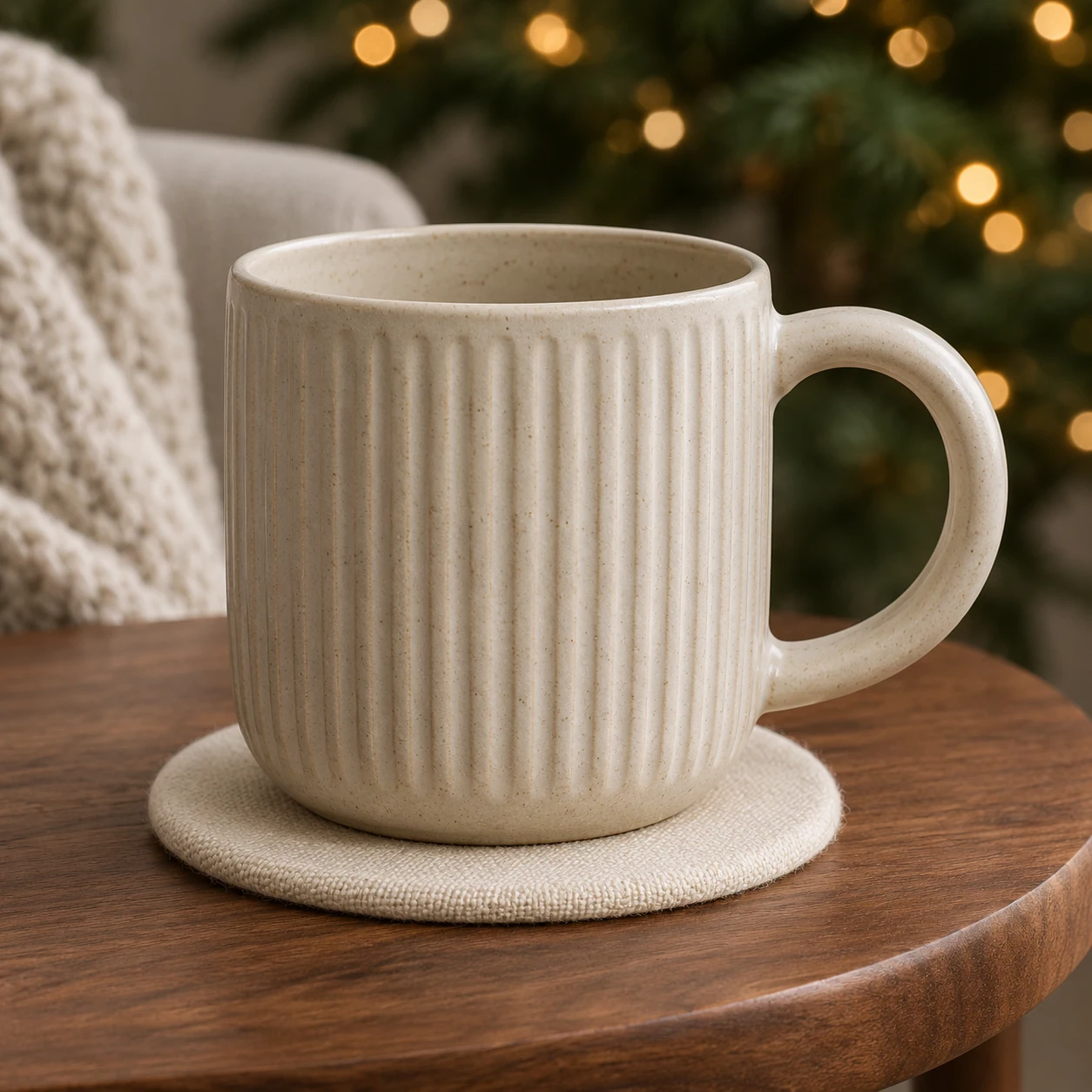
Warm bokeh sits behind the mug, and the ribbing and full right handle stay readable.
Complete prompt
Task: Make a Christmas lifestyle product photo with out-of-focus holiday lights.
Subject: One fictional off-white stoneware mug with vertical ribs, one round handle on the right, and an unbroken lip.
Context: A walnut side table in front of distant warm light points and very soft fir shapes, with one plain cream cotton coaster under the mug.
Style: Natural homeware editorial photography with an understated Christmas mood.
Composition: Close, eye-level three-quarter angle. The full handle and lip must read clearly, and the warm lights must stay behind the subject.
Lighting: Use a soft neutral window key for the mug and small amber bokeh points in the distance.
Constraints: No text, logo, person, steam, spilled liquid, extra cup or glowing lights in front of the mug.
Output: One square 1:1 photograph with sharp pottery texture.
What to inspect
The mug remains the brightest useful surface. Check neutral cream on your own reference.
Adjustable parameters
Change light density or distance while keeping the soft neutral light on the pottery.
Failure correction
If warm spill makes cream glaze look orange, restore a neutral key and reduce saturation in the background lights only.
Knit mittens flat lay
Textile makers making a gift-guide image.
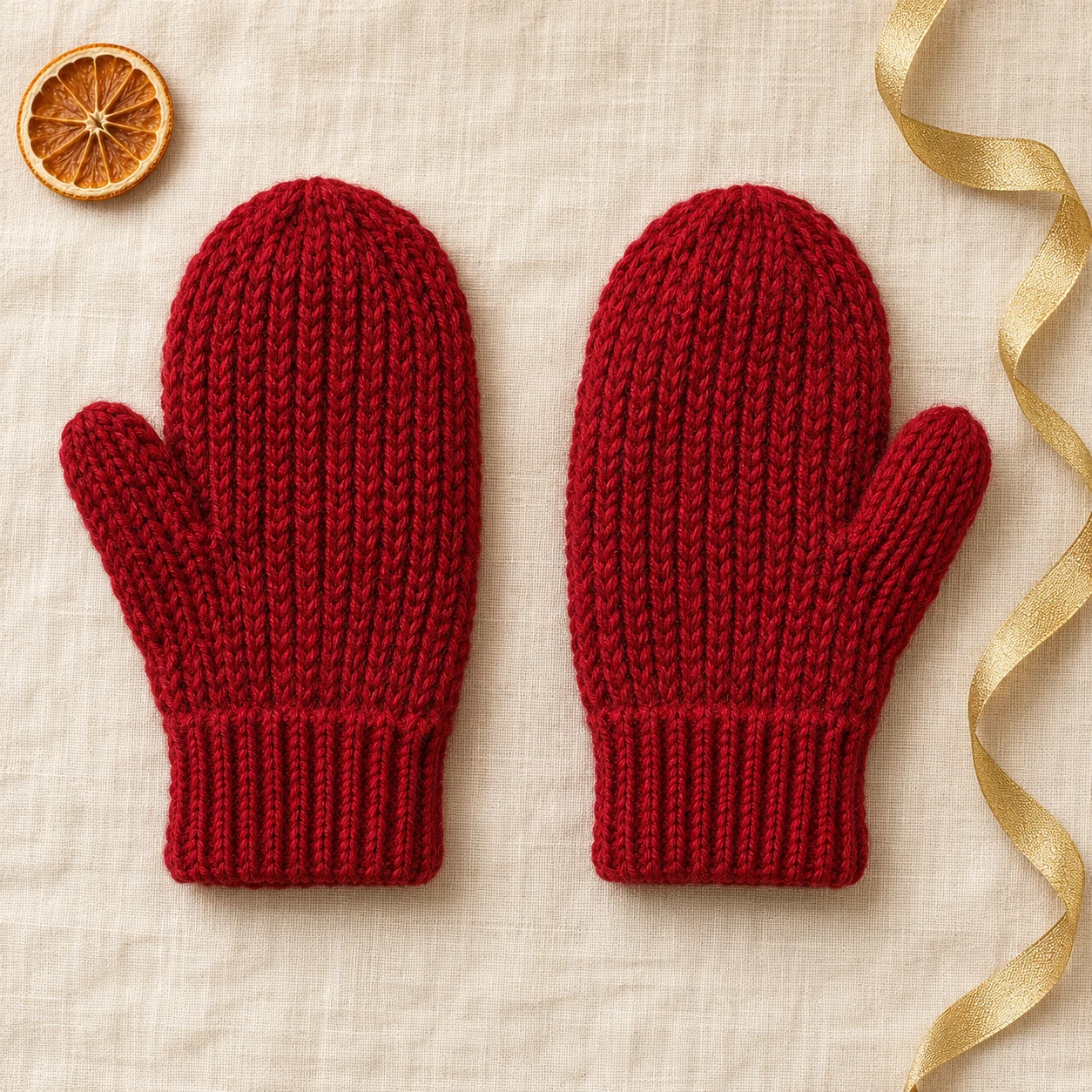
The overhead frame shows two separate mittens with one thumb each.
Complete prompt
Task: Photograph a pair of Christmas gift mittens from directly overhead.
Subject: Two matching fictional deep red knitted mittens, left and right, with plain cuffs and visible ribbed stitching.
Context: On warm ivory linen. Place a loose gold ribbon off to the right and a small dry citrus slice near the upper left edge as separate props.
Style: Realistic fiber-rich tabletop product photography with a simple red and cream holiday palette.
Composition: True 90-degree overhead composition, mittens side by side with space between them and wide crop-safe padding; no hands.
Lighting: Broad diffused daylight from upper left, soft shadows and visible stitches on both mittens.
Constraints: Show exactly two mittens, two thumbs total, no fingers, no overlapping ribbon, embroidery, text, logos or border.
Output: One square 1:1 photo, clean sharp details on the pair.
What to inspect
The ribbon and dried citrus are styling props. Confirm the crop still shows both cuffs.
Adjustable parameters
Adjust ribbon placement or linen tone. Retain clear spacing around both mittens.
Failure correction
If the forms read as gloves, describe one continuous pouch and one thumb per mitten and increase their spacing.
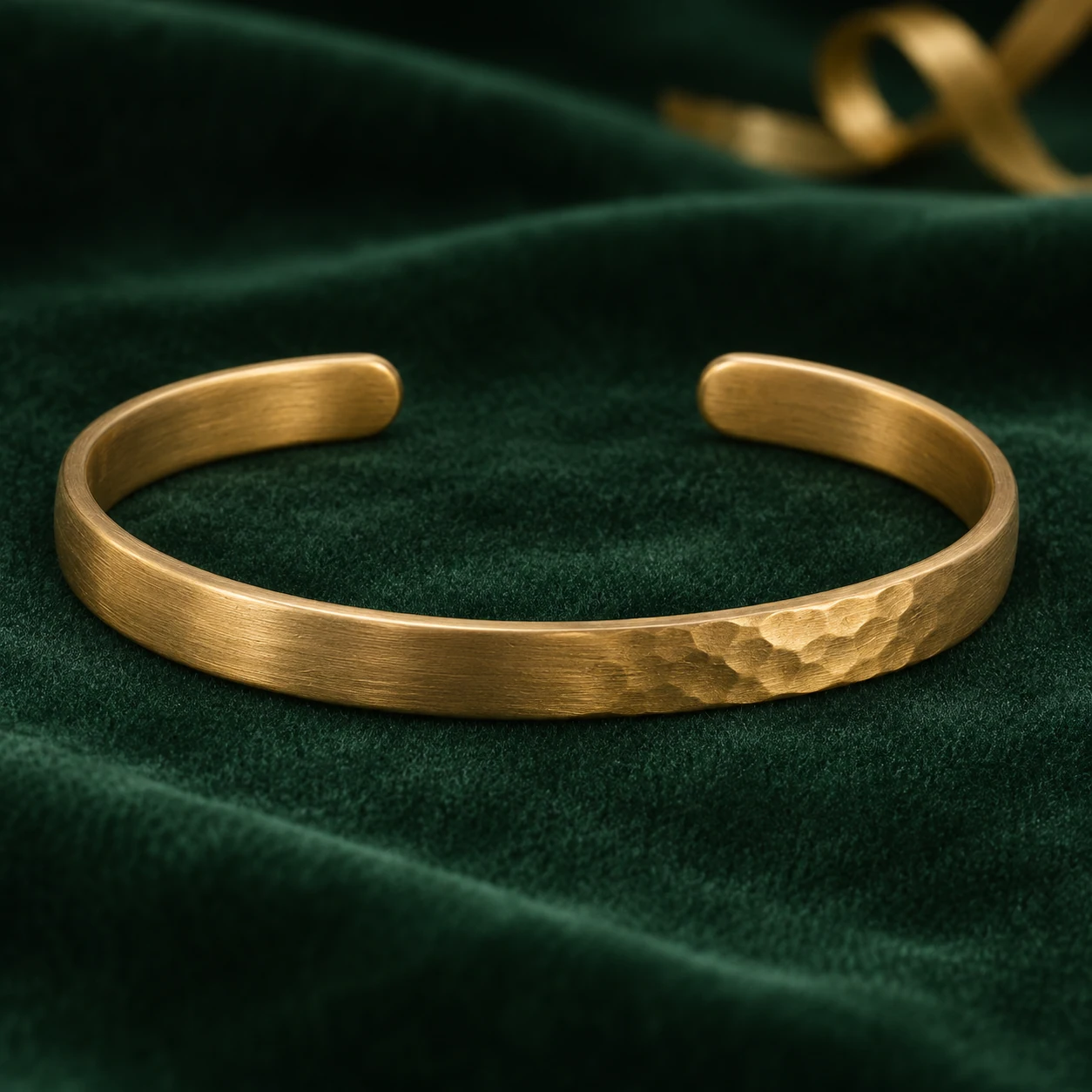
Jewelry on deep green velvet
Jewelry makers presenting fine detail at thumbnail size.
Both open ends and the hammered section are visible against velvet.
Complete prompt
Task: Make a holiday detail photograph for a jewelry gift page.
Subject: One fictional open oval brushed-brass cuff bracelet with softly rounded ends and one small hammered section; no stones.
Context: Rest it on pine-green velvet with a very small out-of-focus gold gift ribbon far behind the cuff.
Style: Macro-look still life with believable metal texture and carefully controlled color.
Composition: Low three-quarter close-up, bracelet centered with the open ends visible and the whole object in the frame.
Lighting: Broad warm-neutral key, subtle white fill, soft continuous gradients on the brass and no blown highlights.
Constraints: Exactly one bracelet with two ends and no brand, text, gift box, extra jewelry, forced sparkle or watermark.
Output: One square 1:1 photograph with sharply resolved metal surface.
What to inspect
The gold ribbon stays in the background. The metal remains brushed without uncontrolled white glare.
Adjustable parameters
Rotate the opening toward the lens or change the length of the background ribbon.
Failure correction
If the cuff appears to be a closed bangle, open the gap toward the camera and keep the ribbon outside its outline.
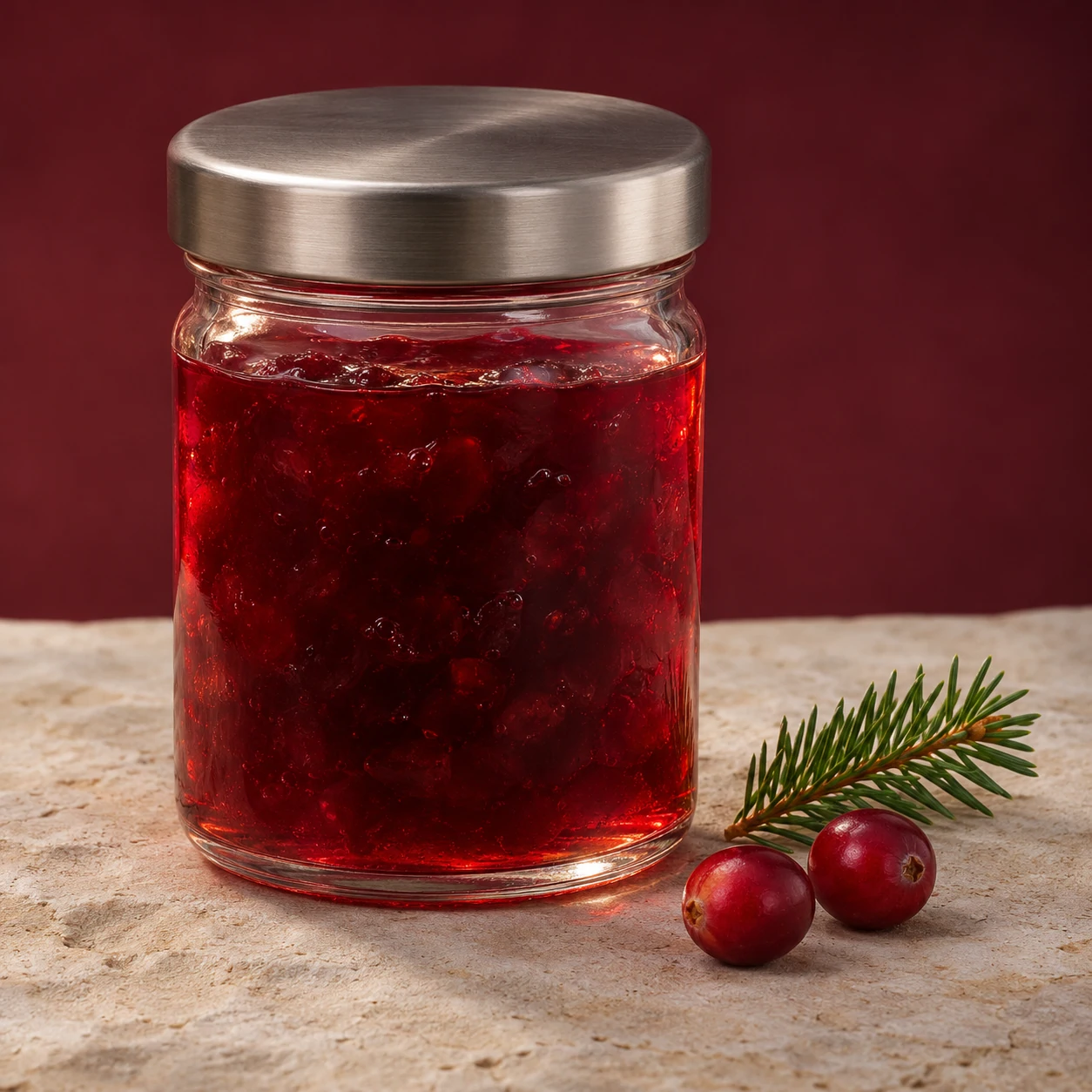
Backlit glass with cranberry color
Food sellers testing a holiday glass and contents shot.
The cap, jar base and line of ruby contents are visible in the same image.
Complete prompt
Task: Make a seasonal product photograph that shows how light passes through glass and jam.
Subject: One fictional clear cylindrical jar filled just below its shoulder with ruby cranberry jam, with a smooth plain brushed-metal lid.
Context: On pale limestone against a muted burgundy backdrop. Two intact cranberries and one fir sprig sit separately at the base, away from the glass edges.
Style: Realistic food product photography with rich color and understated seasonal styling.
Composition: Front three-quarter view in a medium crop with the full cap and base visible. Keep the front glass unobstructed and the props at the lower right.
Lighting: Soft backlight through the jar plus a small neutral front fill; retain the darker jam texture and readable glass contours.
Constraints: No writing, logo, label, extra jar, leaking jam, fingers, opaque front glare or floating props.
Output: One square 1:1 photograph suitable as a secondary seasonal image.
What to inspect
The dark red backdrop still separates from the glass. Check true color and label accuracy for an actual product.
Adjustable parameters
Alter the background brightness or lid finish. Keep light crossing the glass sidewalls.
Failure correction
If white glare hides the contents, widen the backlight and use a darker card outside both glass edges.
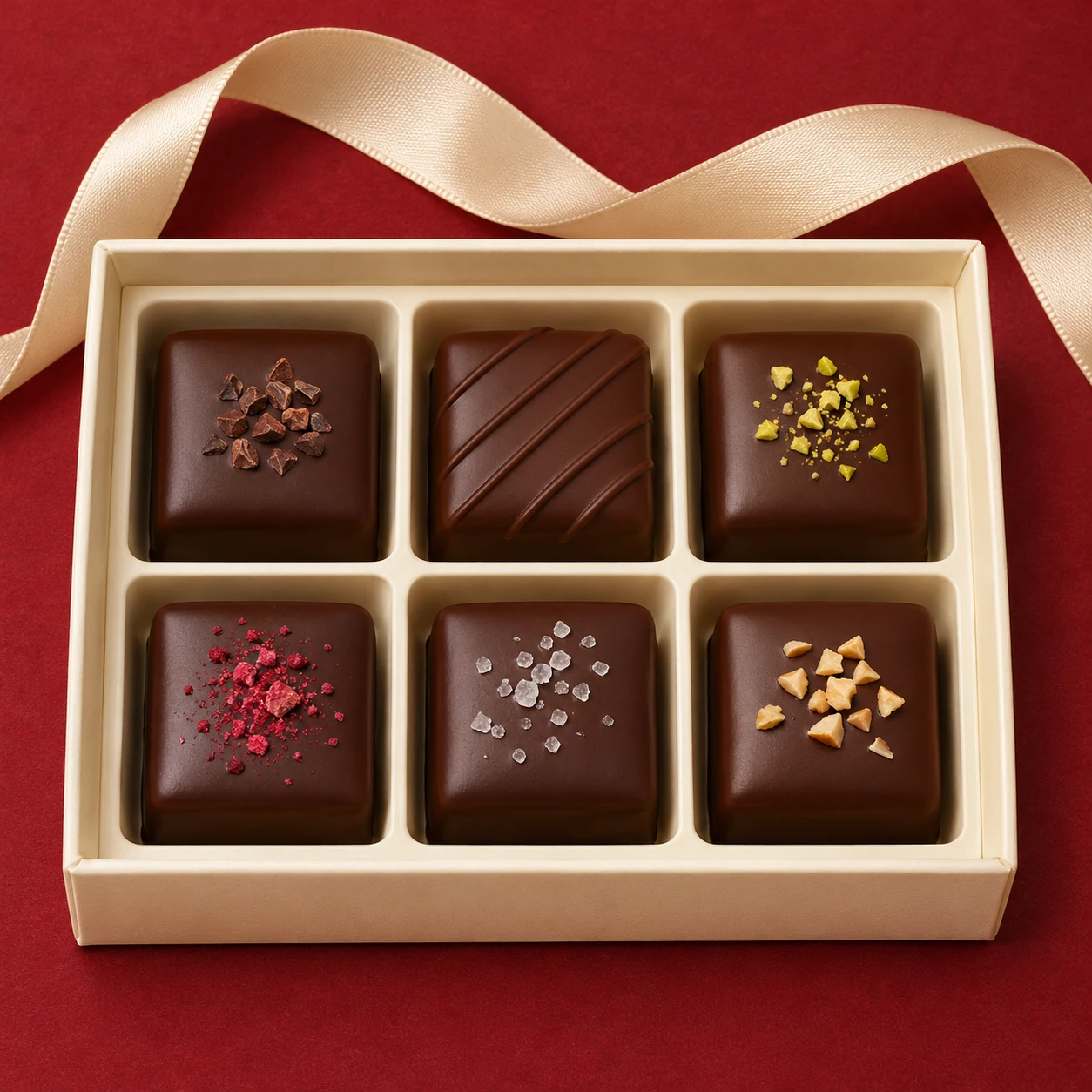
Holiday chocolate assortment
Food makers checking inventory and tray spacing.
All six compartments and truffles are visible, with the ribbon behind the tray.
Complete prompt
Task: Stage a Christmas photo for an unbranded boxed chocolate assortment.
Subject: One fictional open ivory tray containing precisely six individual square dark chocolate truffles in two rows of three, with each truffle intact and separate.
Context: On dark red paper with one loose cream ribbon behind the tray and no lid in view.
Style: Realistic confectionery catalogue photography with a tactile ribbon and restrained holiday red.
Composition: High 65-degree angle showing every tray compartment. Keep the entire tray and all corners within the frame.
Lighting: Large soft overhead key and weak side fill with a gentle sheen on each chocolate.
Constraints: Exactly six chocolate squares, one per compartment. No labels, text, humans, broken pieces, duplicate boxes or ribbon covering the chocolates.
Output: One square 1:1 finished image; clean edges and visually countable contents.
What to inspect
Treat the toppings as part of the fictional concept. For a real order, compare flavor cues and quantities with the actual assortment.
Adjustable parameters
Change backdrop or ribbon, or state the actual count and layout in the subject clause.
Failure correction
If the count changes, describe both rows explicitly and remove props until the tray count is correct.
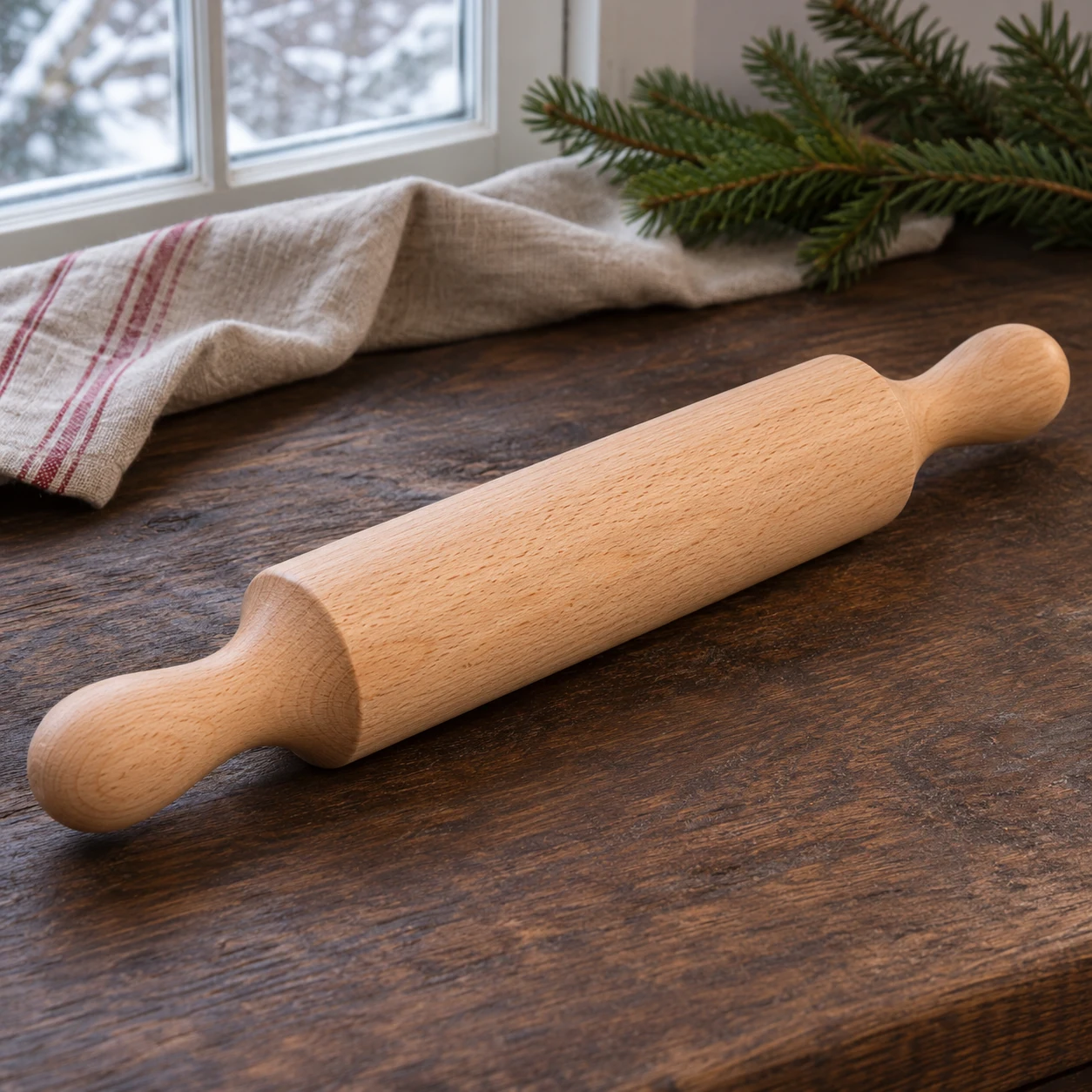
Winter window workbench
Woodcraft makers planning a gift-season texture shot.
Both handles, the diagonal outline and wood texture remain visible.
Complete prompt
Task: Make a winter holiday lifestyle product photograph for a handmade home-goods collection.
Subject: One fictional cylindrical beech pastry roller with two rounded integral handles and a plain smooth center.
Context: On dark oak in front of a soft winter window. A linen cloth and one unlit sprig of fir sit well behind the roller.
Style: Natural workshop editorial photography with accurate wood grain and a quiet handmade gift mood.
Composition: Horizontal diagonal product placement inside a square crop; both handle ends and the entire cylinder visible.
Lighting: Cool soft daylight from the window and warm-neutral bounce from the opposite side to keep the beech color believable.
Constraints: No person, writing, logo, dough, fire, stainless steel, extra handles, snow on the roller or floating product.
Output: One square 1:1 realistic photograph with readable grain and realistic contact shadows.
What to inspect
The left handle is close to the frame edge. Leave more room if the slot crops to a narrower width.
Adjustable parameters
Test the rotation, window-light direction or amount of surrounding wood while retaining both ends.
Failure correction
If the handles are hidden by the crop or background, rotate the roller diagonally and move the linen farther from both ends.
Festive tabletop with copy space
Merchants planning a seasonal homepage crop.
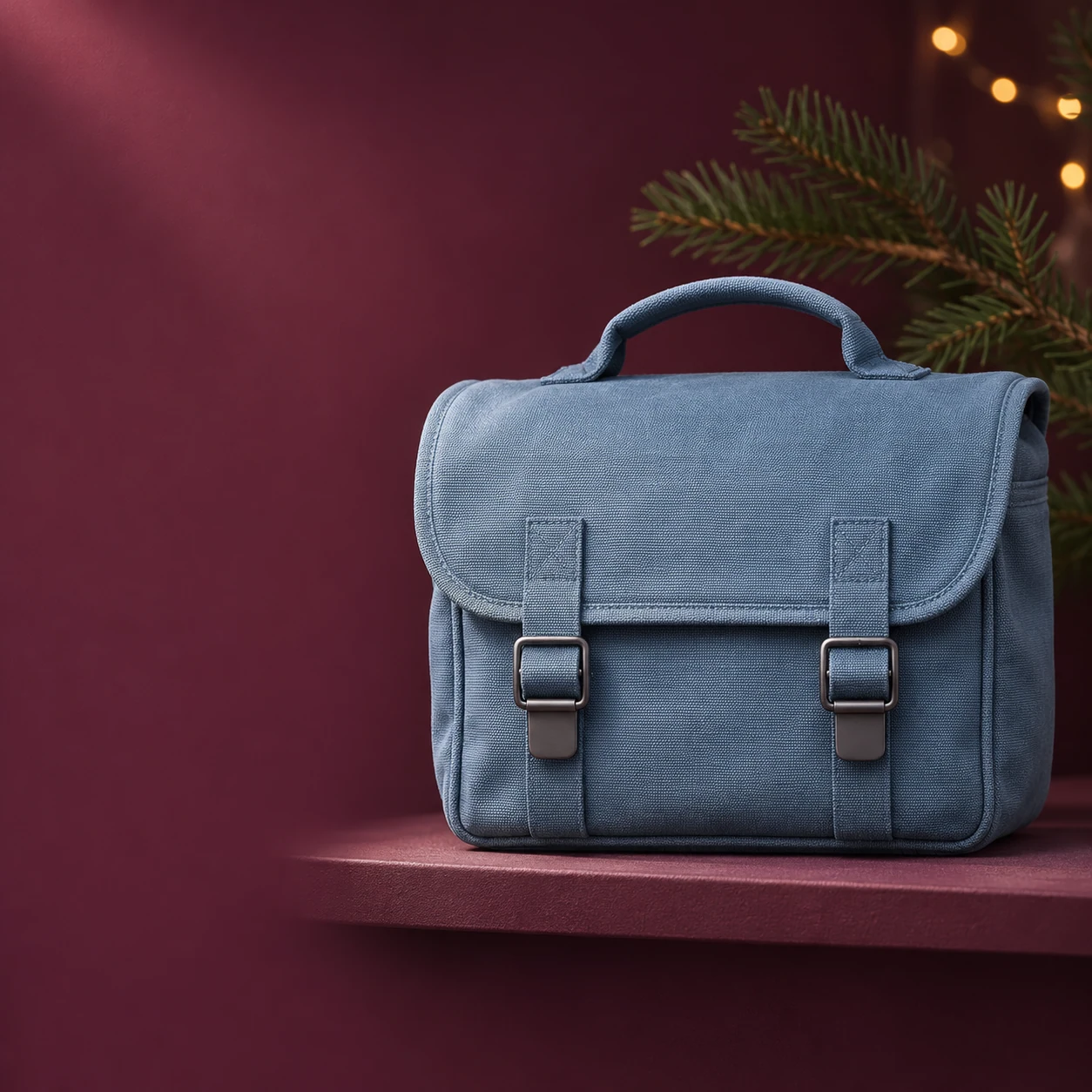
The bag sits in the right half with both buckles visible and a quiet left area for later copy.
Complete prompt
Task: Make a seasonal hero photograph with a clear area for later page copy.
Subject: One fictional dove-blue canvas camera bag with one front flap, two plain buckles and a short carry handle; shoulder strap tucked behind.
Context: On a matte warm plum shelf with a small pine branch behind it and a few distant warm lights.
Style: Premium soft-textured accessories catalogue photography, plum and cool blue with a tiny warm accent.
Composition: Place the whole bag in the right half. Keep the left third plain warm plum and maintain a clear margin around the carry handle.
Lighting: Directional soft key from upper left, mild fill to show both buckles and avoid glare.
Constraints: Do not render copy, text, logos, price, model names, people, an extra bag or lens, or decorations on the bag.
Output: One square 1:1 product hero photograph with a clean left copy area for layout.
What to inspect
The right side is close to the edge. Check the actual store crop before adding page text.
Adjustable parameters
Increase right padding or move distant lights farther right to keep the copy plane calm.
Failure correction
If the blank zone fills with seasonal detail, remove left-side props and confine light points to the far right behind the bag.
Single keepsake ornament
Ornament makers checking silhouette and finish.
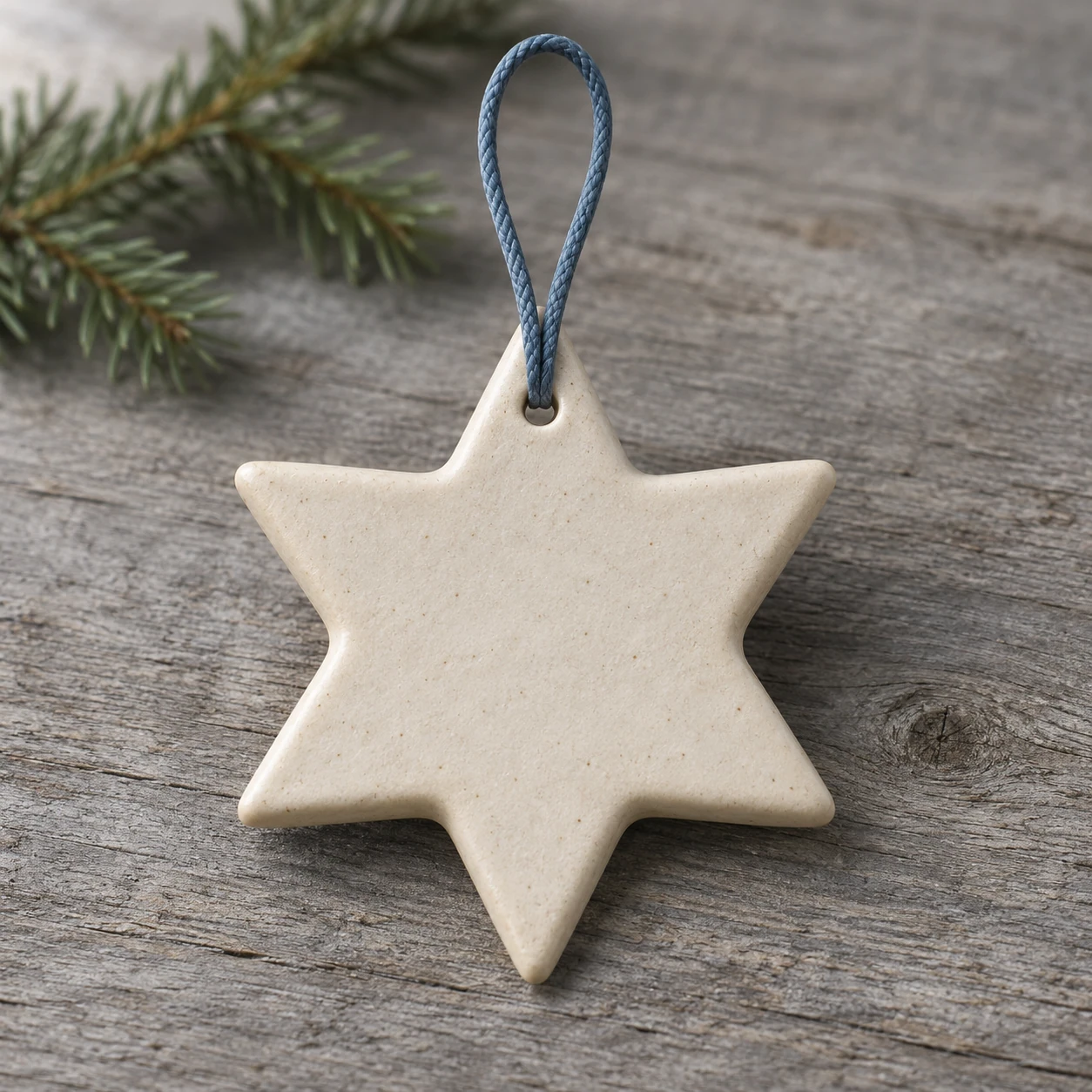
All six ceramic points and the single hanging loop are distinct from the fir.
Complete prompt
Task: Make a Christmas catalogue still life for a single handmade ornament.
Subject: One fictional six-point matte cream ceramic star ornament with a visible small hole and a slate-blue hanging loop.
Context: On a weathered gray wood surface with a small blurred fir branch behind it and no wrapping paper.
Style: Quiet Scandinavian craft photography with tactile glaze and neutral greys.
Composition: Slightly elevated front view; let the star rest securely and show all six points, hole and loop within the crop.
Lighting: Soft daylight from upper left, mild shaded right edge and enough contrast between ceramic and wood.
Constraints: Exactly one star, one hanging hole and one loop. No person, text, marks, duplicate ornament, box or visible packaging.
Output: One square 1:1 finished photograph, full shape with crop margins.
What to inspect
Inspect the loop where it enters the hole. Keep any background sprigs from appearing attached.
Adjustable parameters
Change the surface or cord color and keep the full ornament visible.
Failure correction
If the loop appears pasted on, ask for the cord to pass visibly through the single hole and separate it from the fir in the background.
Gift box with visible contents
Small brands planning a holiday bundle photo.
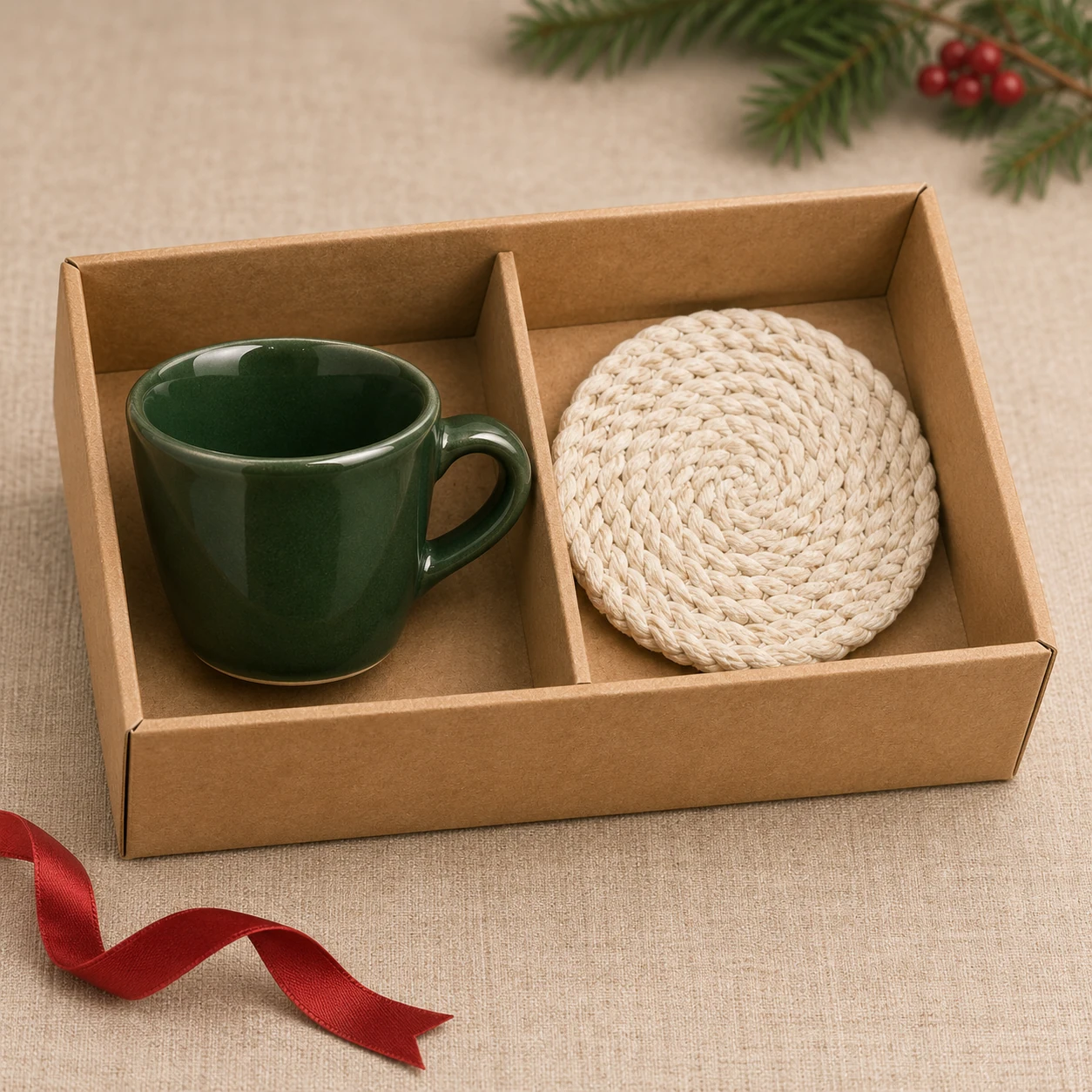
The high three-quarter view makes the cup, coaster and box divider easy to see.
Complete prompt
Task: Make a Christmas gift bundle photograph with every included item visible.
Subject: One open fictional kraft gift box containing one forest-green ceramic espresso cup and one ivory woven coaster, arranged side by side with a paper divider.
Context: On an oatmeal tabletop. Place a small red ribbon loose outside the lower left corner, with restrained evergreen styling far behind.
Style: Simple gift-guide photography, with crisp box edges and natural paper, ceramic and cloth detail.
Composition: Front high three-quarter view shows the interior, cup handle, coaster and all four edges of the box.
Lighting: Warm-neutral overhead softbox with gentle front bounce and natural shadows inside the tray.
Constraints: One cup and one coaster only, no lid, hands, text, brand marks, extra filler items or sticker. The ribbon stays outside.
Output: One square 1:1 photo with complete readable box boundaries.
What to inspect
The ribbon stays outside the box. Verify real inventory and dimensions before using a bundle image.
Adjustable parameters
Change the box material or use exact bundle items while keeping each in its own visible space.
Failure correction
If the contents appear bundled with background props, remove the evergreen prop and keep the ribbon outside the box on a separate plane.
Choose Christmas product photography ideas by store placement
A seasonal update is easiest to evaluate if the job is clear. Keep a neutral, recognizable primary product photo if your shop depends on a consistent catalog grid. Use the holiday scene as an additional image for merchandising, a campaign page, or a gift-guide tile. On a small product card the mug needs a readable handle and the bag needs a readable opening. A pine branch contributes very little when both features are lost at thumbnail size.
Pick an overhead setup for paired products and assortments. Pick a three-quarter angle when the product needs depth, a handle, or a view into a box. Use a lower camera and a softer background when the shape is already familiar. If several images will appear together, repeat the surface and key-light direction across only that collection. Keeping the set consistent makes it easier to notice when a generated object changes.
Adapt a fictional setup to a real product photo
The examples on this page are generated fictional product concepts. To use a real item, take your own clear reference on a simple background or use an authorized existing photo. Include a sharp view of the important side of the object, and note details a model might simplify, including the number of fittings, the handle join, and the proportions of the package. In an editing workflow, ask for a background or lighting change and identify exactly which product details must survive.
Compare color and geometry at full size. If a model smooths a ribbed finish, changes a clasp, or adds packaging, use the original photograph for the product layer and composite the backdrop in an editor. This also helps when a label needs to stay readable. Keep the source photo and provenance metadata. For marketplace submissions, check the requirements for the specific image slot and platform.
Keep festive styling separate from product facts
There is a practical difference between a set detail and something a shopper will infer is included. An open box containing a cup and a coaster should display both pieces and keep decorative ribbon outside the box. A chocolate assortment should match its stated count and show each compartment. For products with variable size, use a real dimension note or an accurate product reference alongside the seasonal image.
Warm background light is a useful Christmas cue, especially on cream and neutral products. Give the product a neutral key light so the surface keeps its own color. If the props pick up more contrast than the object, darken or move the props and keep the original camera angle through the next attempt. Changing one variable at a time makes the correction easier to judge.
Check the crop before adding offers or captions
For a campaign hero, decide which side gets text before building the scene. Ask for a clean area with consistent color and low texture, then put real offer copy on top later. Check how the square handles a narrower mobile crop or a wider desktop crop. The photographed subject should remain complete in the published crop, with room above handles and around corners. If the crop needs a second composition, regenerate for that layout instead of squeezing or stretching the product.
Treat generated images as design examples until you have checked the actual product and all claims behind them. Plain backgrounds, legible contours, believable shadows, and inventory that can be counted are more useful than elaborate holiday props.
Frequently asked questions
What should I put in a Christmas product photography prompt?
Describe the product, the camera angle, one or two seasonal props, the light, and the intended crop. Add explicit checks for the product details that should remain visible.
Can I use these prompts with my own product photos?
Yes if your editor accepts image references and you have permission to use the photograph. Treat the prompt as an edit brief, compare the resulting object against the original, and retain the real product pixels if details drift.
How do I make Christmas product photos without making products look orange?
Light the product with a neutral soft source. Let amber string lights sit far behind the object, then compare the product color against your neutral reference.
Which Christmas product photoshoot angle should I pick?
Use overhead for flattish items and visible counts, a front three-quarter angle for shape and packaging, and a closer frame for finish details. Check small screens to verify that handles and key edges survive.
Can these examples serve as marketplace listing images?
They illustrate composition with fictional products. For a real listing use an accurate product image, confirm the marketplace's rules for each image slot, and keep any required AI provenance metadata.
How many props should I use in holiday product photography?
One clear cue is usually enough. Place it apart from the object and leave some distance at the edges so a tighter crop still reads as a product photo.