✂️

GPT Image 2 Image Editing Prompts

GPT Image 2 image editing prompts work best when each edit names the authorized input as the source of truth, isolates the editable region, lists the details that must remain unchanged, requests one clear change, and defines a visual review. The fifteen free, copy-ready examples below cover GPT Image 2 photo editing prompts for object removal, background replacement, precision retouching, recoloring, glare control, outpainting, perspective repair, inpainting, local label correction, and before-after quality control. Each full-fidelity first pass preserves identity, geometry, lighting, scene relationships, text, and unedited pixels unless the approved task explicitly changes them. Every displayed result uses a synthetic input and the exact visible prompt recorded in the evidence package.

Use fifteen reviewed editing briefs that name the authorized source, editable region, locked details, physical continuity, and the output check.

15 prompts · 15 reviewed GPT Image 2 results · Updated 2026-07-29

Choose the editing pattern by the region that may change

Use removal for a named obstruction, replacement for a bounded background or object, retouching for local surface or portrait corrections, and outpainting for a larger canvas. Treat the synthetic input as the authority, state every invariant that matters, and preserve the complete scene, text, people, and layout on the first call. Only a concrete observed failure permits a one-variable retry.

Four steps from authorized input to reviewed edit

  1. Establish source authorityConfirm that the input is owned, synthetic, public-domain, or licensed, then describe the image and the intended use without inventing provenance.
  2. Bound the editable regionName the subject, mask, surface, or canvas edge that may change and state its spatial relationship to surrounding protected content.
  3. Lock the invariantsRepeat the identity, pose, geometry, perspective, copy, lighting direction, shadows, reflections, and framing that must remain coherent.
  4. Inspect before retryingCompare the source and result for changed protected regions, dirty edges, identity drift, physical mismatch, invented text, hidden artifacts, and unintended subjects.

Image editing prompt parameter guide

EditAuthorized inputEditable regionLocked detailsLightingEdge behaviorOutputAvoid
RemoveOwned or synthetic scene with a named obstructionObject silhouette plus the pixels it occludesOther subjects, perspective, crop, signs, surfaces, and color gradeContinue the existing light direction, texture, and shadow logicReconstruct believable background detail through the former boundaryClean full-resolution scene at the original aspect ratioGhost edges, repeated texture, shifted people, or global redesign
ReplaceOwned or synthetic portrait, product, or roomNamed background, garment, object, or surfaceSubject identity, pose, scale, camera, silhouette, and protected copyMatch direction, color temperature, reflections, and contact shadowsRespect hair, glass, fabric, and occlusion boundariesProduction-ready edited image with source-equivalent resolutionIdentity substitution, haloing, inconsistent depth, or changed protected regions
RetouchConsented synthetic portrait or owned object photographNamed glare, blemish, reflection, stain, or skin distractionNatural texture, anatomy, expression, material, labels, and scenePreserve highlight roll-off, skin tone, material response, and shadow densityBlend at local texture scale instead of smoothing the whole frameNatural correction suitable for close inspectionPlastic skin, lost pores, erased structure, fabricated restoration, or broad blur
OutpaintSynthetic image placed within a larger fixed canvasThe padded canvas outside the source-image boundaryCentral image pixels, horizon, perspective, subject identity, and color gradeExtend weather, light direction, atmosphere, and shadow continuity outwardContinue lines and textures seamlessly across every source boundaryFilled landscape canvas with the central source preservedStretching, mirrored seams, duplicated subjects, horizon breaks, or center regeneration

Failure corrections before you rerun

The person or product identity drifts

Why it happens: The requested edit is clear, but immutable facial, clothing, silhouette, or product anchors are not repeated.

Prompt correction: After identity drift is observed, change only the identity-lock sentence by enumerating the failed facial or product anchors while retaining the original edit.

A removed or replaced edge looks dirty

Why it happens: The edit names the object but does not identify the occluded surface, edge texture, or overlap relationship.

Prompt correction: After a boundary defect is observed, change only the failed edge instruction by naming the occlusion, texture scale, and surface continuation.

The new region has mismatched lighting

Why it happens: The content change is correct, but direction, color temperature, reflection, or contact-shadow behavior is underspecified.

Prompt correction: After a lighting mismatch is observed, change only the failed lighting variable while preserving the edit, subject, scene, and framing.

Protected areas change globally

Why it happens: The requested edit is interpreted as permission to regenerate the complete frame.

Prompt correction: After an unintended global change is observed, change only the editable-region sentence to bind the named mask and enumerate the protected neighboring regions.

15 copy-ready GPT Image 2 image editing prompts

Each card pairs a complete frozen editing instruction with its reviewed GPT Image 2 result. Replace only the authorized input description and the local edit details that belong to your task, then compare every protected region before production use.

Editing · GPT Image 2 · Prompt 01

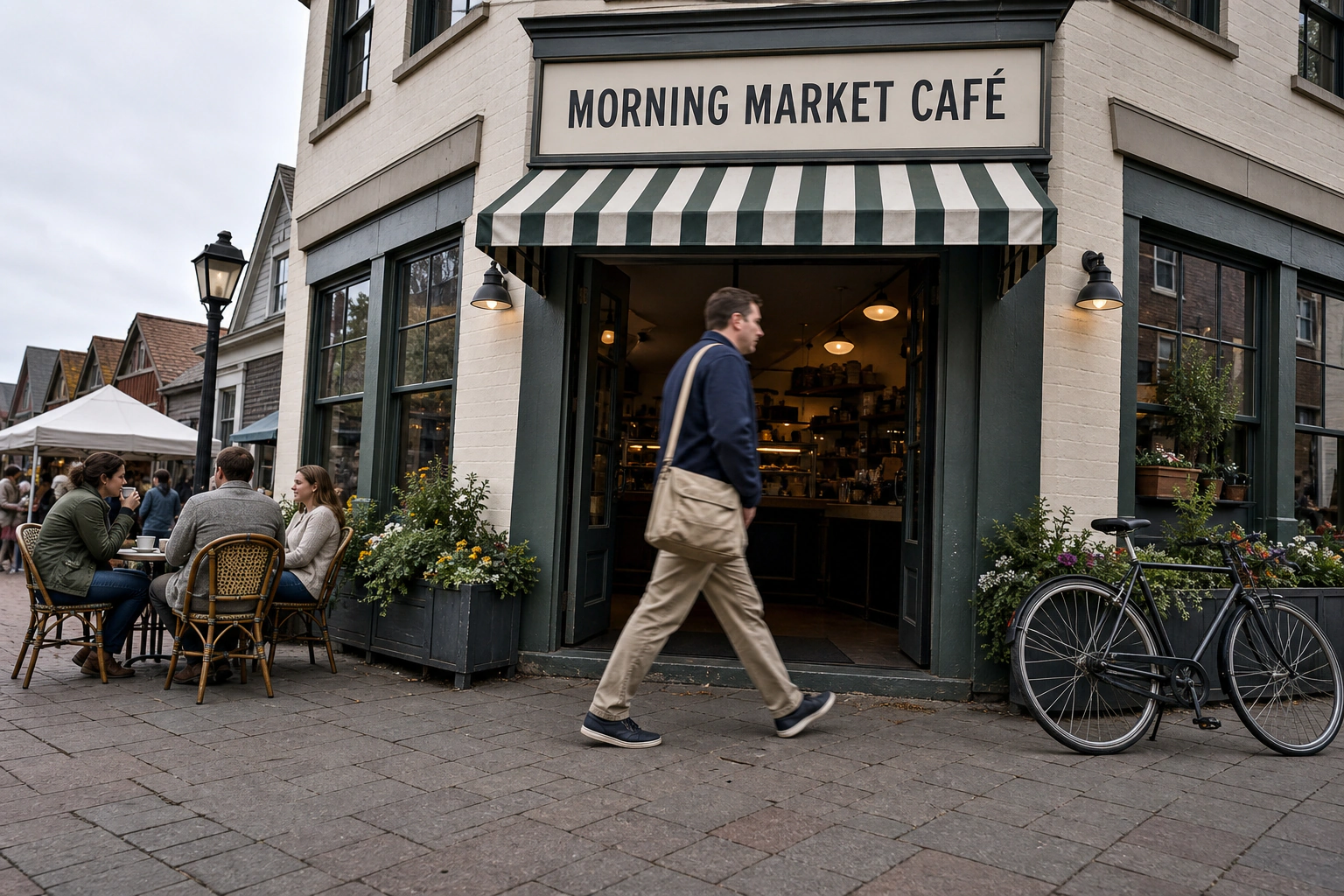
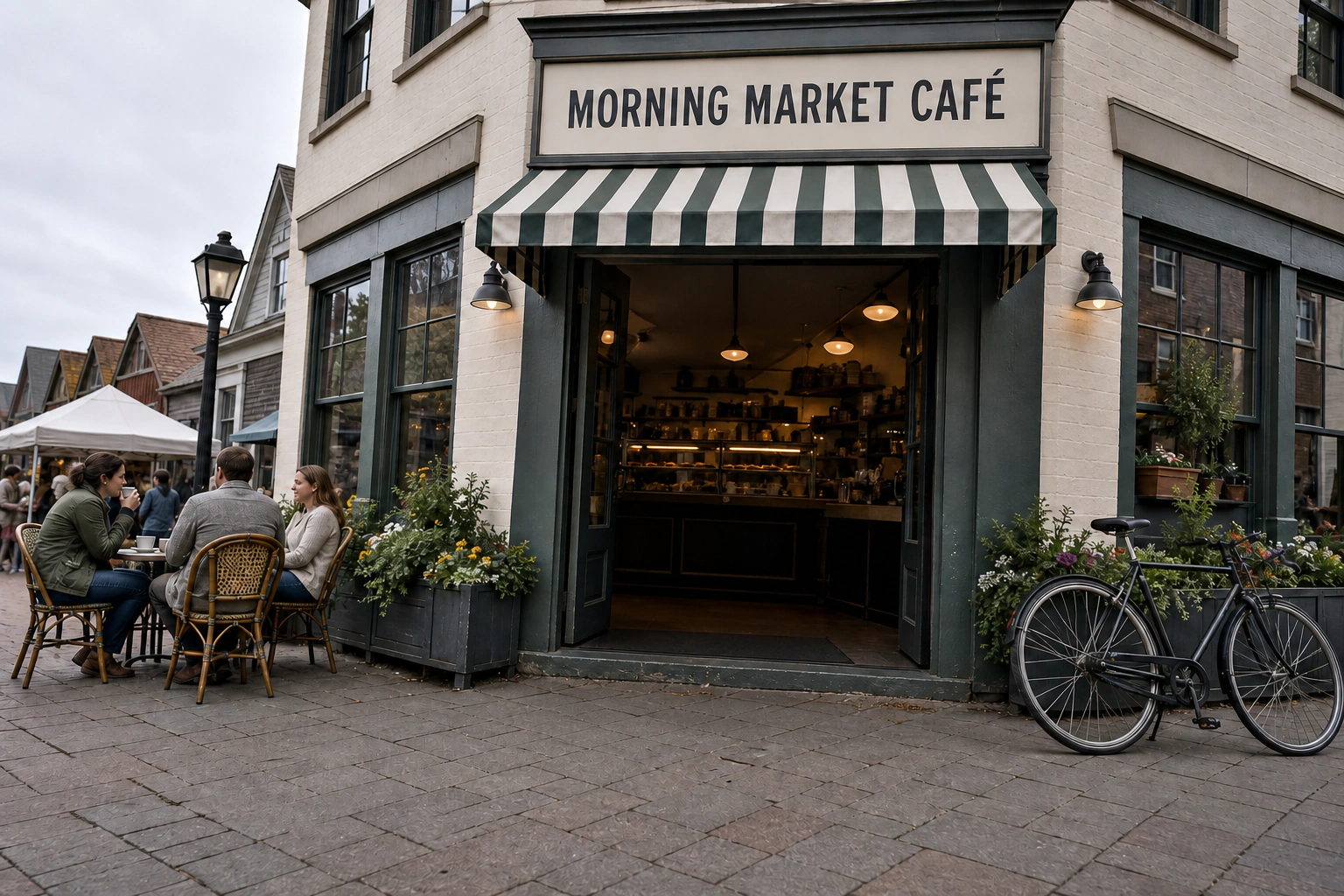
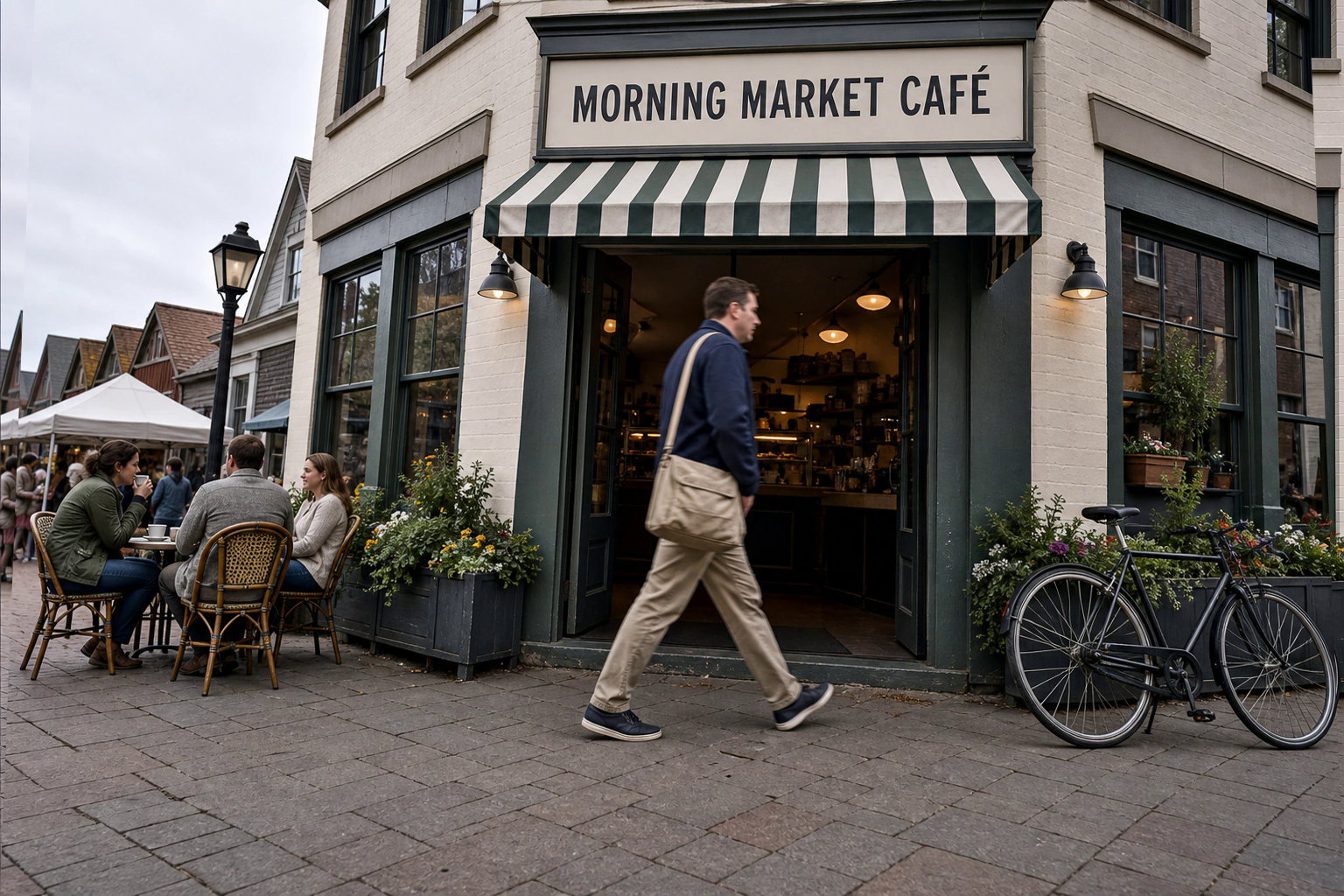
Remove a Passerby from a Market Street

For cleaning a synthetic travel photograph while preserving the café scene and every other person.

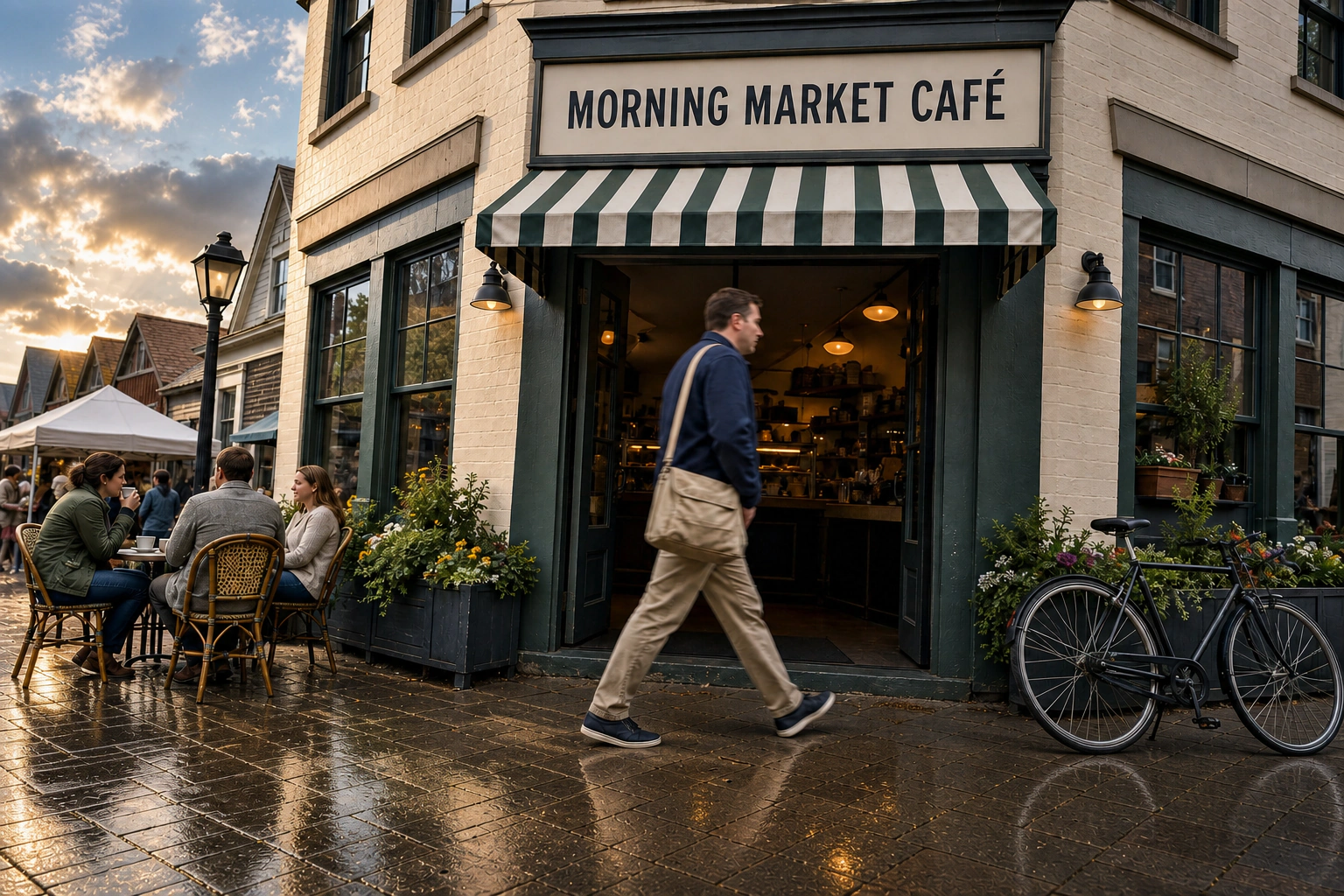
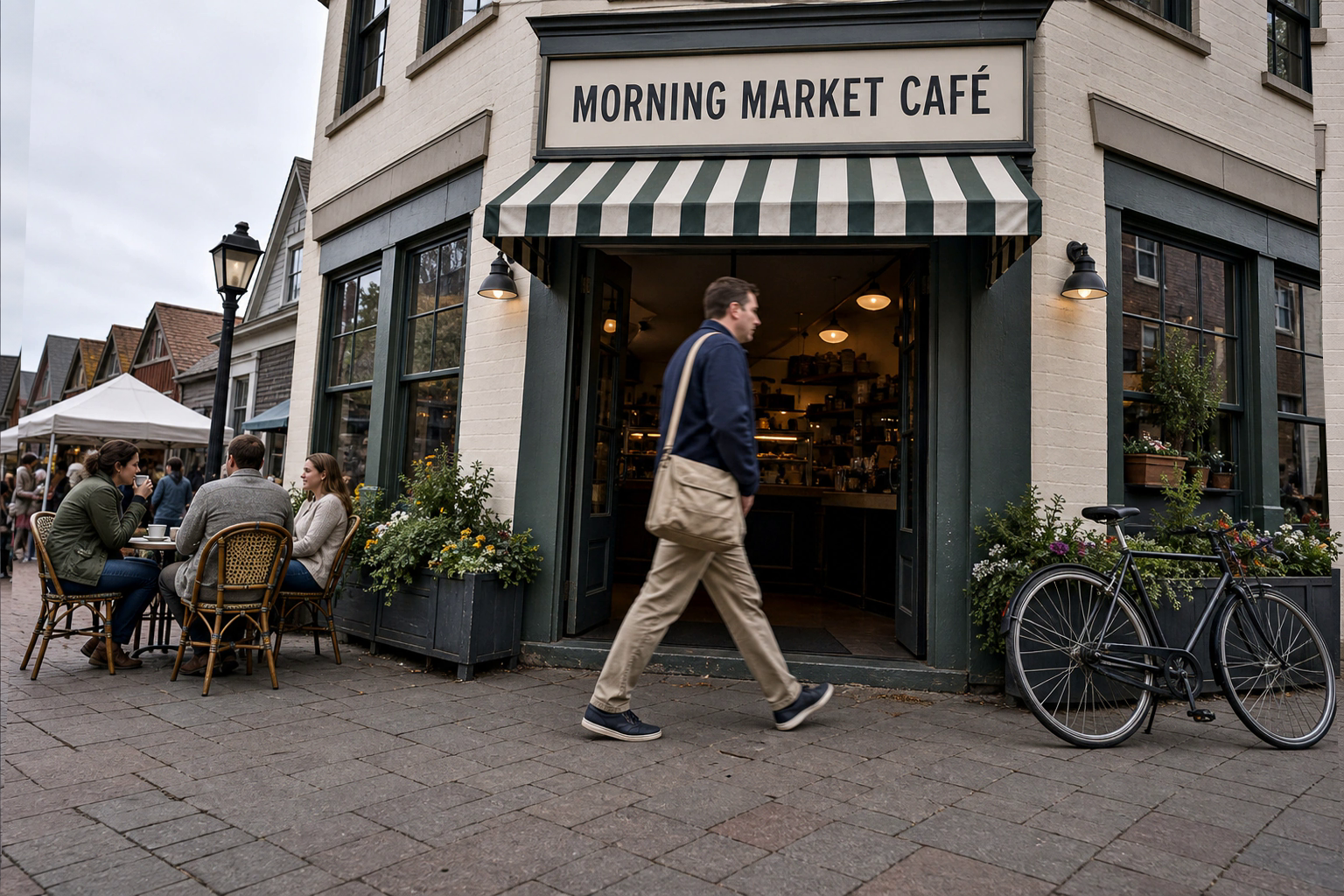
Authorized synthetic input Synthetic market street input with a passerby crossing the café entrance
GPT Image 2 edited output GPT Image 2 object removal prompt result with a passerby removed from a synthetic market street
Remove a Passerby from a Market Street | Best for: For cleaning a synthetic travel photograph while preserving the café scene and every other person. | Prompt EN-C02-02-P01 | Check: Former silhouette boundary, paving joints, doorway threshold, remaining patrons, bicycle, sign, camera crop, and shadow direction | If it fails: After an observed ghost edge, change only the failed occlusion or texture-continuation sentence and retain the complete scene.
Expected result

A clean café entrance with believable reconstructed paving and doorway detail while all other people and objects remain unchanged.

Copy-ready tested prompt
Task: Edit the authorized synthetic market-street input by removing the foreground passerby who crosses directly in front of the café doorway.
Subject: The editable region is the passerby's full silhouette, carried bag, cast shadow, and the street pixels those elements occlude.
Context: Preserve the complete morning café scene, including the striped awning, fictional café sign, bicycle at the right, patrons at the left tables, paving joints, flower boxes, and depth relationships along the street.
Style: Natural documentary travel photography with realistic inpainting that continues the existing materials rather than redesigning the environment.
Composition: Keep the original camera position, landscape framing, vanishing lines, doorway centered behind the removed figure, café tables on the left, and bicycle on the right; reconnect every line through the former foreground overlap.
Lighting: Continue the existing soft morning light, shadow direction, pavement texture, doorway darkness, window reflections, and warm-cool balance across the edited region.
Constraints: Change only the named passerby region. Preserve every other person, object, sign, surface, architectural edge, color, and source-image detail unchanged. Reconstruct the occluded doorway threshold and paving with coherent scale and perspective; retain the fictional sign exactly.
Output: Full-resolution landscape edit at the source aspect ratio, visually seamless at the former silhouette, bag, feet, and shadow boundaries.
Adjustable parameters
Passerby silhouette, occluded threshold, paving continuation, remaining people, edge texture, perspective
Failure correction
After an observed ghost edge, change only the failed occlusion or texture-continuation sentence and retain the complete scene.
Review focus
Former silhouette boundary, paving joints, doorway threshold, remaining patrons, bicycle, sign, camera crop, and shadow direction
Model
GPT Image 2
Editing · GPT Image 2 · Prompt 02

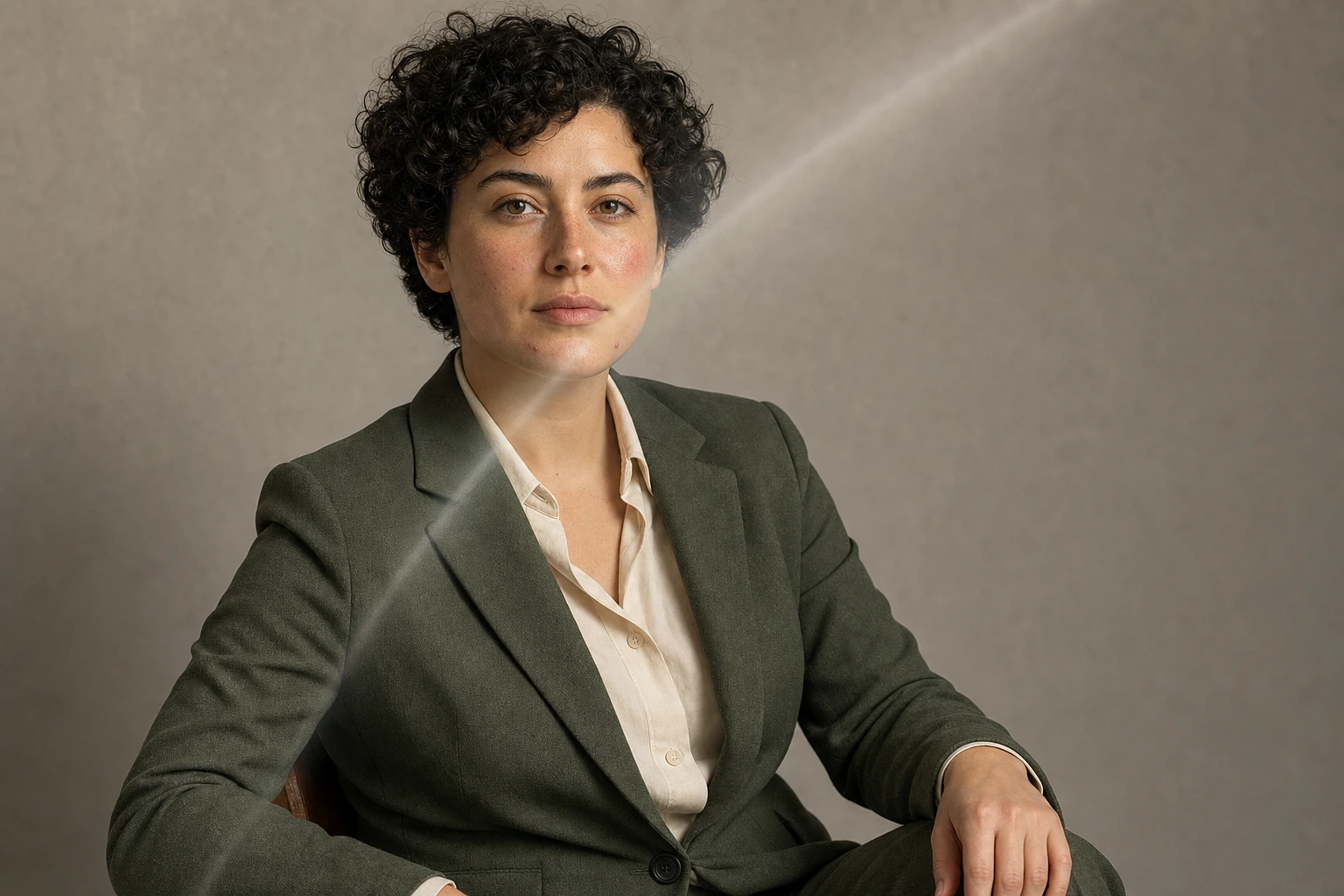
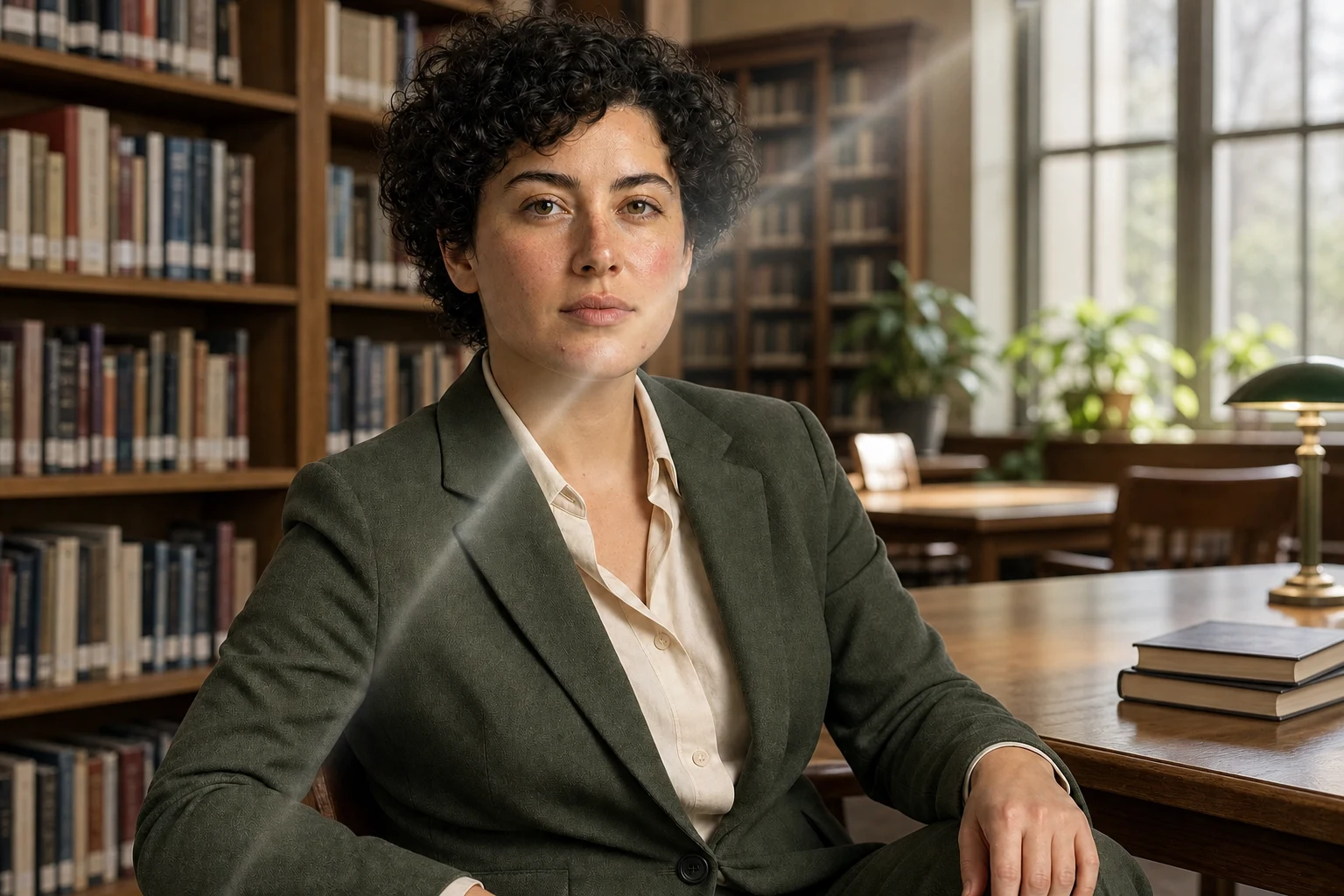
Replace a Portrait Background

For moving a synthetic editorial portrait into a sunlit library while locking the person's identity and pose.

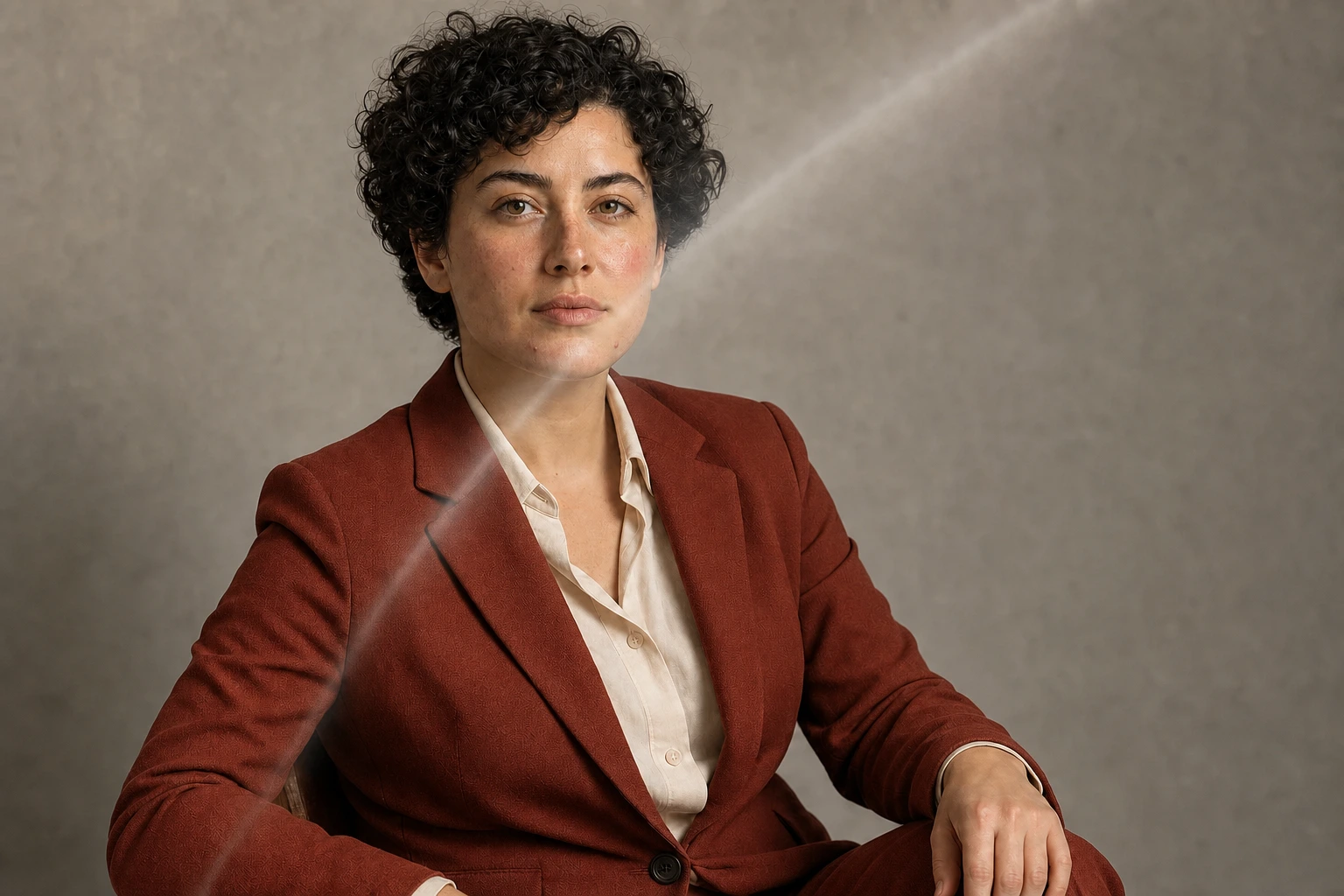
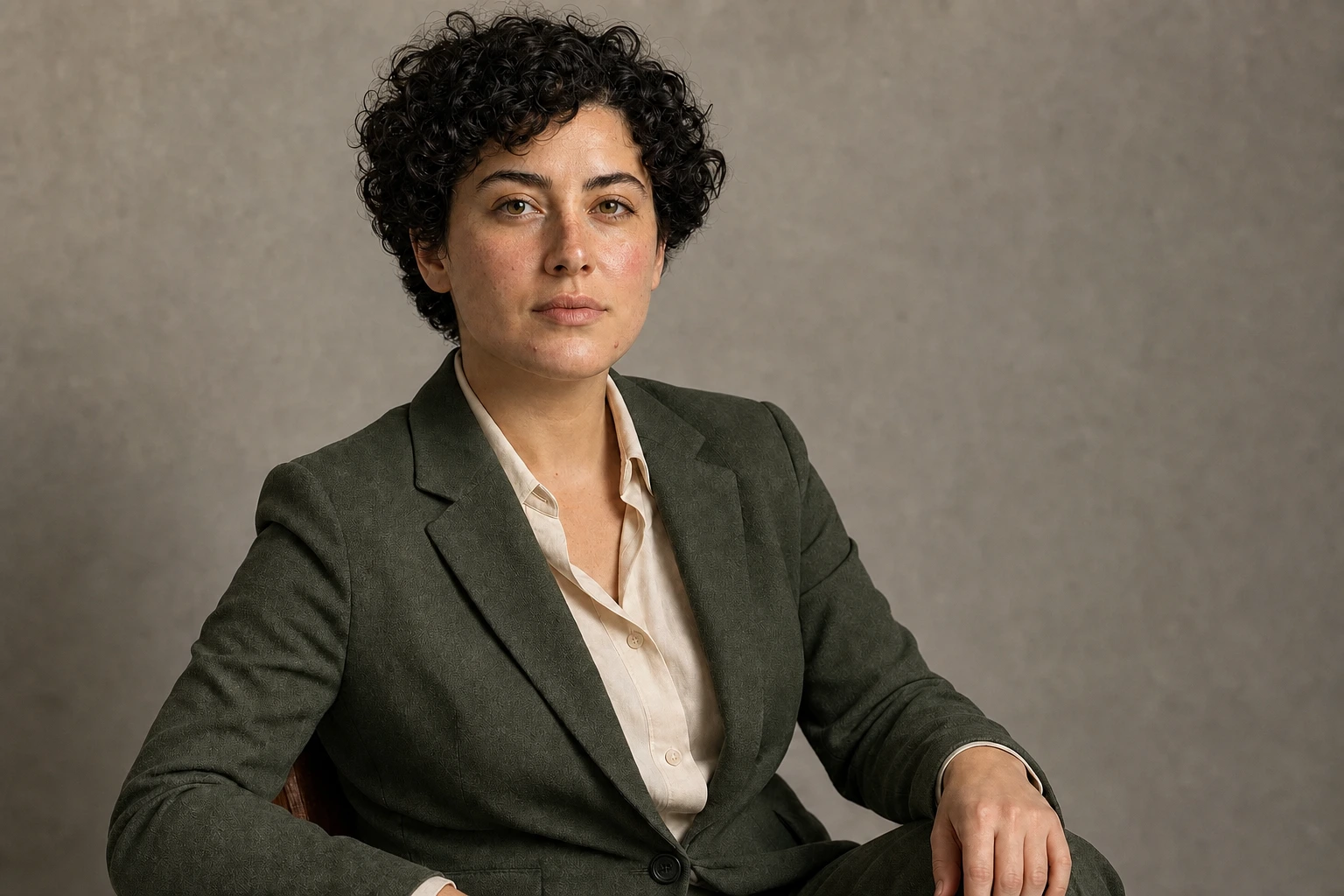
Authorized synthetic input Synthetic adult portrait input against a simple studio wall
GPT Image 2 edited output GPT Image 2 background replacement prompt result showing the same synthetic portrait in a library
Replace a Portrait Background | Best for: For moving a synthetic editorial portrait into a sunlit library while locking the person's identity and pose. | Prompt EN-C02-02-P02 | Check: Face, curls, hands, green jacket, pose, crop, hair boundary, window light, chair shadow, and realistic shelf scale | If it fails: After observed identity drift, change only the failed identity-lock sentence and retain the full library scene.
Expected result

The same synthetic person appears naturally photographed in a library, with clean hair edges and source-faithful identity.

Copy-ready tested prompt
Task: Edit the authorized synthetic portrait input by replacing only the plain studio-wall background with a believable sunlit neighborhood library.
Subject: Keep the same fictional adult, face, skin tone, short dark curls, green jacket, cream shirt, seated three-quarter pose, hand position, expression, and body proportions unchanged.
Context: Place the person near a wooden reading table with softly focused bookshelves, a tall window, a few indoor plants, and quiet public-library depth behind them for an editorial staff profile.
Style: Refined natural editorial photography with realistic depth, restrained color, and source-faithful identity rather than a newly generated person.
Composition: Retain the original landscape crop, camera height, lens perspective, subject scale, shoulder placement, gaze direction, and open space to the right; position shelves behind the left shoulder and the window farther back on the right.
Lighting: Match the input key light across the face and jacket, including the pale diagonal lens-glare veil across the subject's right face, neck, and upper green jacket; then motivate the preserved light from the new window, adding only physically consistent ambient bounce, hair-edge separation, and chair contact shadow.
Constraints: Change only the background and its natural light interaction. Preserve the same identity, pose, clothing construction, hands, expression, foreground chair, camera framing, and subject edges unchanged. Resolve hair and jacket boundaries against the library with credible depth and color spill.
Output: Production-ready landscape editorial portrait at the source dimensions, with the person unchanged and the library background integrated at realistic focus and scale.
Adjustable parameters
Library depth, window position, shelf blur, identity anchors, hair edge, subject scale, ambient bounce
Failure correction
After observed identity drift, change only the failed identity-lock sentence and retain the full library scene.
Review focus
Face, curls, hands, green jacket, pose, crop, hair boundary, window light, chair shadow, and realistic shelf scale
Model
GPT Image 2
Editing · GPT Image 2 · Prompt 03

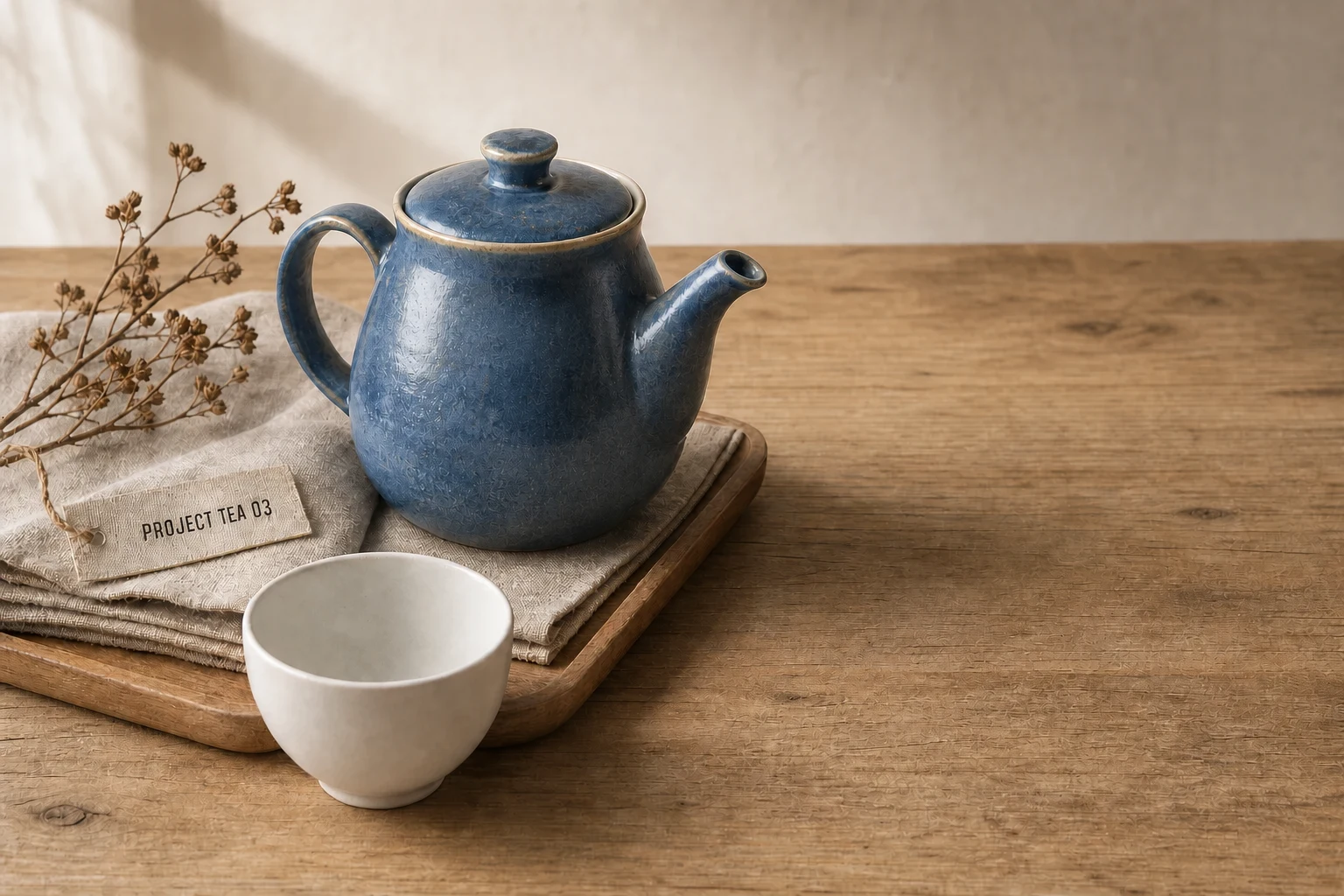
Recolor One Ceramic Object

For changing a single teapot glaze while preserving the product still life and reflections.

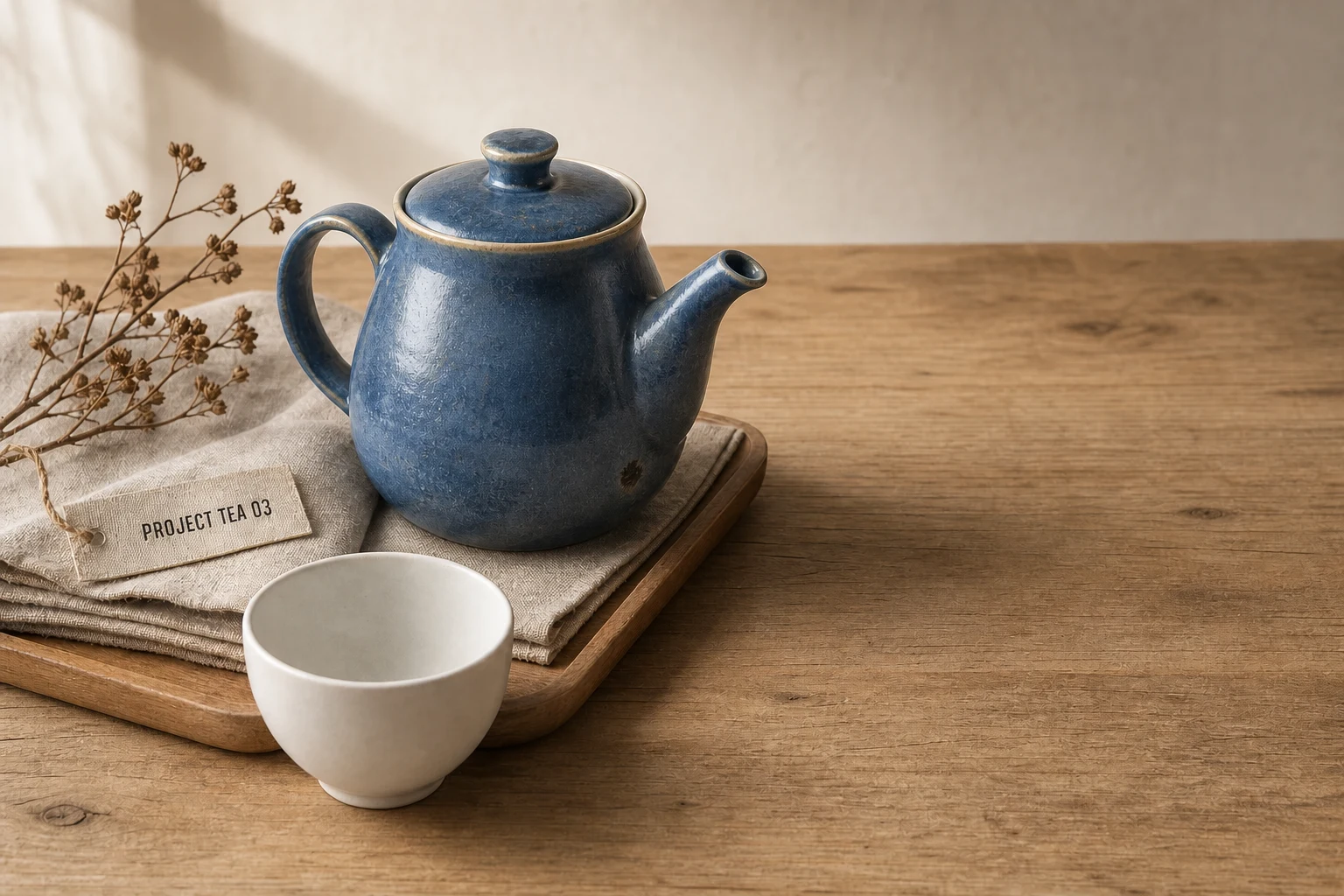
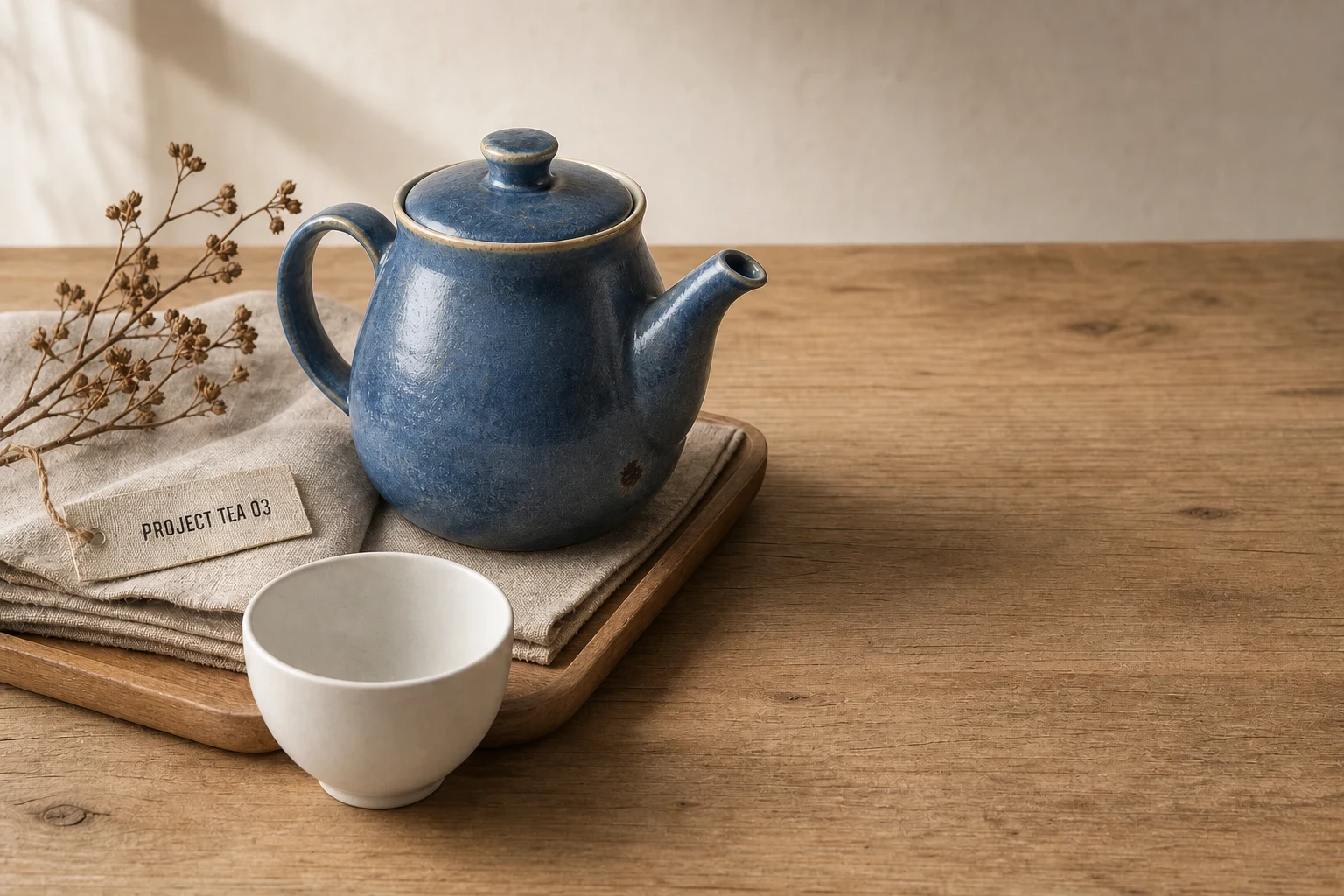
Authorized synthetic input Synthetic tabletop still life input with a blue ceramic teapot
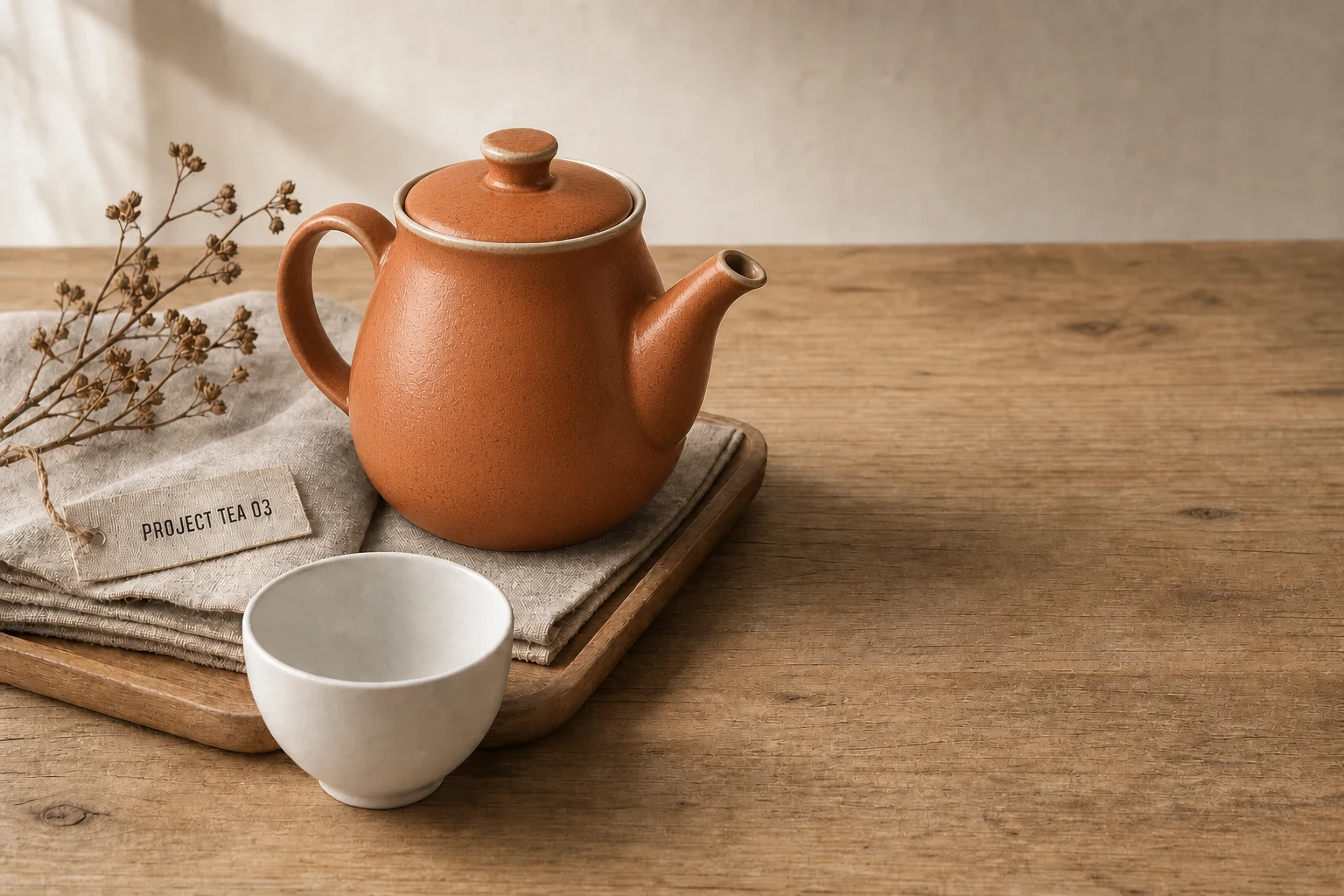
GPT Image 2 edited output GPT Image 2 photo editing prompt result with one ceramic teapot recolored burnt orange
Recolor One Ceramic Object | Best for: For changing a single teapot glaze while preserving the product still life and reflections. | Prompt EN-C02-02-P03 | Check: Teapot-only recolor, cream rim, handle and spout geometry, cup and linen colors, PROJECT TEA 03 tag, highlights, and contact shadow | If it fails: After an observed scene-wide color shift, change only the editable-region sentence and retain the original lighting.
Expected result

Only the teapot changes color while its material, silhouette, scene lighting, tag, and surrounding props stay fixed.

Copy-ready tested prompt
Task: Edit the authorized synthetic tabletop still life by changing only the blue ceramic glaze of the teapot to matte burnt orange.
Subject: The editable region is the teapot's glazed exterior, including its lid, handle, spout, and reflected color on those ceramic surfaces; its geometry and cream rim remain unchanged.
Context: Preserve the complete breakfast still-life scene with the white cup, folded linen, wooden tray, dried branch, tabletop, and fictional PROJECT TEA 03 tag.
Style: Quiet commercial product photography with tactile ceramic, linen, wood, and soft natural color rather than a restyled scene.
Composition: Keep the original landscape crop, camera angle, teapot position, handle and spout silhouette, cup overlap, tray edges, and surrounding negative space unchanged.
Lighting: Preserve the same window-light direction, highlight shape, matte ceramic roughness, contact shadows, cup reflection, and warm tabletop bounce; update only physically plausible color spill caused by the new glaze.
Constraints: Change only the named teapot-glaze region. Preserve every other object, label, material, shadow, reflection, edge, scene relationship, and source-image pixel outside that region. Keep the teapot's form, scale, rim, seams, and surface texture consistent.
Output: Full-resolution landscape product edit at the original aspect ratio, with a convincing burnt-orange glaze and a source-faithful still life.
Adjustable parameters
Glaze hue, matte roughness, rim lock, color spill, highlight shape, shadow, tag preservation
Failure correction
After an observed scene-wide color shift, change only the editable-region sentence and retain the original lighting.
Review focus
Teapot-only recolor, cream rim, handle and spout geometry, cup and linen colors, PROJECT TEA 03 tag, highlights, and contact shadow
Model
GPT Image 2
Editing · GPT Image 2 · Prompt 04

Recolor Clothing While Locking Identity

For changing a jacket color without altering the synthetic person's face, pose, hands, or garment construction.

Authorized synthetic input Synthetic adult portrait input wearing a green jacket
GPT Image 2 edited output GPT Image 2 precision edit result with a synthetic portrait jacket recolored while identity stays unchanged
Recolor Clothing While Locking Identity | Best for: For changing a jacket color without altering the synthetic person's face, pose, hands, or garment construction. | Prompt EN-C02-02-P04 | Check: Face, curls, expression, hands, shirt, jacket seams and buttons, fold lighting, wall, chair, and source crop | If it fails: After observed facial drift, change only the failed identity-anchor sentence and retain the complete color edit.
Expected result

The jacket becomes rust red while the face, hair, pose, hands, fabric folds, shirt, framing, and light remain consistent.

Copy-ready tested prompt
Task: Edit the authorized synthetic portrait input by changing only the green jacket fabric to a deep rust-red color.
Subject: Preserve the same fictional adult's face, skin tone, short dark curls, expression, gaze, seated pose, hand anatomy, cream shirt, jacket cut, lapels, seams, buttons, folds, and body proportions unchanged.
Context: This is a wardrobe color comparison for the same editorial portrait, not a new person, new outfit, or new location.
Style: Source-faithful editorial photography with realistic dyed fabric and natural skin rendering.
Composition: Retain the original landscape framing, camera height, subject scale, shoulder angle, hand placement, foreground chair, background wall, and open space exactly as composed.
Lighting: Keep the source key light, facial highlights, hair sheen, fabric shadow depth, fold shading, color temperature, and background illumination; update only the colored light reflected locally from the rust-red textile.
Constraints: Change only the jacket's green fabric color. Preserve identity, anatomy, expression, clothing geometry, cream shirt, buttons, seams, hands, background, shadows, and every protected source region unchanged. Keep the new dye physically consistent across folds and occlusions.
Output: Full-resolution landscape wardrobe-color edit at the original dimensions, showing the same person and jacket construction with only the approved rust-red color change.
Adjustable parameters
Rust-red hue, fabric color spill, facial anchors, hand position, seams, folds, lighting lock
Failure correction
After observed facial drift, change only the failed identity-anchor sentence and retain the complete color edit.
Review focus
Face, curls, expression, hands, shirt, jacket seams and buttons, fold lighting, wall, chair, and source crop
Model
GPT Image 2
Editing · GPT Image 2 · Prompt 05

Remove Distracting Glass Reflections

For cleaning bright reflected streaks from a synthetic café window while retaining transparent material cues.

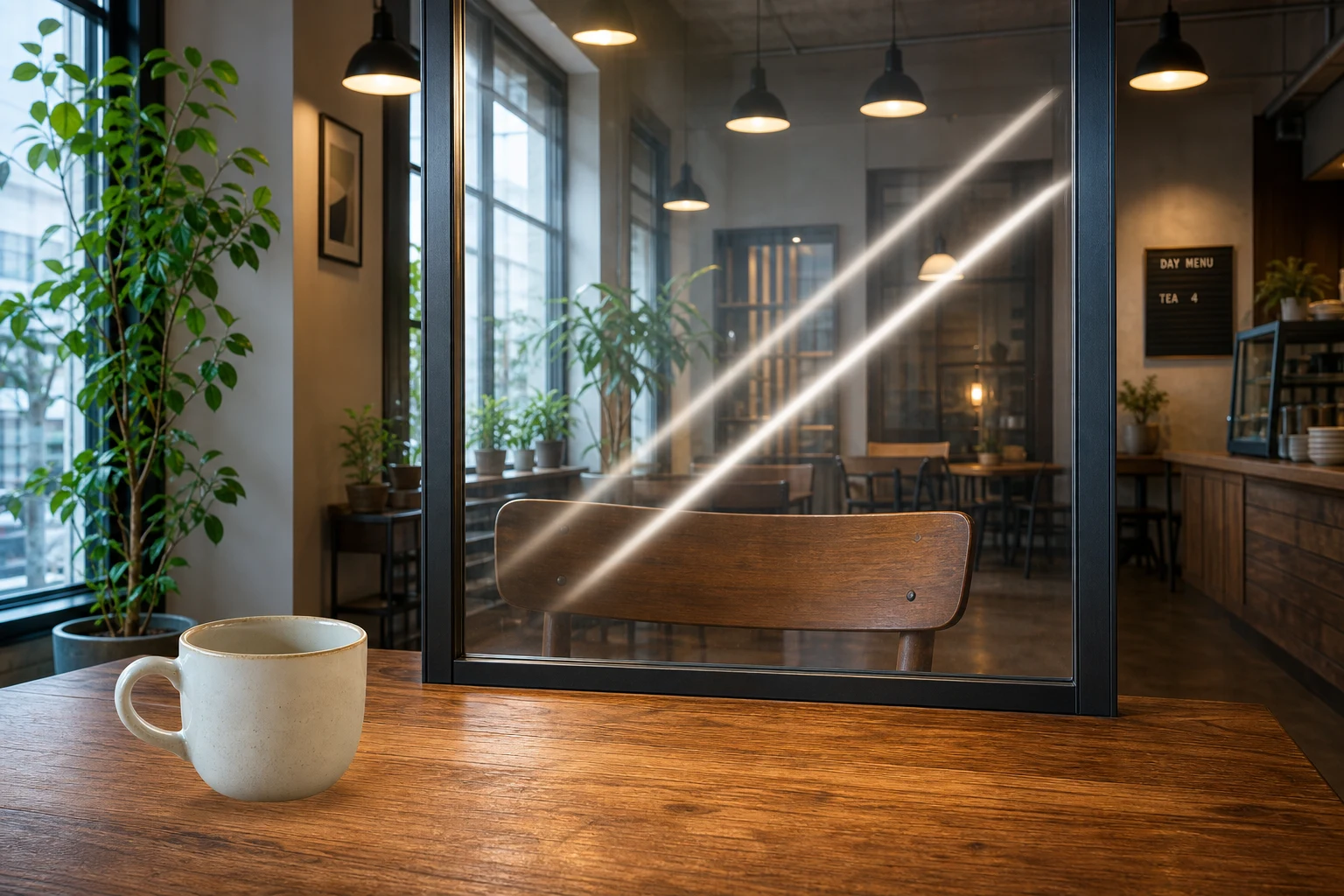
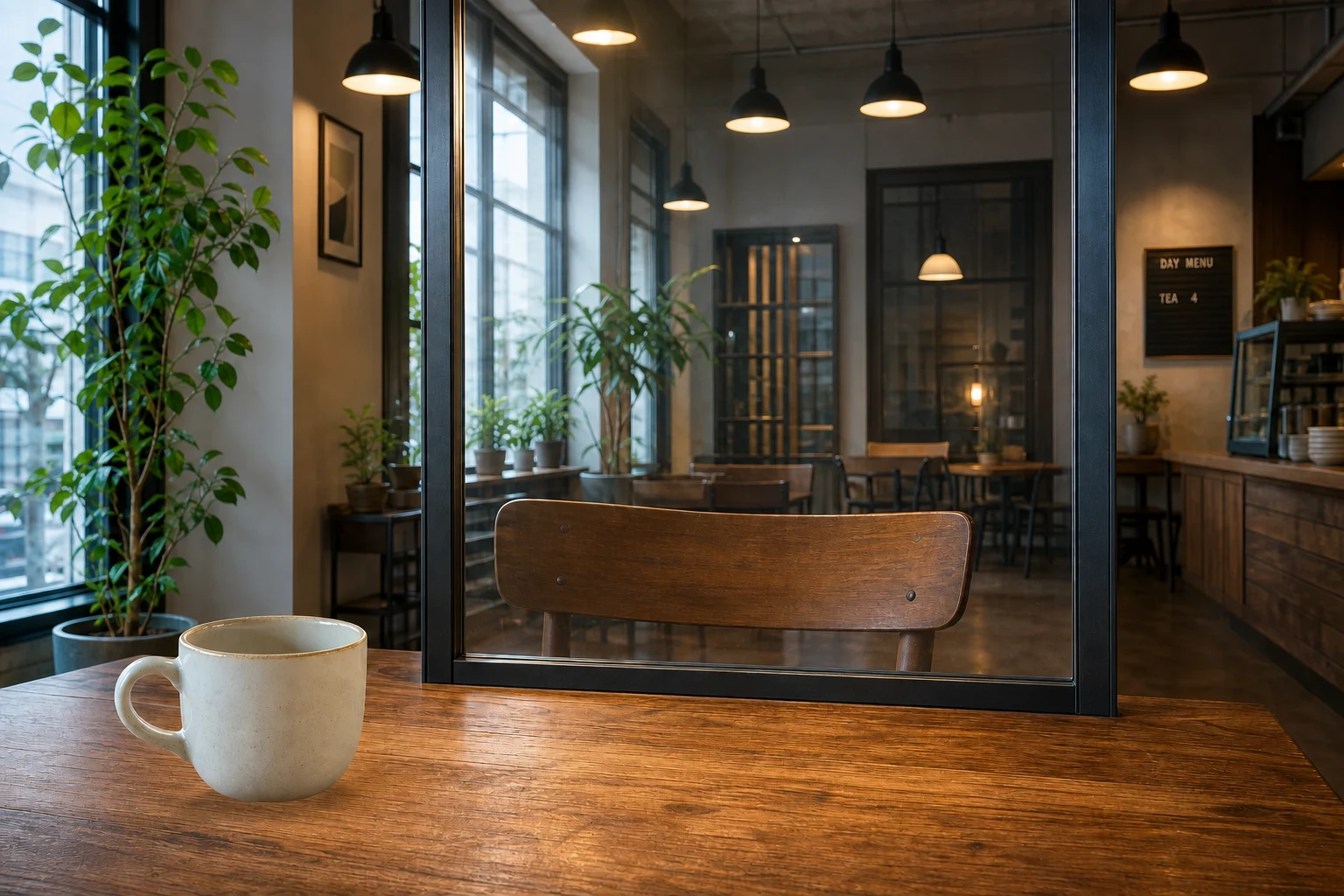
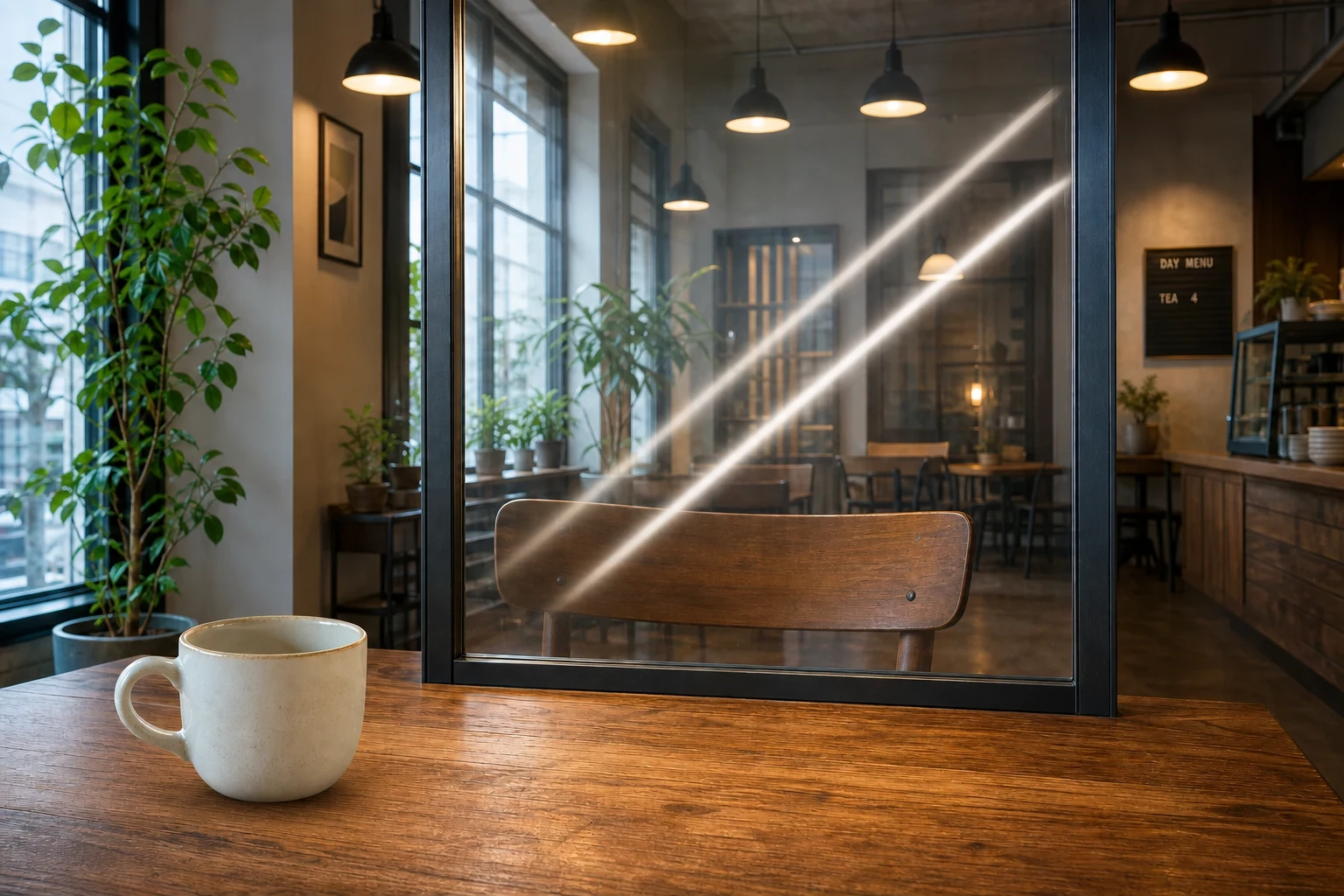
Authorized synthetic input Synthetic café interior input with bright reflection streaks on a glass partition
GPT Image 2 edited output GPT Image 2 retouching prompt result with distracting reflections removed from synthetic café glass
Remove Distracting Glass Reflections | Best for: For cleaning bright reflected streaks from a synthetic café window while retaining transparent material cues. | Prompt EN-C02-02-P05 | Check: Former streak edges, faint reflection, pane frame, chair visibility, pendant lights, table texture, menu lettering, and scene exposure | If it fails: After glass looks absent, change only the failed reflection-retention instruction and preserve the complete room.
Expected result

Bright streaks disappear while subtle reflections, transparency, glass edges, furniture, and ambient lighting remain believable.

Copy-ready tested prompt
Task: Edit the authorized synthetic café-interior input by removing the two distracting bright diagonal reflection streaks from the glass partition.
Subject: The editable region is limited to those bright streaks and their glare bloom on the transparent pane; retain the pane itself, its frame, subtle ambient reflection, and everything visible through it.
Context: Preserve the complete indoor café scene with the wooden table, ceramic cup, chair, pendant lights, plants, window frames, fictional menu lettering, and room depth.
Style: Natural interior photography with clean but believable glass, realistic transparency, and retained material cues rather than a flattened or absent pane.
Composition: Keep the original landscape framing, table across the bottom foreground, upright glass partition near center, chair behind the pane, pendant lights above, and all overlaps and depth relationships unchanged.
Lighting: Preserve the warm pendant glow, cool daylight, glass edge highlights, table reflection, chair shadow, and background exposure; remove only the excessive streak intensity while retaining subtle physically plausible reflection.
Constraints: Change only the named glare-streak regions. Preserve the glass frame, transparency, scene objects, menu lettering, plant leaves, table texture, perspective, color grade, and source-image details unchanged. Reconstruct any hidden chair or wall pixels coherently through the cleaned glass.
Output: Full-resolution landscape interior edit at the source aspect ratio, with the distracting streaks removed and the pane still visibly transparent glass.
Adjustable parameters
Streak masks, glare bloom, ambient reflection, transparency, glass frame, hidden-detail reconstruction, light balance
Failure correction
After glass looks absent, change only the failed reflection-retention instruction and preserve the complete room.
Review focus
Former streak edges, faint reflection, pane frame, chair visibility, pendant lights, table texture, menu lettering, and scene exposure
Model
GPT Image 2
Editing · GPT Image 2 · Prompt 06

Rebuild a Missing Contact Shadow

For grounding a synthetic ceramic cup on a café table without changing the product or room.

Authorized synthetic input Synthetic café interior input with a ceramic cup and an intentionally weak contact shadow
GPT Image 2 edited output GPT Image 2 local edit result with a realistic contact shadow rebuilt beneath a synthetic ceramic cup
Rebuild a Missing Contact Shadow | Best for: For grounding a synthetic ceramic cup on a café table without changing the product or room. | Prompt EN-C02-02-P06 | Check: Cup geometry, base contact, shadow direction and falloff, table grain, reflections, crop, room objects, and fictional menu | If it fails: After an observed lighting mismatch, change only the failed shadow direction, density, or color variable.
Expected result

The existing cup feels grounded through a natural contact shadow while cup identity, table texture, and room remain unchanged.

Copy-ready tested prompt
Task: Edit the authorized synthetic café-interior input by rebuilding the missing contact shadow beneath the ceramic cup on the wooden foreground table.
Subject: Keep the same cup identity, off-white glaze, handle angle, rim ellipse, scale, position, highlight, and reflection unchanged; edit only the table pixels where its physically plausible shadow belongs.
Context: The cup must feel grounded in the existing café scene while every other object, chair, plant, pendant, glass frame, and menu detail remains source-faithful.
Style: Realistic interior product photography with a subtle natural shadow, visible wood grain, and unchanged material rendering.
Composition: Preserve the original landscape crop, cup location in the lower-left foreground, table edge, glass partition near center, background seating, camera height, and depth relationships.
Lighting: Derive the shadow direction from the upper-left daylight and warm overhead pendants; make it darkest and sharpest at the cup base, then soften and lighten away from contact while following the table plane.
Constraints: Change only the named shadow region on the table. Preserve the same product, cup geometry, glaze, handle, highlight, table grain, reflections, room, framing, and all protected source pixels unchanged. Keep the shadow opacity and color physically integrated with the existing mixed light.
Output: Full-resolution landscape edit at the source dimensions, with the unchanged cup convincingly grounded by a coherent contact shadow.
Adjustable parameters
Shadow direction, base density, falloff, softness, table-plane alignment, cup identity, mixed-light color
Failure correction
After an observed lighting mismatch, change only the failed shadow direction, density, or color variable.
Review focus
Cup geometry, base contact, shadow direction and falloff, table grain, reflections, crop, room objects, and fictional menu
Model
GPT Image 2
Editing · GPT Image 2 · Prompt 07

Change the Sky and Weather

For turning a synthetic market street from flat overcast weather into a post-rain sunbreak.

Authorized synthetic input Synthetic market street input beneath a flat gray sky
GPT Image 2 edited output GPT Image 2 image editing prompt result changing a synthetic market street to post-rain sunbreak weather
Change the Sky and Weather | Best for: For turning a synthetic market street from flat overcast weather into a post-rain sunbreak. | Prompt EN-C02-02-P07 | Check: Sky boundary, street sheen, shadow direction, people, bicycle, signs, awning, architecture, crop, and original perspective | If it fails: After an observed global redesign, change only the editable-region sentence and retain the full original market scene.
Expected result

The same market street appears just after rain, with coherent sky, warm sunbreak, subtle wet paving, and unchanged subjects.

Copy-ready tested prompt
Task: Edit the authorized synthetic market-street input by changing the flat gray weather into a fresh post-rain sunbreak.
Subject: Replace the visible sky with receding blue-gray clouds opening to warm late-morning light, add a restrained wet sheen to exposed paving, and update only the light interactions required by that weather.
Context: Preserve the complete café street scene, people, bicycle, awning, storefronts, flower boxes, fictional signs, architecture, and travel-photography purpose.
Style: Natural documentary photography with believable weather continuity, restrained color, and physically coherent wet materials rather than a dramatic fantasy treatment.
Composition: Retain the original landscape crop, camera position, vanishing point, skyline, doorway, left-side café tables, right-side bicycle, and every subject's scale and location.
Lighting: Let the sunbreak enter from upper left, producing soft warm edge light and controlled paving reflections while preserving facial exposure, awning color, window reflections, existing shadow geometry, and cloud depth.
Constraints: Change only the sky, necessary wet-surface sheen, and the light interactions directly caused by the approved weather. Preserve every person, object, sign, building edge, perspective line, crop, and source-scene detail unchanged. Keep reflections and shadows consistent with the named sun direction.
Output: Full-resolution landscape weather edit at the source aspect ratio, with a convincing sunbreak and wet-street response while the market scene remains identical.
Adjustable parameters
Cloud opening, sun direction, paving sheen, reflection strength, edge light, people and sign locks, color grade
Failure correction
After an observed global redesign, change only the editable-region sentence and retain the full original market scene.
Review focus
Sky boundary, street sheen, shadow direction, people, bicycle, signs, awning, architecture, crop, and original perspective
Model
GPT Image 2
Editing · GPT Image 2 · Prompt 08

Natural Portrait Retouch

For softening temporary skin distractions in a synthetic portrait while keeping pores, expression, and identity.

Authorized synthetic input Synthetic adult portrait input with natural skin texture and temporary blemishes
GPT Image 2 edited output GPT Image 2 precision retouching prompt result with natural skin preserved on a synthetic portrait
Natural Portrait Retouch | Best for: For softening temporary skin distractions in a synthetic portrait while keeping pores, expression, and identity. | Prompt EN-C02-02-P08 | Check: Pores, freckles, cheek tone, jaw texture, eyes, expression, curls, hands, jacket, highlights, and source crop | If it fails: After observed over-smoothing, change only the failed local texture instruction and retain the complete portrait.
Expected result

Temporary distractions are reduced while the same face, freckles, pores, expression, lighting, pose, and clothing remain intact.

Copy-ready tested prompt
Task: Edit the authorized synthetic portrait input by gently reducing temporary redness on the right cheek and healing the two small visible blemishes near the jaw.
Subject: Preserve the same fictional adult's face, bone structure, eye shape, nose, lips, freckles, pores, fine lines, skin tone, curls, expression, gaze, hands, clothing, and body proportions unchanged.
Context: This is a natural editorial retouch for a consented synthetic portrait, not beauty reshaping, age alteration, identity substitution, or unsupported medical correction.
Style: Honest high-end portrait retouching with local texture reconstruction and lifelike skin rather than broad blur or plastic smoothing.
Composition: Retain the complete landscape crop, camera height, seated pose, shoulder angle, hand placement, green jacket, chair, wall, and background depth unchanged.
Lighting: Preserve every facial highlight, catchlight, soft cheek shadow, skin translucency, hair sheen, fabric light, and source color temperature; rebuild local skin texture under the same illumination.
Constraints: Change only the named redness and blemish regions. Preserve identity, anatomy, pores, freckles, fine lines, expression, hair, clothing, hands, background, and all protected source details unchanged. Match nearby texture and tone at close inspection.
Output: Full-resolution landscape portrait edit at the original dimensions, with subtle local correction and visibly natural skin texture.
Adjustable parameters
Cheek redness, two blemish masks, pore scale, freckle lock, highlight lock, identity anchors, texture blend
Failure correction
After observed over-smoothing, change only the failed local texture instruction and retain the complete portrait.
Review focus
Pores, freckles, cheek tone, jaw texture, eyes, expression, curls, hands, jacket, highlights, and source crop
Model
GPT Image 2
Editing · GPT Image 2 · Prompt 09

Remove Lens Glare from a Portrait

For clearing a synthetic lens-flare veil across a face without flattening the original light.

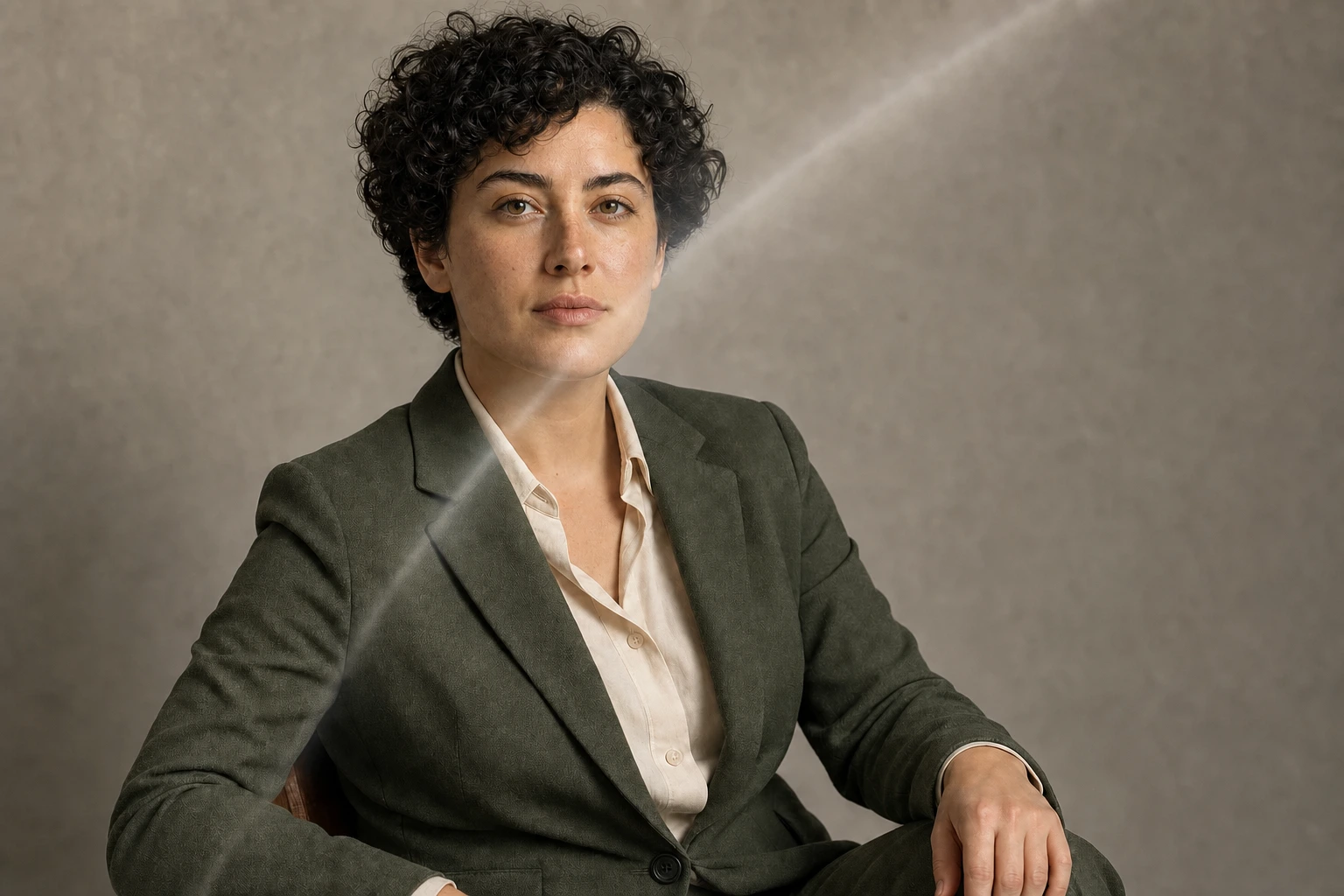
Authorized synthetic input Synthetic adult portrait input with a soft lens-glare veil crossing the face
GPT Image 2 edited output GPT Image 2 photo retouch prompt result with lens glare removed from a synthetic editorial portrait
Remove Lens Glare from a Portrait | Best for: For clearing a synthetic lens-flare veil across a face without flattening the original light. | Prompt EN-C02-02-P09 | Check: Eye detail, cheek texture, curls, jacket weave, expression, catchlights, wall exposure, crop, and hand position | If it fails: After observed facial relighting, change only the failed light-preservation sentence and retain the local glare mask.
Expected result

The glare veil disappears while the same identity, face texture, jacket weave, exposure, and editorial composition remain intact.

Copy-ready tested prompt
Task: Edit the authorized synthetic portrait input by removing the pale diagonal lens-glare veil that crosses the right side of the face and upper jacket.
Subject: Restore the same fictional adult's visible eye detail, cheek texture, curls, jacket weave, and wall tone beneath the glare while preserving identity, expression, pose, hands, clothing, and proportions.
Context: The result should look like the same editorial portrait captured through a clean lens, with the original lighting design and environment retained.
Style: Source-faithful photographic cleanup with natural recovered detail and highlight roll-off rather than a newly generated face or a globally contrasty grade.
Composition: Keep the original landscape framing, camera position, subject scale, seated pose, gaze, shoulder angle, hand placement, chair, and open wall space unchanged.
Lighting: Remove only the unwanted optical veil while preserving the source key-light direction, facial highlights, catchlights, cheek shadow, hair sheen, jacket shading, background exposure, and color temperature.
Constraints: Change only the named glare path and restore the source-consistent details it obscures. Preserve the same identity, anatomy, skin texture, hair, garment geometry, hands, scene, crop, and every protected source region unchanged.
Output: Full-resolution landscape portrait edit at the source dimensions, with clean recovered face and jacket detail under the unchanged original light.
Adjustable parameters
Glare path, recovered eye and cheek detail, jacket weave, highlight roll-off, identity anchors, source exposure
Failure correction
After observed facial relighting, change only the failed light-preservation sentence and retain the local glare mask.
Review focus
Eye detail, cheek texture, curls, jacket weave, expression, catchlights, wall exposure, crop, and hand position
Model
GPT Image 2
Editing · GPT Image 2 · Prompt 10

Outpaint a Landscape Canvas

For extending a synthetic coastal photograph into its padded side canvas while preserving the center image.

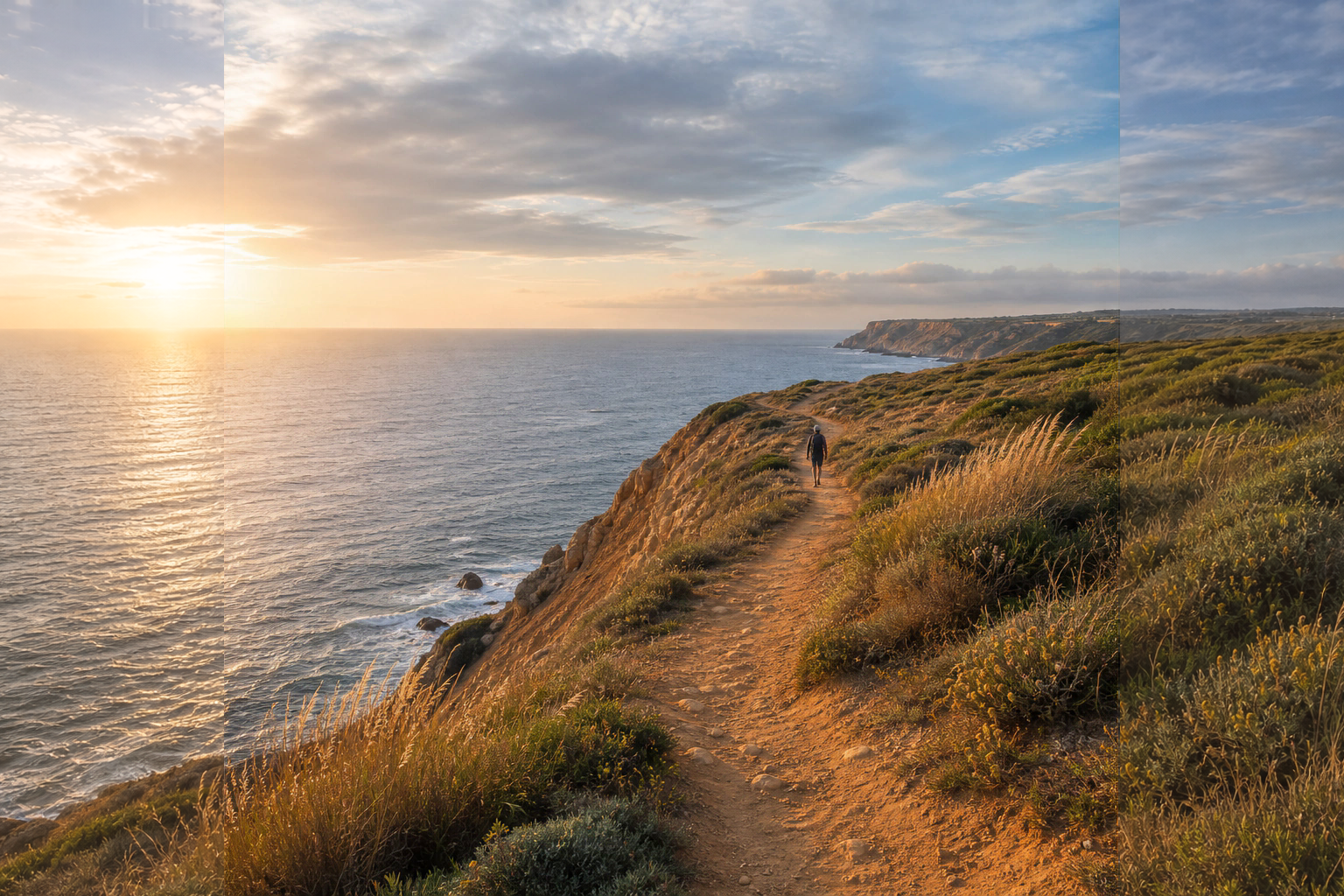
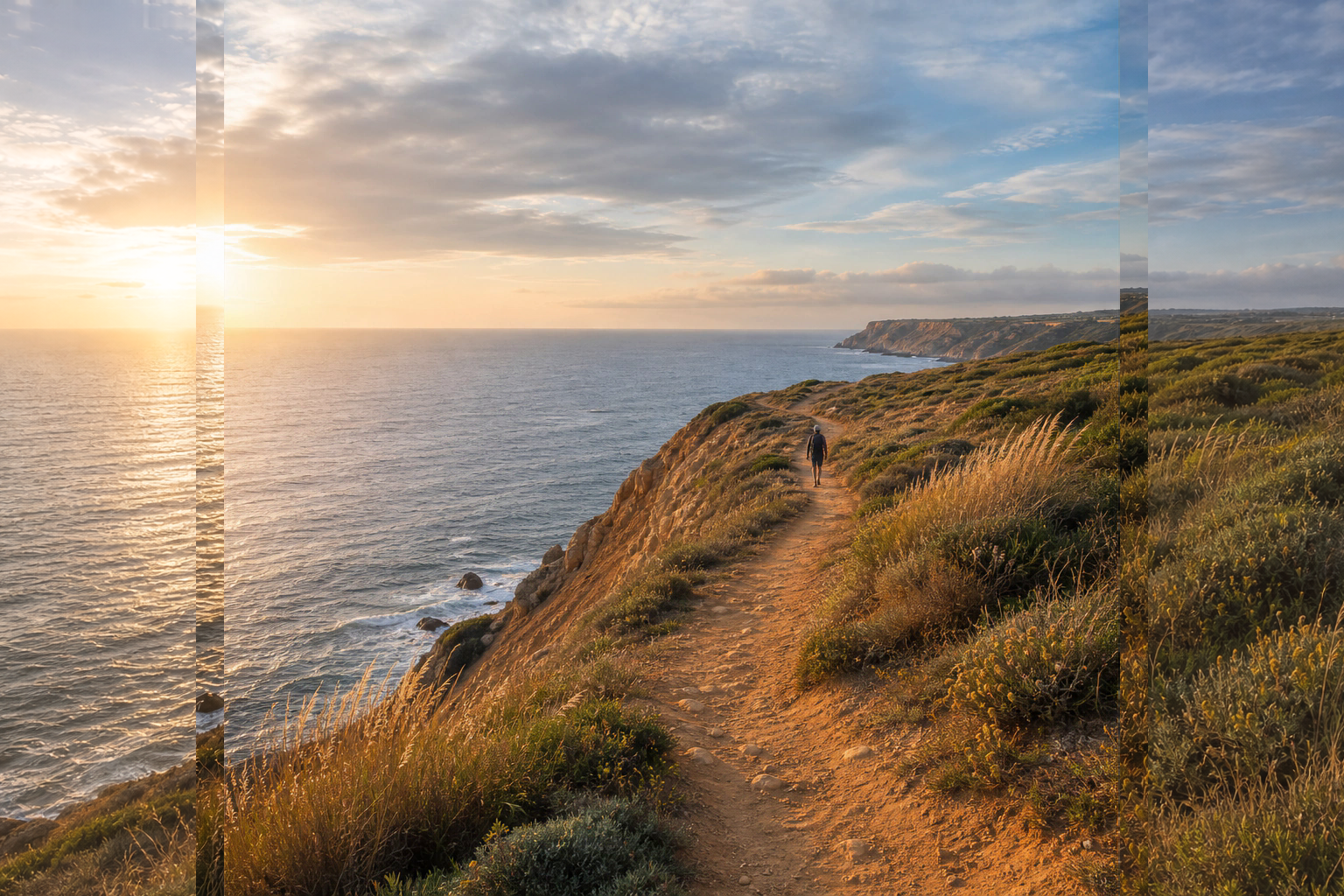
Authorized synthetic input Synthetic coastal photograph centered within a wider padded landscape canvas
GPT Image 2 edited output GPT Image 2 outpainting prompt result extending a synthetic coastal photograph across a wide landscape canvas
Outpaint a Landscape Canvas | Best for: For extending a synthetic coastal photograph into its padded side canvas while preserving the center image. | Prompt EN-C02-02-P10 | Check: Left and right joins, horizon alignment, hiker identity and position, path direction, cliff texture, cloud continuity, and light | If it fails: After an observed seam or stretch, change only the failed boundary-continuation sentence and retain the central source.
Expected result

The padded sides become a seamless wide coastal landscape while the central hiker, horizon, path, light, and source pixels remain fixed.

Copy-ready tested prompt
Task: Edit the authorized synthetic outpaint input by filling the padded canvas to the left and right of the centered coastal photograph.
Subject: Continue the sea horizon, layered blue-gray water, ochre cliff path, low grasses, distant headland, soft clouds, and golden-hour atmosphere outward from the existing source boundaries.
Context: The central photograph is the source authority for a wider travel-editorial landscape; its hiker, path, cliff geometry, horizon height, weather, and color grade must remain unchanged.
Style: Natural cinematic landscape photography with continuous geology, vegetation, atmospheric depth, and source-matched grain.
Composition: Preserve every central source pixel and extend the cliff path toward the lower-left edge, the sea and horizon across the right side, and cloud layers across the full width; maintain the hiker's original position and the source vanishing relationships.
Lighting: Continue the existing low sun from the left, warm cliff highlights, cool sea shadows, cloud illumination, haze, and reflected color across both new regions.
Constraints: Generate only the two 256-pixel padded side regions; composite the original x=256–1279 central source block back pixel-for-pixel after the side extensions, without resampling, denoising, recoloring, or regenerating it. Preserve the central hiker, horizon, path, cliff, sea, cloud boundaries, camera perspective, color grade, and all source pixels unchanged. Use the supplied source-locked full-width composite: preserve x=256–1279 exactly and repair only the two 32-pixel outer seam bands x=224–255 and x=1280–1311 so their sky, horizon, water, cliff, vegetation, color, luminance, grain, and texture continue across the protected boundaries; leave all other side pixels unchanged.
Output: Full 1536-by-1024 landscape edit with both padded sides filled, a continuous coastal scene, and the complete central source preserved.
Adjustable parameters
Left path continuation, right sea extension, horizon height, cloud continuity, seam texture, central source lock, low-sun direction
Failure correction
After an observed seam or stretch, change only the failed boundary-continuation sentence and retain the central source.
Review focus
Left and right joins, horizon alignment, hiker identity and position, path direction, cliff texture, cloud continuity, and light
Model
GPT Image 2
Editing · GPT Image 2 · Prompt 11

Correct Architectural Perspective

For straightening converging storefront verticals in a synthetic market street without changing the street content.

Authorized synthetic input Source-locked market street after a uniform keystone prewarp with two narrow edge-fill defects
GPT Image 2 edited output GPT Image 2 photo editing prompt result correcting perspective in a synthetic market street
Correct Architectural Perspective | Best for: For straightening converging storefront verticals in a synthetic market street without changing the street content. | Prompt EN-C02-02-P11 | Check: Door and window verticals, sign supports, people, bicycle, awning, paving vanishing point, horizon, crop, and edge reconstruction | If it fails: After an observed warped subject or crop, change only the failed protected-region sentence and retain the perspective correction.
Expected result

Storefront verticals become straight while the same people, signs, objects, horizon, vanishing point, light, and crop remain coherent.

Copy-ready tested prompt
Task: Edit the authorized synthetic market-street input by correcting the mild vertical keystone convergence in the storefront architecture.
Subject: Straighten the café doorway, window frames, wall corners, sign supports, and neighboring façade verticals while retaining every person, bicycle, awning, flower box, table, sign, and paving feature.
Context: Preserve the same documentary street scene and camera moment; this is a perspective correction rather than a redesigned or rebuilt location.
Style: Natural travel photography with credible rectilinear architecture, retained lens character, and source-faithful materials.
Composition: Keep the landscape crop, horizon, central doorway, street vanishing point, left café seating, right bicycle, subject sizes, foreground paving, and relative positions unchanged while making true architectural verticals parallel to the frame edges.
Lighting: Preserve the source light direction, window reflections, awning shadows, facial exposure, paving texture, color grade, and atmospheric depth across the corrected geometry.
Constraints: Use the supplied source-locked homography composite as the protected frame and the authorized original source only as edge-continuation reference; use the supplied black-and-white wedge mask as the edit boundary, generate content only inside its two black outer triangles while treating every white pixel as immutable, and reconstruct the black triangles by following the original source's adjacent roof, tent, people, chairs, paving, brick, windows, flowers, planter, and bicycle continuations without adding, duplicating, truncating, relocating, or severing any element. Preserve every scene element, person, sign, wording, overlap, scale, horizon, crop, and protected source detail unchanged. Reconstruct narrow edge pixels consistently where the geometric correction creates gaps.
Output: Full-resolution landscape perspective-corrected edit at the source aspect ratio, with straight storefront verticals and the complete street scene preserved.
Adjustable parameters
Vertical alignment, horizon lock, vanishing point, edge fill, sign placement, subject scale, lens character
Failure correction
After an observed warped subject or crop, change only the failed protected-region sentence and retain the perspective correction.
Review focus
Door and window verticals, sign supports, people, bicycle, awning, paving vanishing point, horizon, crop, and edge reconstruction
Model
GPT Image 2
Editing · GPT Image 2 · Prompt 12

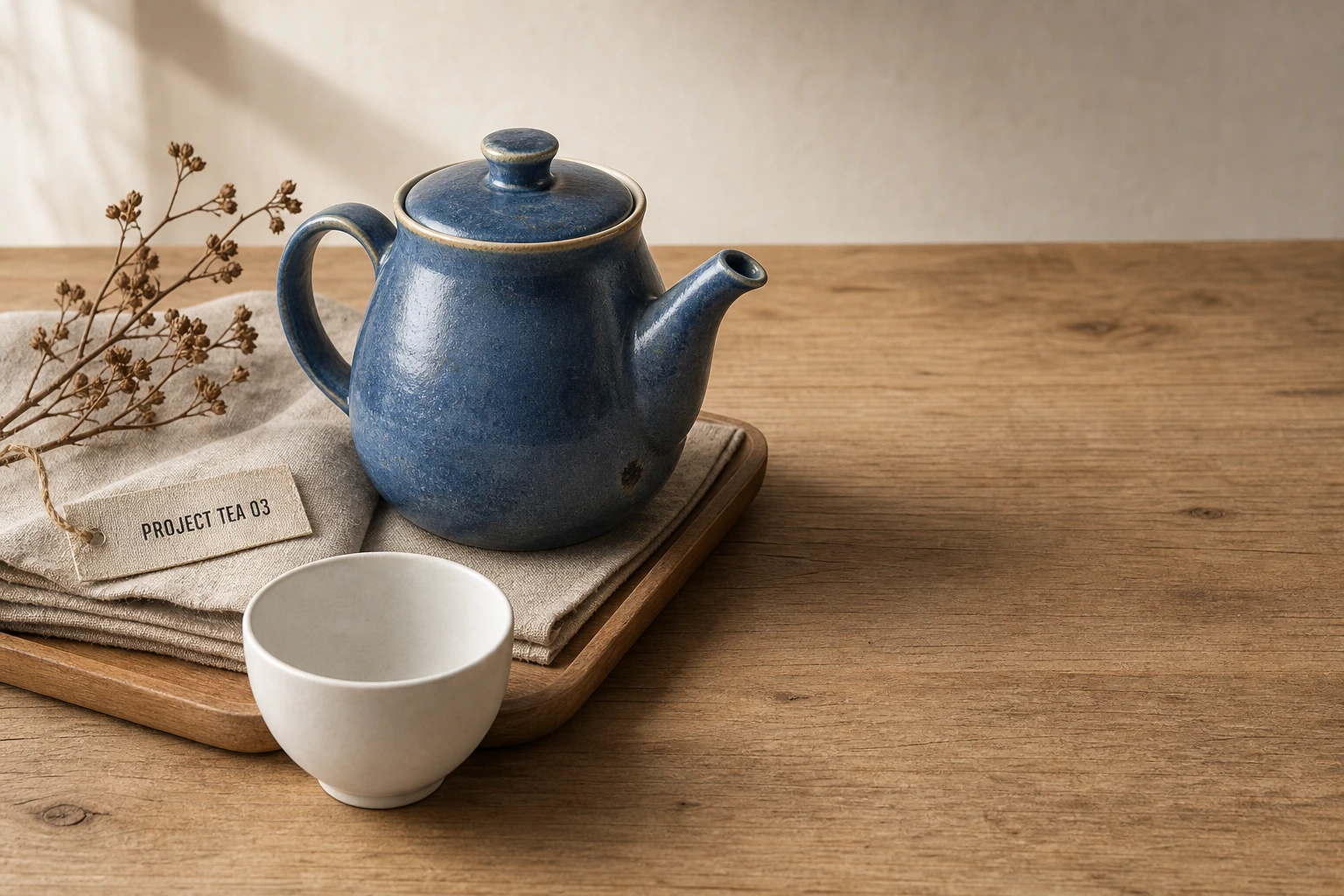
Repair a Local Product Blemish

For removing a small firing mark from a synthetic ceramic teapot without polishing away material texture.

Authorized synthetic input Synthetic tabletop still life input with a small dark firing mark on a ceramic teapot
GPT Image 2 edited output GPT Image 2 inpainting prompt result repairing a small blemish on a synthetic ceramic teapot
Repair a Local Product Blemish | Best for: For removing a small firing mark from a synthetic ceramic teapot without polishing away material texture. | Prompt EN-C02-02-P12 | Check: Repaired spot, blue glaze variation, spout seam, cream rim, highlight, cup, linen, PROJECT TEA 03 tag, and shadow | If it fails: After an observed waxy patch, change only the failed texture-scale sentence and retain the local blemish mask.
Expected result

The small mark is repaired while glaze variation, ceramic grain, shape, lighting, tag, props, and scene remain source-faithful.

Copy-ready tested prompt
Task: Edit the authorized synthetic tabletop still life by repairing the small dark firing mark on the teapot body near the base of the spout.
Subject: The editable region is the blemish and its immediate ceramic texture; preserve the teapot's blue glaze variation, cream rim, shape, spout seam, handle, lid, highlights, and natural handmade character.
Context: Keep the complete breakfast product scene with the white cup, linen, tray, dried branch, tabletop, and fictional PROJECT TEA 03 tag unchanged.
Style: Careful commercial product retouching with local material reconstruction rather than broad polishing or artificial perfection.
Composition: Retain the original landscape crop, camera angle, teapot position and silhouette, cup overlap, tray geometry, surrounding negative space, and every object relationship.
Lighting: Match the nearby blue glaze, ceramic grain, highlight roll-off, curvature shading, warm tabletop bounce, and contact shadow precisely across the repaired spot.
Constraints: Change only the named firing-mark region. Preserve every other product feature, surface irregularity, label, prop, shadow, reflection, scene element, and source-image detail unchanged. Rebuild the local glaze at the same texture scale and curvature.
Output: Full-resolution landscape product edit at the original aspect ratio, with the blemish naturally repaired and the teapot's authentic material character preserved.
Adjustable parameters
Blemish mask, glaze hue, ceramic grain, curvature shading, highlight roll-off, spout seam, tag lock
Failure correction
After an observed waxy patch, change only the failed texture-scale sentence and retain the local blemish mask.
Review focus
Repaired spot, blue glaze variation, spout seam, cream rim, highlight, cup, linen, PROJECT TEA 03 tag, and shadow
Model
GPT Image 2
Editing · GPT Image 2 · Prompt 13

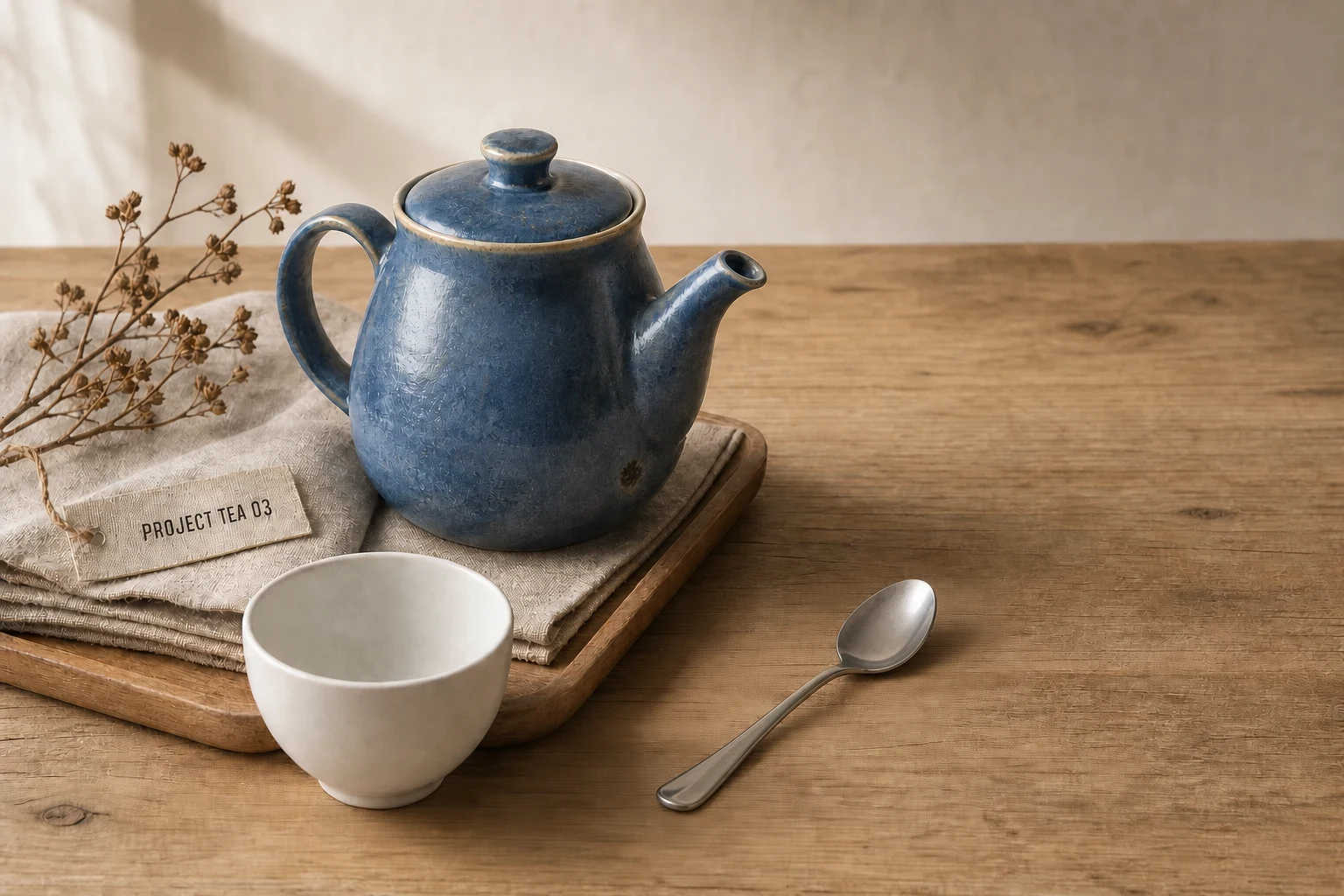
Insert an Authorized Prop

For adding a supplied synthetic teaspoon beside a cup while preserving the tabletop still life.

Authorized synthetic input Synthetic tabletop still life input with open space beside a ceramic cup
GPT Image 2 edited output GPT Image 2 local edit result inserting an authorized synthetic teaspoon into a tabletop still life
Insert an Authorized Prop | Best for: For adding a supplied synthetic teaspoon beside a cup while preserving the tabletop still life. | Prompt EN-C02-02-P13 | Check: Spoon geometry, bowl direction, scale, separation from cup and teapot, metal reflection, shadow, tag, and source objects | If it fails: After an observed overlap or floating prop, change only the failed placement or contact-shadow variable.
Expected result

A realistic stainless-steel teaspoon appears beside the cup at coherent scale and light while the original still life remains unchanged.

Copy-ready tested prompt
Task: Edit the authorized synthetic tabletop still life by inserting the supplied original stainless-steel teaspoon into the open table area to the right of the white cup.
Subject: Add the authorized teaspoon diagonally with its bowl pointing toward the upper right, positioned below the teapot spout and resting flat on the wood; keep its design generic and physically plausible.
Context: Preserve the complete breakfast scene with the blue ceramic teapot, cup, linen, tray, dried branch, tabletop, fictional PROJECT TEA 03 tag, and commercial product-photography purpose.
Style: Quiet realistic still-life photography with source-matched metal, ceramic, linen, and wood materials.
Composition: Keep the original landscape crop, camera angle, teapot and cup positions, tray edges, linen folds, negative space, and all overlaps unchanged; place the spoon entirely within the named right-side tabletop area at coherent scale.
Lighting: Match the existing upper-left window light, add controlled stainless-steel reflections, and create a narrow contact shadow aligned with the cup and teapot shadows.
Constraints: Change only the named empty tabletop region needed for the authorized spoon and its shadow. Preserve every existing object, label, edge, material, reflection, perspective relationship, color, and source-image detail unchanged. Keep the spoon separate from the cup and teapot silhouettes.
Output: Full-resolution landscape product edit at the source aspect ratio, with the authorized teaspoon naturally integrated beside the cup.
Adjustable parameters
Spoon angle, scale, right-side placement, metal reflection, contact shadow, object separation, source locks
Failure correction
After an observed overlap or floating prop, change only the failed placement or contact-shadow variable.
Review focus
Spoon geometry, bowl direction, scale, separation from cup and teapot, metal reflection, shadow, tag, and source objects
Model
GPT Image 2
Editing · GPT Image 2 · Prompt 14

Correct a Fictional Product Label

For replacing one misspelled fictional tag while preserving its typography, material, and still-life position.

Authorized synthetic input Synthetic product still life input with a fictional tag reading PROJECT TEA O3
GPT Image 2 edited output GPT Image 2 local text editing result correcting the fictional label PROJECT TEA 03
Correct a Fictional Product Label | Best for: For replacing one misspelled fictional tag while preserving its typography, material, and still-life position. | Prompt EN-C02-02-P14 | Check: Exact PROJECT TEA 03 spelling, O-to-0 change, type style, tag fibers and folds, teapot, cup, crop, light, and extra copy | If it fails: After an OCR-confirmed character failure, change only the failed glyph or its local placement instruction.
Expected result

The tag reads PROJECT TEA 03 with correct typography and material integration while every product and scene detail stays fixed.

Copy-ready tested prompt
Task: Edit the authorized synthetic tabletop still life by correcting the small linen tag from “PROJECT TEA O3” to “PROJECT TEA 03”.
Subject: Change only the mistaken letter O in the final token to the numeral 0, keeping the same fictional label, uppercase condensed typography, letter spacing, ink density, tag fibers, folds, angle, scale, and placement.
Context: Preserve the complete product scene with the blue ceramic teapot, white cup, folded linen, wooden tray, dried branch, tabletop, and all source relationships.
Style: Source-faithful commercial product photography with crisp but materially printed English lettering on textured linen.
Composition: Keep the original landscape crop, camera angle, teapot and cup silhouettes, tag position near the linen edge, tray geometry, negative space, and complete still-life hierarchy unchanged.
Lighting: Preserve the upper-left window light, ink contrast, linen texture, tag shadow, ceramic highlights, tabletop bounce, and source color temperature.
Constraints: Use only this exact corrected label in the edited region: “PROJECT TEA 03”. Preserve every other character, object, product identity, material, fold, edge, reflection, shadow, camera setting, and protected source detail unchanged. Add no additional copy beyond the listed label.
Output: Full-resolution landscape product edit at the source dimensions, with the corrected fictional label clearly readable and the surrounding scene unchanged.
Adjustable parameters
O-to-0 correction, letter spacing, ink density, linen fibers, tag angle, OCR, product identity, source lighting
Failure correction
After an OCR-confirmed character failure, change only the failed glyph or its local placement instruction.
Review focus
Exact PROJECT TEA 03 spelling, O-to-0 change, type style, tag fibers and folds, teapot, cup, crop, light, and extra copy
Model
GPT Image 2
Editing · GPT Image 2 · Prompt 15

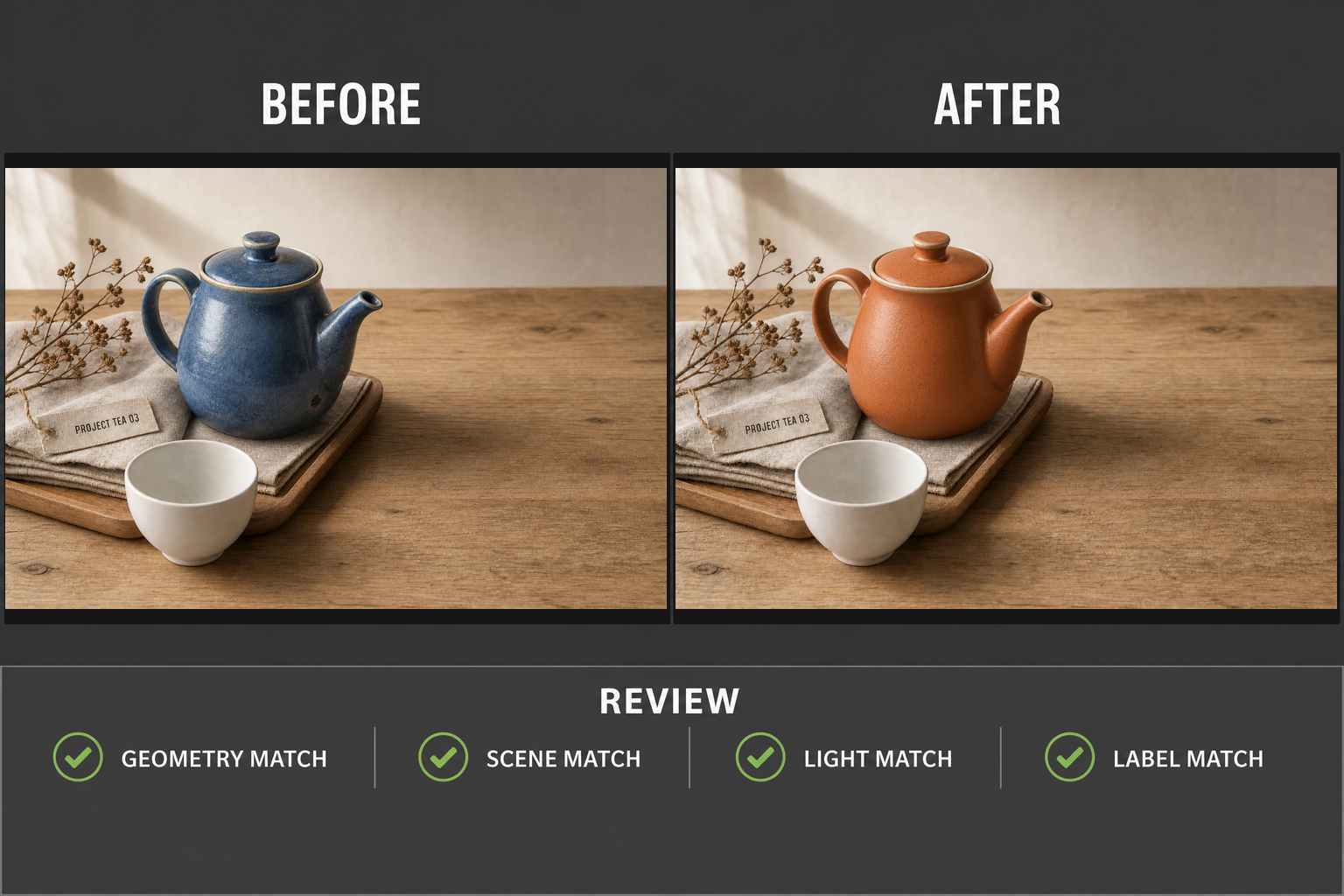
Build a Matched Before-After QC Composite

For presenting the original and a controlled teapot recolor side by side with an explicit review checklist.

Authorized synthetic input Synthetic product still life input prepared for a matched before-and-after quality-control board
GPT Image 2 edited output GPT Image 2 image editing QC composite with matched before and after teapot recolor panels
Build a Matched Before-After QC Composite | Best for: For presenting the original and a controlled teapot recolor side by side with an explicit review checklist. | Prompt EN-C02-02-P15 | Check: BEFORE and AFTER order, equal crops, teapot-only recolor, geometry, cup, linen, tag, lighting, exact checklist copy, and extra text | If it fails: After an observed panel mismatch, change only the failed crop-alignment or label-placement variable while retaining both full states.
Expected result

A clean two-state QC board shows only the approved teapot color change, with matched crops and readable invariant checks.

Copy-ready tested prompt
Task: Edit the authorized synthetic product still life into a matched before-and-after quality-control composite for a controlled teapot recolor.
Subject: Fit the complete uncropped 1536-by-1024 original inside the left panel with its broad right-side tabletop visible, then fit that same full 3:2 frame inside the right panel with only the blue teapot glaze changed to matte burnt orange; letterbox rather than crop, and keep teapot geometry, cup, linen, tray, branch, tag, table, camera, lighting, and source coordinates identical between states.
Context: This internal review board must let an editor compare the first source state with the approved local edit and confirm that protected details remain unchanged.
Style: Clean professional image-editing QC layout with full photographic detail, restrained neutral framing, clear English typography, and source-faithful color.
Composition: Use a landscape comparison layout with equal-size source and result panels aligned on the same top and bottom axes, BEFORE above the left panel, AFTER above the right panel, and a narrow REVIEW footer beneath both. Keep the image crops matched so every object can be compared at the same coordinates and preserve the left-to-right before-then-after sequence.
Lighting: Preserve the source lighting inside both photographs; keep panel backgrounds neutral and typography evenly legible without changing product shadows or material highlights.
Constraints: Use only these exact labels and checklist lines: “BEFORE”, “AFTER”, “REVIEW”, “GEOMETRY MATCH”, “SCENE MATCH”, “LIGHT MATCH”, and “LABEL MATCH”. Keep this reading order. Add no additional copy beyond the listed text. The right panel may change only the teapot glaze color; preserve every other source detail and panel crop unchanged.
Output: Full 1536-by-1024 landscape QC composite with two matched photographic panels, readable approved labels, and a clear before-to-after review sequence.
Adjustable parameters
Matched crops, before-after order, panel axes, teapot recolor, seven exact labels, typography, source light, invariant checks
Failure correction
After an observed panel mismatch, change only the failed crop-alignment or label-placement variable while retaining both full states.
Review focus
BEFORE and AFTER order, equal crops, teapot-only recolor, geometry, cup, linen, tag, lighting, exact checklist copy, and extra text
Model
GPT Image 2

GPT Image 2 image editing prompt FAQ

How specific should an image-editing prompt be?

Be precise about the authorized source, editable region, one requested change, locked details, physical continuity, and output check. Spatial terms such as behind, inside, along the edge, and beneath the subject make the edit boundary easier to inspect.

What details should be locked?

Lock every detail that carries identity or continuity: face, pose, garment shape, product silhouette, labels, perspective, camera position, framing, light direction, shadows, reflections, color grade, and any pixels outside the approved region.

Can GPT Image 2 edit only one region?

Yes, describe the intended local mask in plain language and name the adjacent protected regions. A good object removal prompt identifies the object silhouette, the surface behind it, and the nearby edges that must reconnect.

How do I review a before-and-after edit?

Compare at full size and at thumbnail size. Check identity, crop, geometry, text, protected pixels, edge halos, repeated texture, contact shadows, reflections, light temperature, unexpected subjects, and whether the result still serves the original use.

What inputs may I upload?

Use images you created, own, licensed, or have permission to transform. Obtain consent for identifiable people, avoid confidential material, verify trademark and location rights, and never claim an unsupported restoration or factual event.

Should I simplify a difficult edit before the first call?

Keep the full task, people, scene, labels, hierarchy, and intended output on the first GPT Image 2 call. If a concrete failure occurs, preserve that evidence and change one failure-linked variable at a time.